Event Triggers
Event Triggers are an incredibly powerful way to add custom workflows to an action or event that has occurred in GymOS.
Triggers are assessed when a predefined action occurs. If the criteria you specify are met, the workflow you specify is then “triggered” and executed. An example of a standard event trigger would be “session booked”, occurring at the time a member books a training session.
A few exceptions to this rule are a subset of triggers called “overnight triggers”. These criteria are reviewed nightly. Where the specified criteria are met, the corresponding workflow is then “triggered”. An example of an overnight trigger would be the “member birthday” trigger, which is assessed on a daily basis and is eligible for triggering on the date of a member’s birthday.
Event Triggers are added and administered from the Event Triggers option within the Manage section of the main navigation menu.
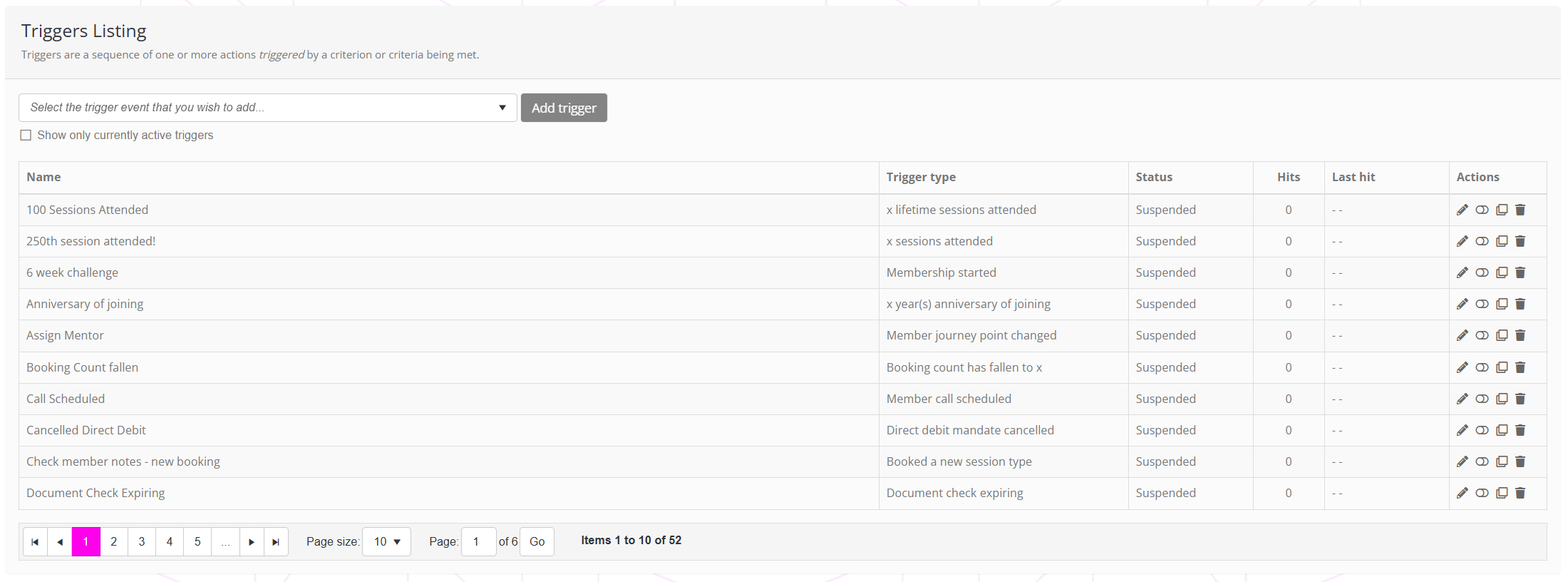
The event triggers page shows all presently configured triggers, along with their operational status. For each trigger, the number of times the trigger has been “hit” (fired) and when it was “last hit” (last fired) is shown.
Trigger actions
For each trigger, a number of corresponding actions are available:
- – Edit the trigger.
- / – Enable or disable the trigger.
- – Duplicate the trigger.
- – Delete the trigger.
Adding a new event trigger
The process for adding a new trigger is outlined in the Adding/creating a new event trigger article.
Editing an event trigger
An existing event trigger may be edited by clicking the icon alongside the trigger of interest. The process is then essentially the same as that outlined in the Adding/creating a new event trigger article.
Deleting an event trigger
To delete an event trigger, click the icon next to the trigger you want to delete. After confirmation, the trigger will be deleted and will not fire thereafter.