
Mobile App: Gym Venue Location & Information
Viewing Your Gym’s Location & Information
Members can view detailed information about their gym’s venues directly within the app, including location details, contact information, and directions.
Accessing Our Venues
To access venue information, the member should:
- From the Dashboard, tap the cog icon in the top-right corner.
- Select App Settings.
- Tap Our Venues.
Viewing Venue Locations
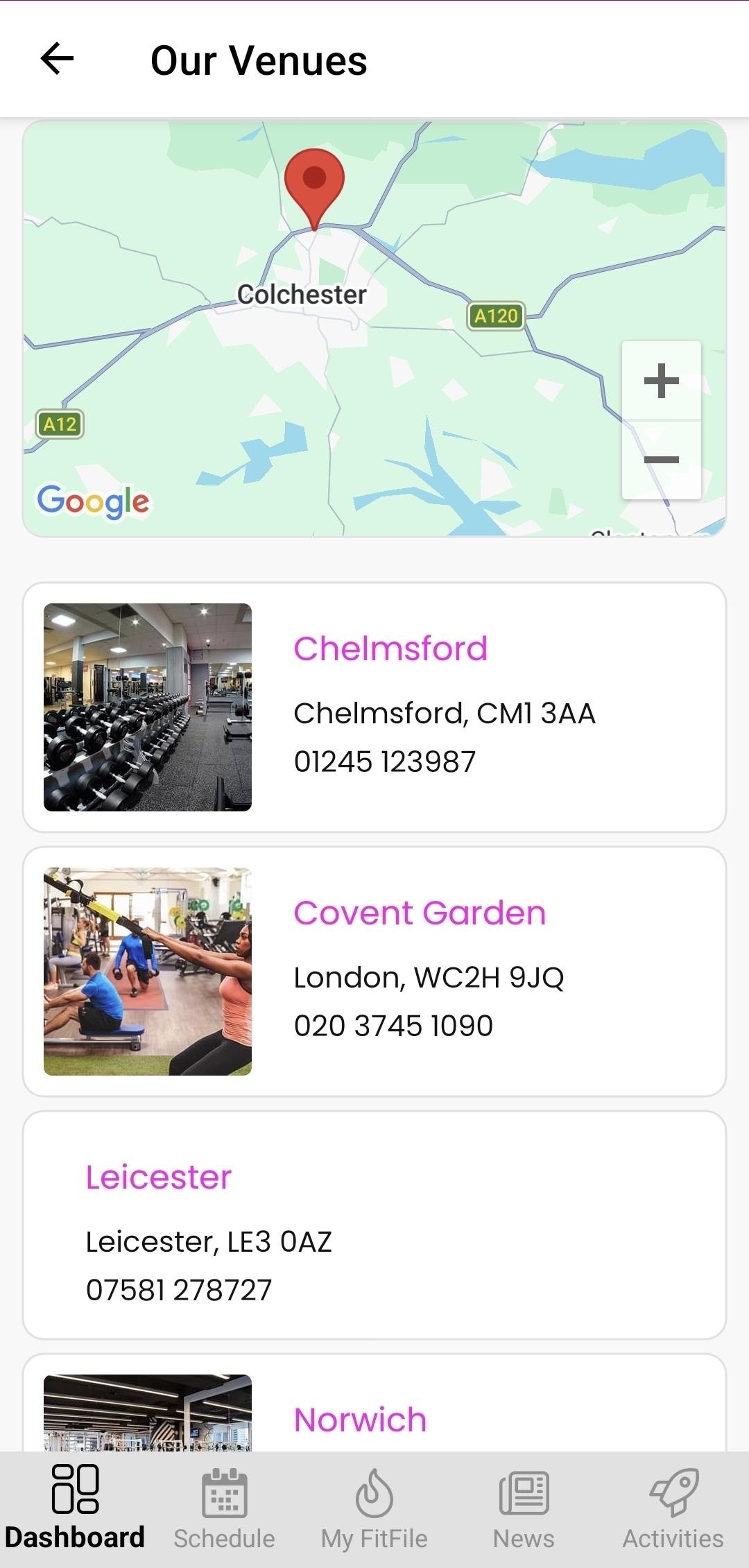
Once opened, the member will see a map with the gym’s venue locations pinned. This provides a clear visual overview of all available locations.
Below the map, a list of venues is displayed. The member can tap on any venue in the list to view further details.
Venue Information Available
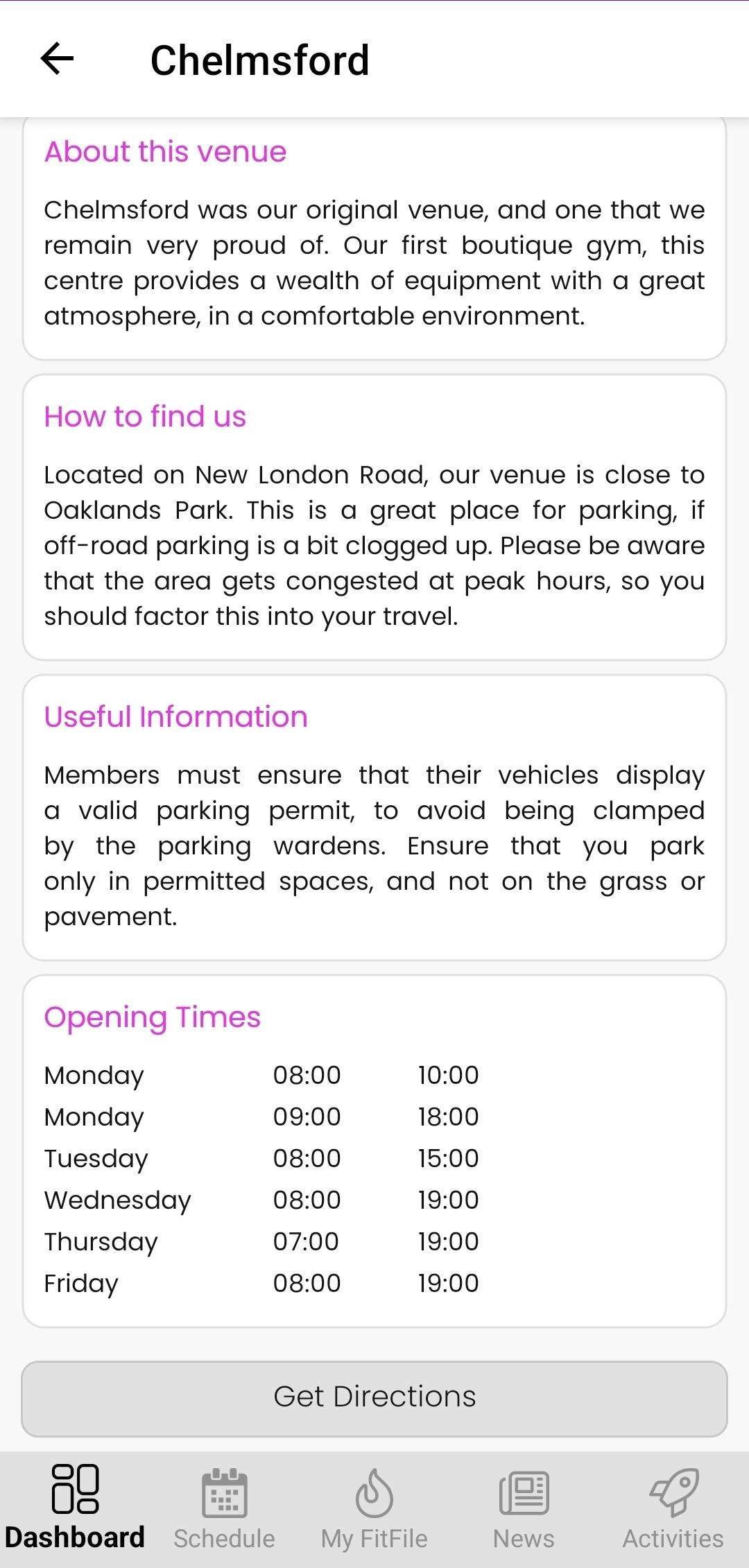
When selecting a venue, the member can view:
- Images of the venue
- Basic contact information
- Information about the venue
- Guidance on how to find the venue
- Opening times
Getting Directions
Each venue page includes a Get Directions button. When tapped, this will open Google Maps with the route to the selected venue.
The feature allows members to easily locate and navigate to any of the gym’s venues.