
Mobile App: Progress & Weight Tracking
In-Session Progress Tracking
The In-session Progress Tracking feature allows members to record their performance during a booked session. This helps track training progress and provides guidance for future improvements.
Accessing In-Session Tracking
To use this feature, the member should:
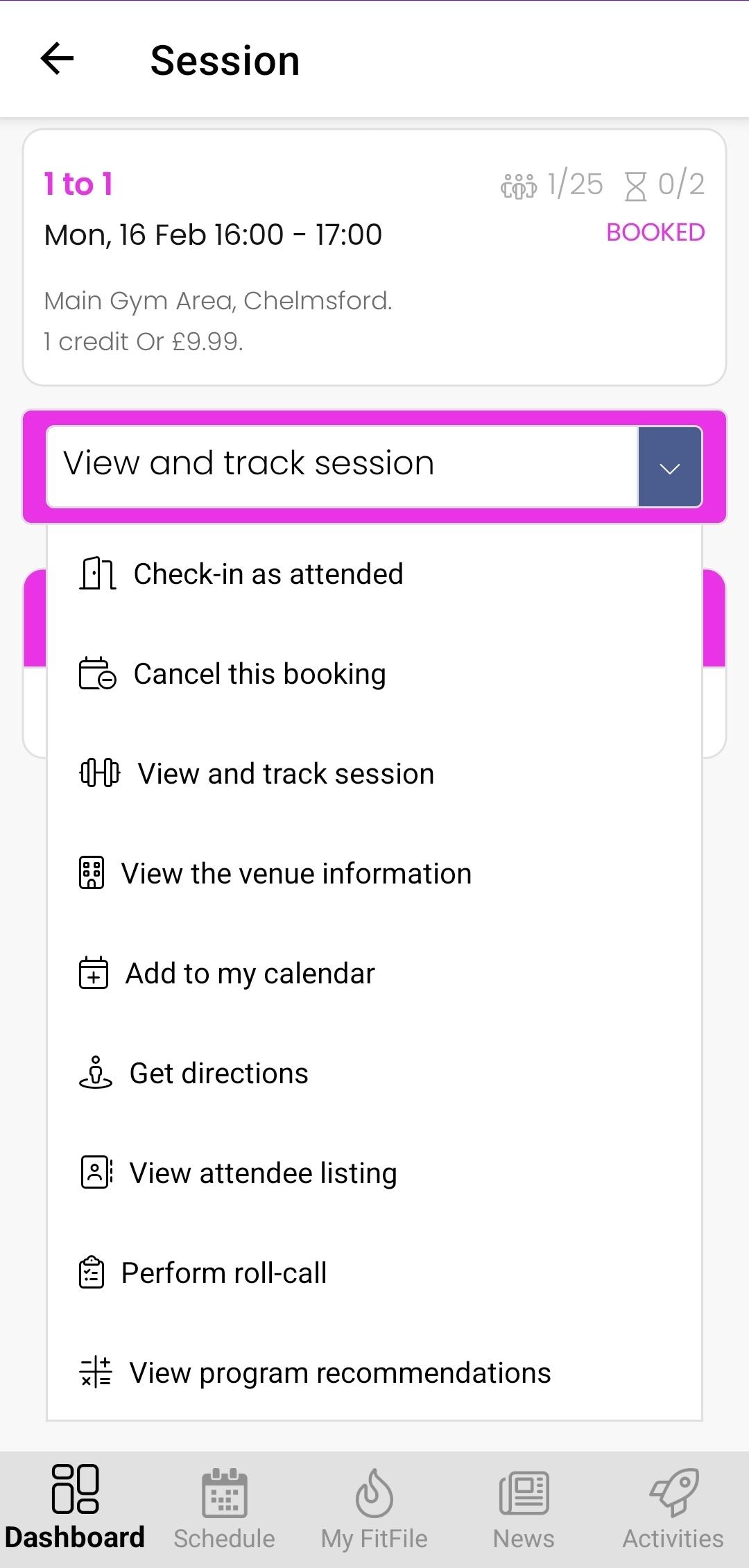
- Navigate to the Dashboard.
- Tap on the session they are currently booked into.
- From the dropdown menu that appears, select View and track session.
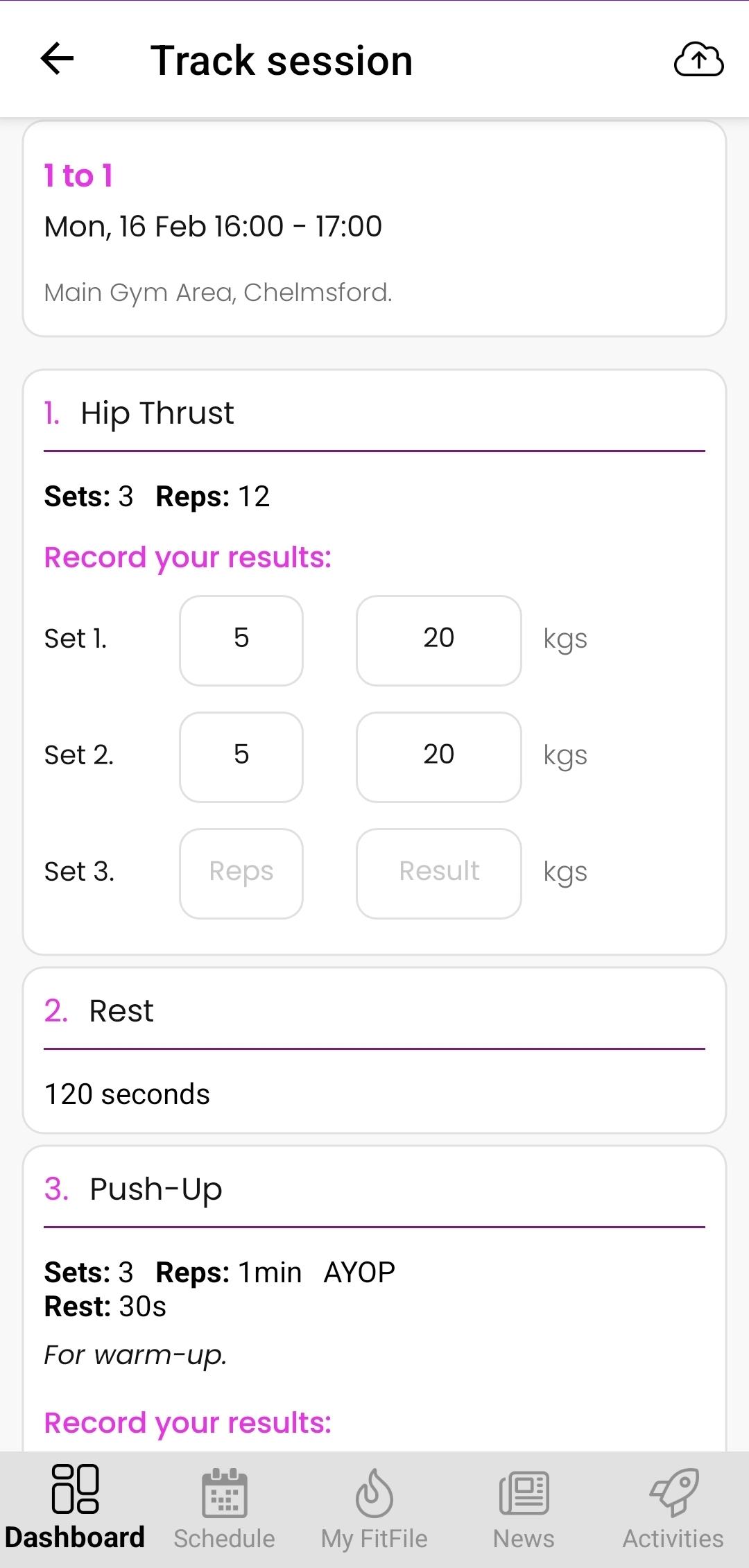
The member will then be taken to the in-session tracking screen.
Recording Session Performance
During the session, the member can enter performance details for each set, including:
- The number of repetitions (reps) completed
- The weight used for that set
These fields can be completed as the session progresses, allowing the member to keep an accurate record of their training.
Progress Recommendations
As more entries are recorded over time, the system begins to analyse the member’s previous performance. Once sufficient data has been logged, the progress tracking feature may provide weight recommendations for future sets or sessions.
These recommendations are designed to help the member progressively improve their performance based on historical results.