XRcize Hub: Online training dashboard
The XRcize Hub is GymOS’ dashboard for online training activity and feedback. It is intentionally distinct from the main GymOS dashboard to facilitate clear views of the different aspects of your training business.
The XRcize hub shows online training activity for all members, regardless of their membership status. So, for example, if an in-person training member uploads a BodyHop image for your review, it will be flagged within the XRcize Hub.
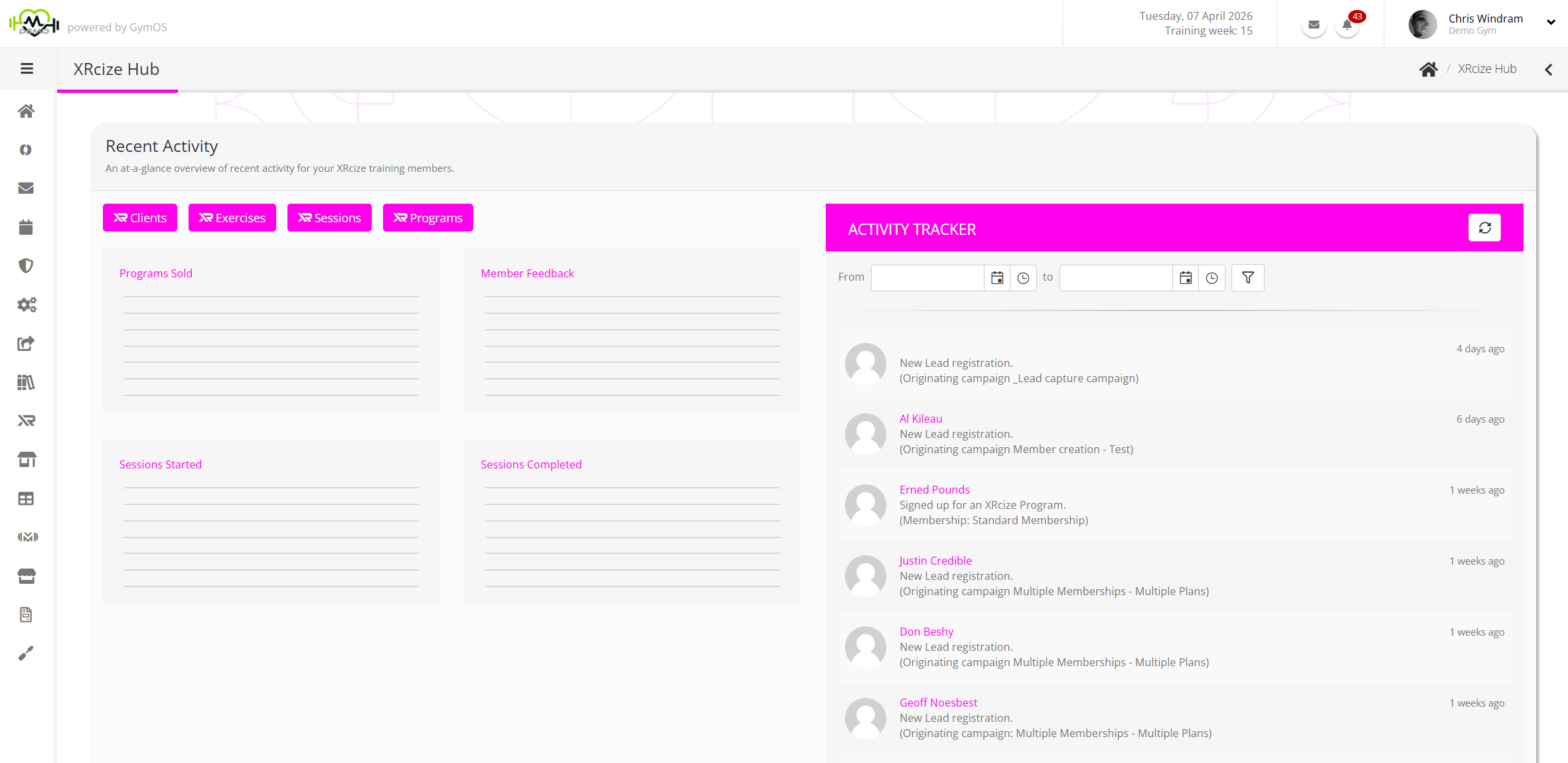
The XRcize Hub is accessed by selecting XRcize Hub from the main navigational menu. Additionally, the Shift-Alt-X shortcut may be used on the keyboard.
The information displayed within the XRcize Hub dashboard includes:
- Programs Sold – A graphical indication of XRcize Programs sold over the last 30 days
- Member Feedback – A graphical indication of member feedback over the last 30 days (E.g. BodyHop and member photo uploads)
- Sessions Started – An indication of the number of sessions marked as started over the last 30 days
- Sessions Completed – An indication of the number of sessions marked as completed over the last 30 days
Buttons provide one-click access to:
- Clients – Your list of active XRcize (online training) clients
- Exercises – Your individual XRcize exercises
- Sessions – Your XRcize workout sessions, comprising one or more exercises
- Programs – Your XRcize programs, comprising one or more sessions
Activity Tracker
The activity tracker shows a timeline of key online training events and activities. These will include things like program sign-ups; session commencement; session completion; BodyHop uploads etc.
Double-clicking on a given activity will take you to further details for that activity within the corresponding member record.
It is possible to filter the activity log by date range. The log automatically limits to the last 3-months.
Setting your preferred dashboard
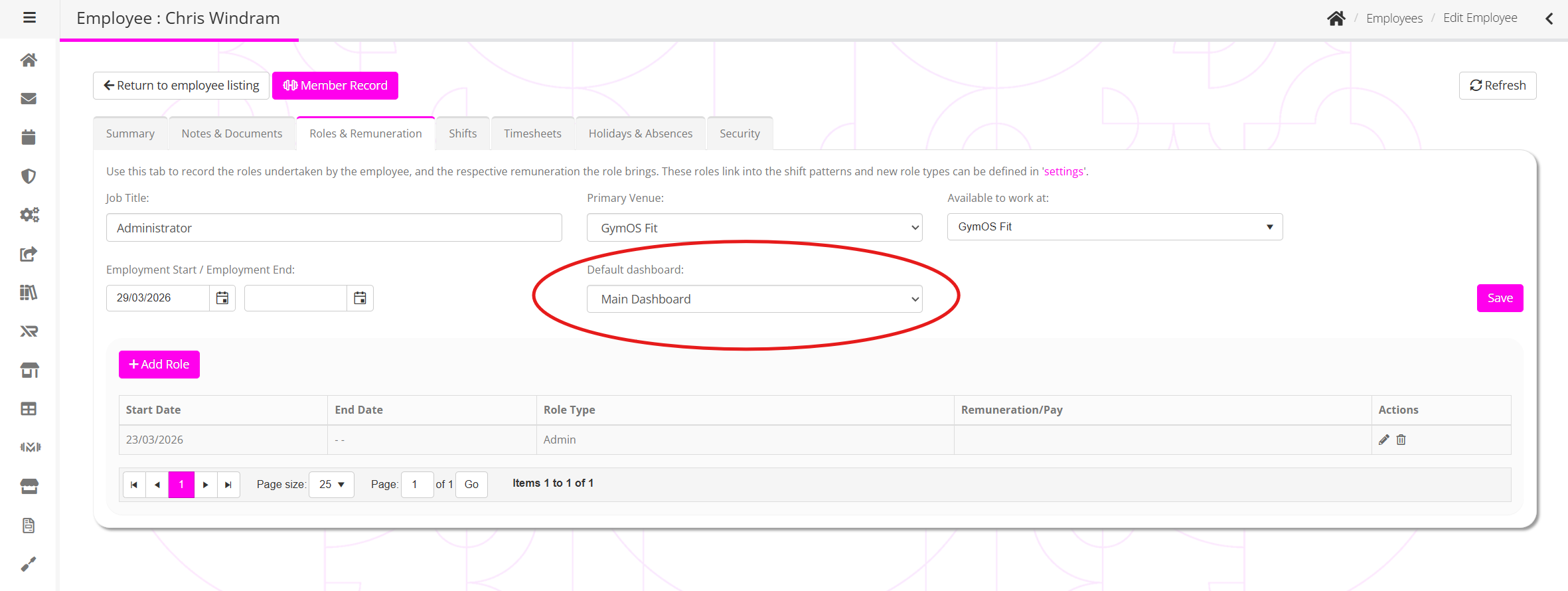
For some employees, their focus may be more on supporting online members than regular members. Thus, within GymOS, it is possible to set the preferred dashboard displayed upon login on a per-employee basis.
The dashboard may be configured from the Roles & Renumeration tab of the employee record. The default dashboard may either be the GymOS Dashboard, or the XRcize Hub.