
Assigning Workout of the Day
Within GymOS, you may assign any Online Structured XRcize session or FitFlix video as “workout of the day”. This is displayed in the XRcize section of both the GymOS FitnessHub mobile app, and the FitnessHub member portal.
To allocate a workout of the day, follow these steps:
- Navigate to the Sessions section of XRcize Programs from the main navigational menu.
- From the Actions drop-down, select Workout of the Day Schedule.
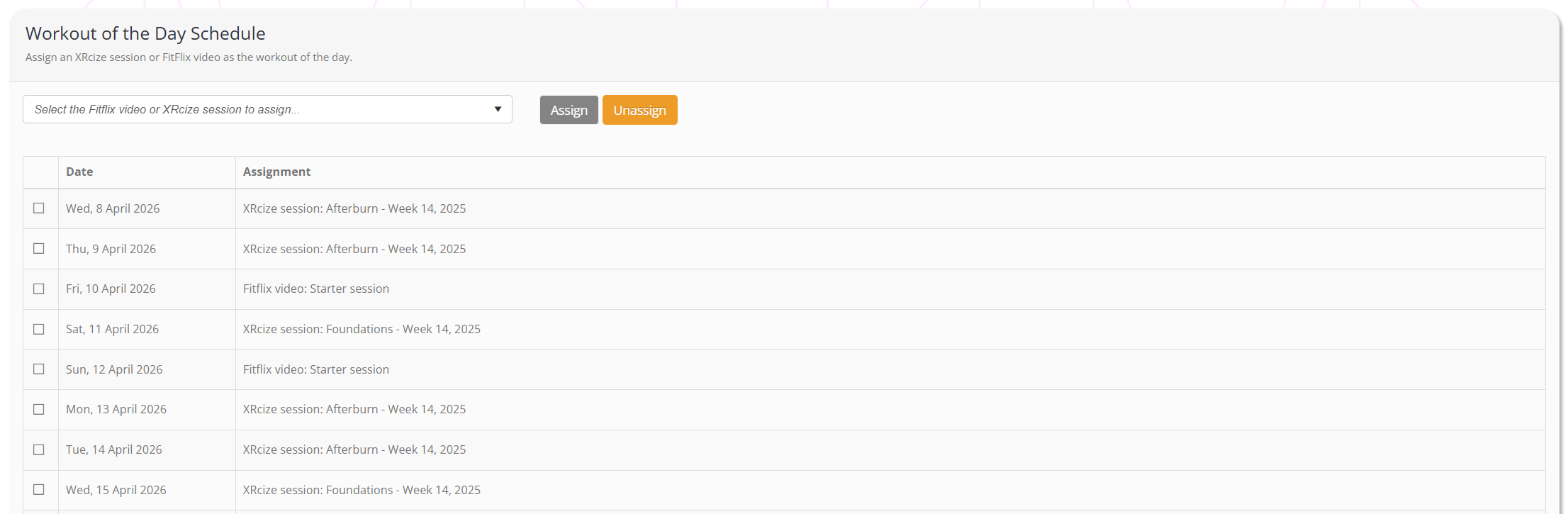
- From the drop-down list, select the video or workout that you wish to assign.
- Tick the days that you wish to assign the video/workout to.
- Click the Assign button.
- Repeat the process, as you wish.