Session reminder messages
Within GymOS, you may configure multiple session reminder sequences and assign them to sessions. This is our RoboNudge feature.
The ability to create multiple schemes allows you to better tailor the content to a given session type(s) and provide the member with relevant information for the session they are due to attend.
RoboNudge reminder listing
The reminder schemes are accessed by selecting RoboNudge Reminders from within the Settings section of the main navigational menu. This will show you a list of the existing reminder schemes that you have configured.
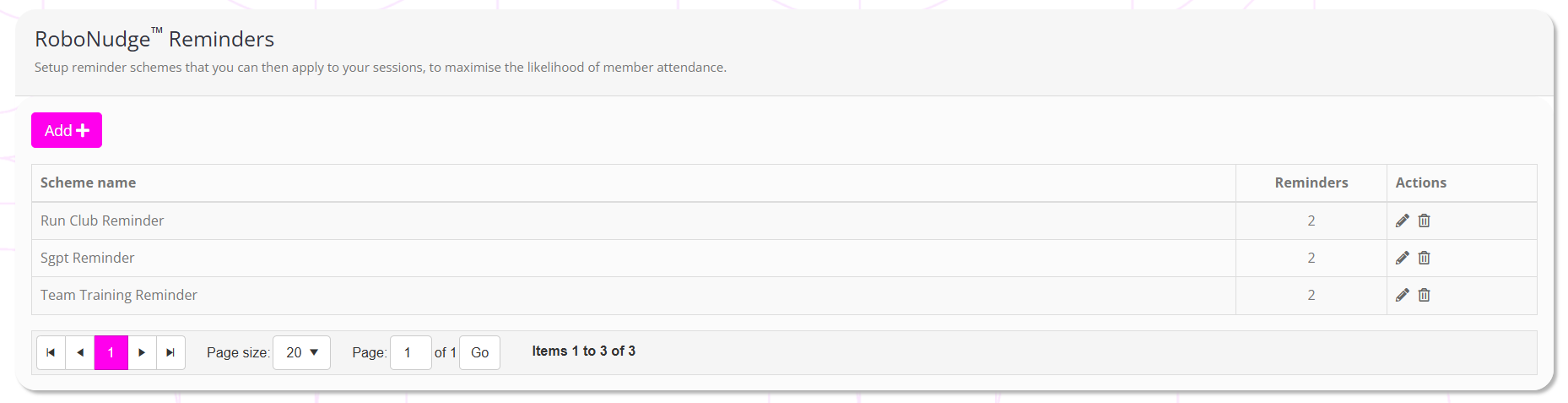
For each existing scheme, the information displayed comprises:
- Scheme name – the name of the reminder scheme
- Reminders – the number of reminder elements that the scheme comprises
- Actions, including:
- Edit a reminder scheme
- Delete a reminder scheme
Adding a new session reminder scheme
To add a new session reminder (RoboNudge) scheme, firstly navigate to RoboNudge Reminders from within the Settings section of the main navigational menu.
Click the Add button. This will open the RoboNudge element listing, as below. The process for adding and editing a reminder is functionally identical.
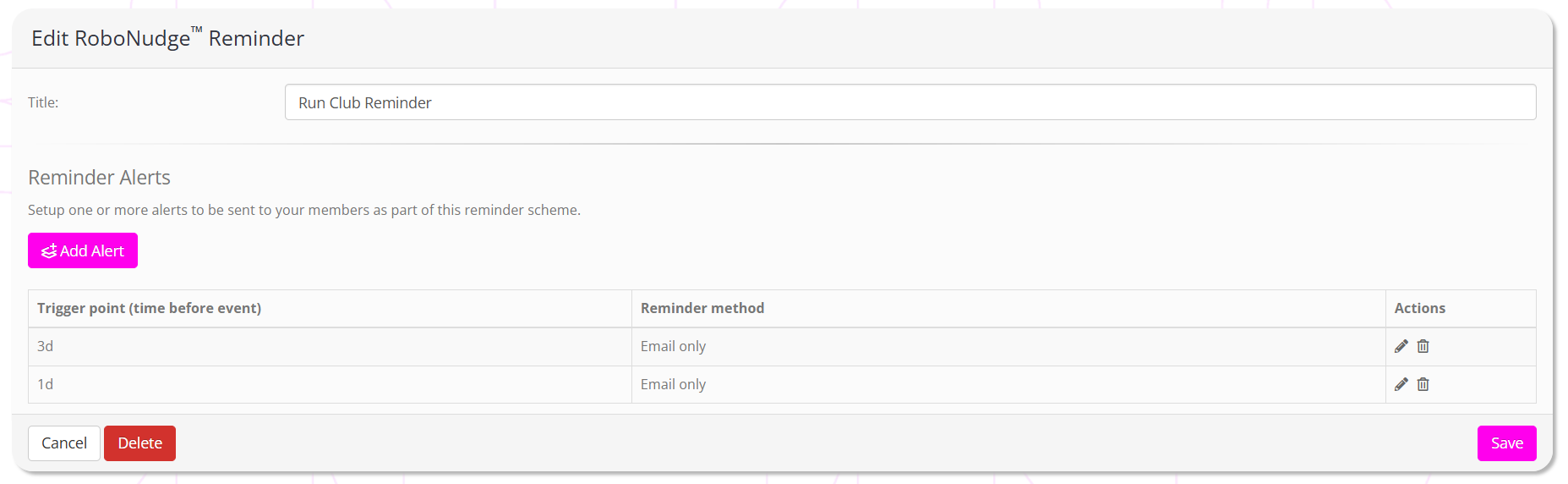
You should provide a meaningful name for your reminder scheme, such as “Run Club Reminder”.
You may specify as many alerts in a reminder sequence as you wish. Each alert has a corresponding “trigger point”, which is a period of time prior to the scheduled session/event.
To add a new alert, click the Add Alert button. Existing alerts can be managed by clicking the icon next to each alert.
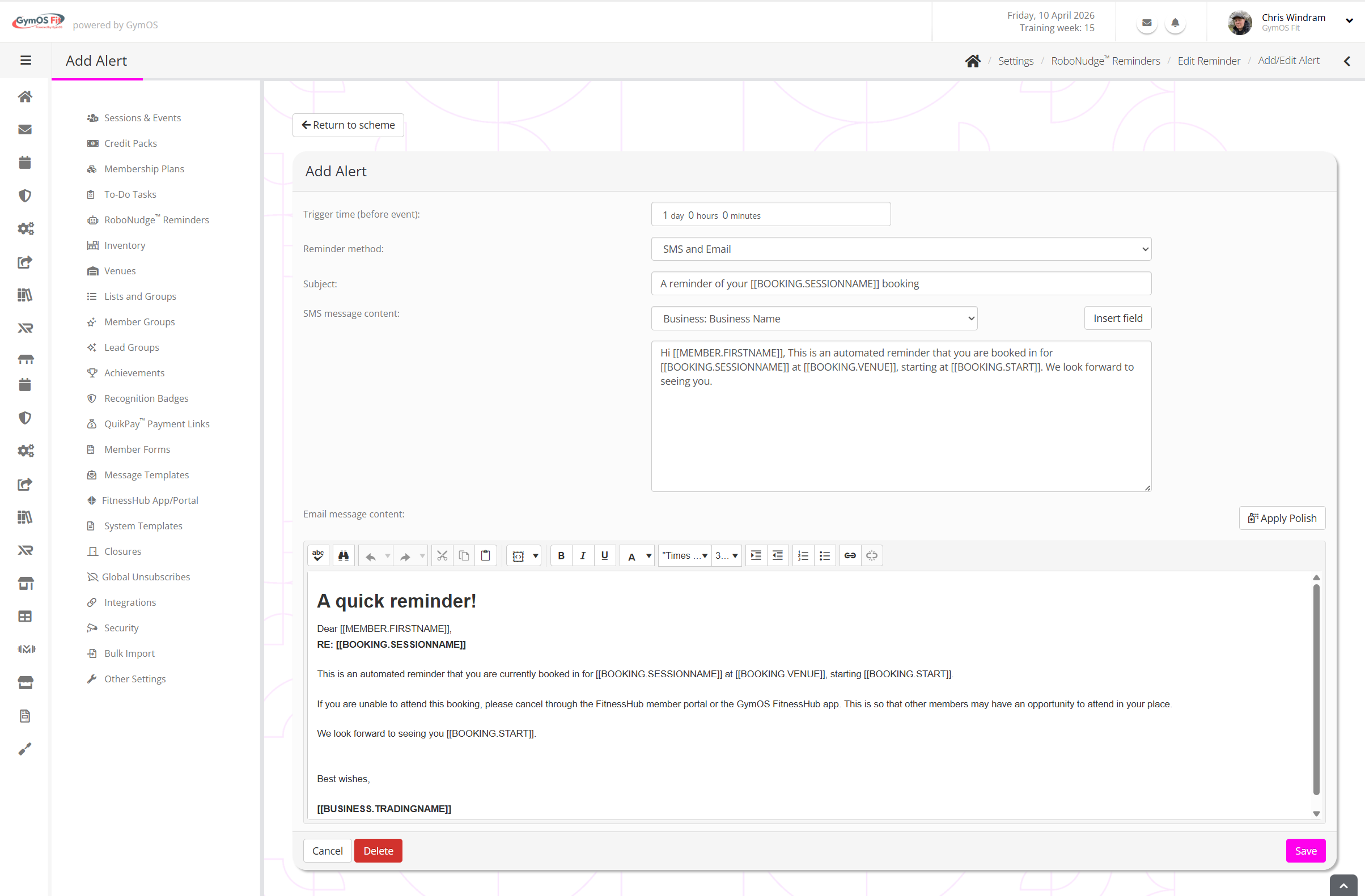
For each alert, review and complete the fields accordingly.
Trigger time (before event)
The approximate time at which you want the alert to be sent.
Reminder method
The media that you wish to use to send the reminder. Changing this selection will cause the page to reload, and the fields will be contextually relevant to your selection.
Content
Provide the content for your reminder method(s) accordingly.
Click Save to commit your changes.