Assigning an XRcize session to an in-person session
Once you have created your In-Person Trackable session or In-Person FreeForm session, you may assign it to one or more in-person sessions.
Having saved your session, an additional Future Assignments tab will be displayed. It is here that you allocate your XRcize session to scheduled, in-person training sessions.
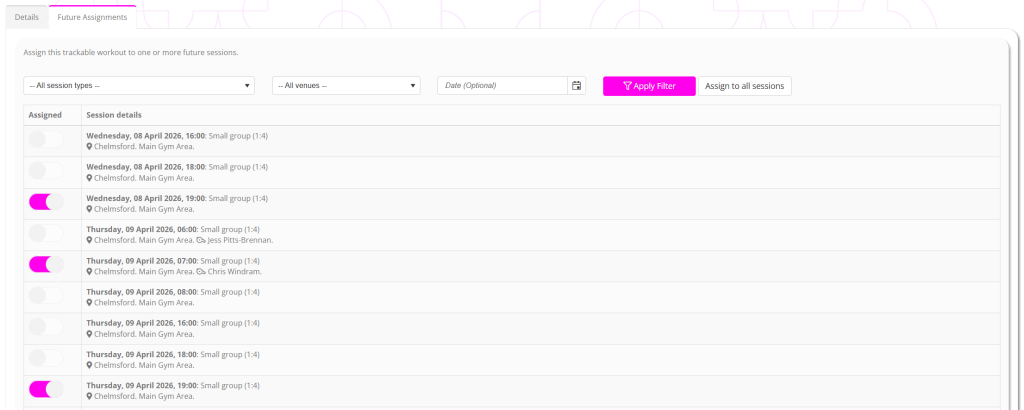
The listing will show all currently scheduled future sessions. You may filter the listing by:
- Session type
- Venue
- Date
To assign the workout to selected sessions, click the slider to the left of the session.
To assign the workout to all sessions matching the current filter, click the Assign to all sessions button.