
Families and funding groups
Within GymOS, it is possible to set up funding groups in which one member pays for another’s membership. This is particularly useful for parents paying for their children and for couples in which one pays for the other.
Whilst it might not technically be the case, these funding groups are referred to as “families” within GymOS. They are set up and administered via the Families option on the main menu, within the Manage section.
Families comprise:
- Payers – those who pay for another’s membership and/or receive their communications
- Payees – those whose memberships are paid for by another, and or someone else receives their communications
Within the GymOS FitnessHub mobile app, payers can access the member accounts of their family members. Family members can also see the sessions booked by other family members.
Viewing families
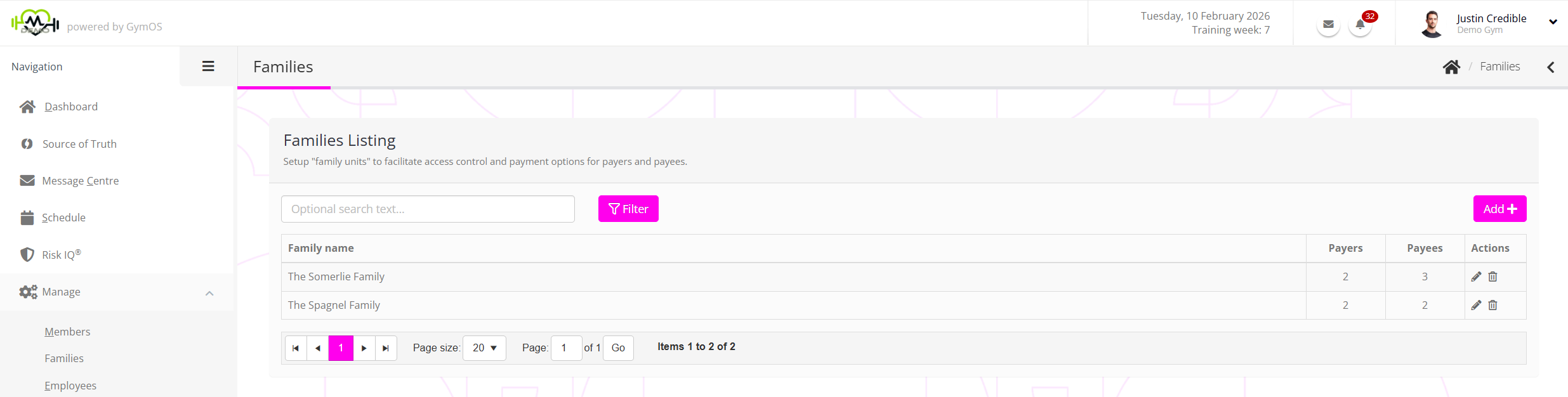
You may view existing families from the main families page. This may be searched by entering text into the Optional search text… box and clicking the Filter button.
For each family, the information displayed comprises:
- The family name
- The number of payers within the family
- The number of payees within the family
Existing family groups may be edited by clicking the icon, or deleted by clicking the icon.
Adding a new family
New family or funding groups may be added by clicking the Add button.
The process for adding a new family is documented in the Adding a new family or funding group article.