
Incident log
The Incident Log is accessed from the Manage section of the main navigation menu. The incident log is the central repository for recording incidents that occur in your facility. The central log consolidates incidents logged against individual members.
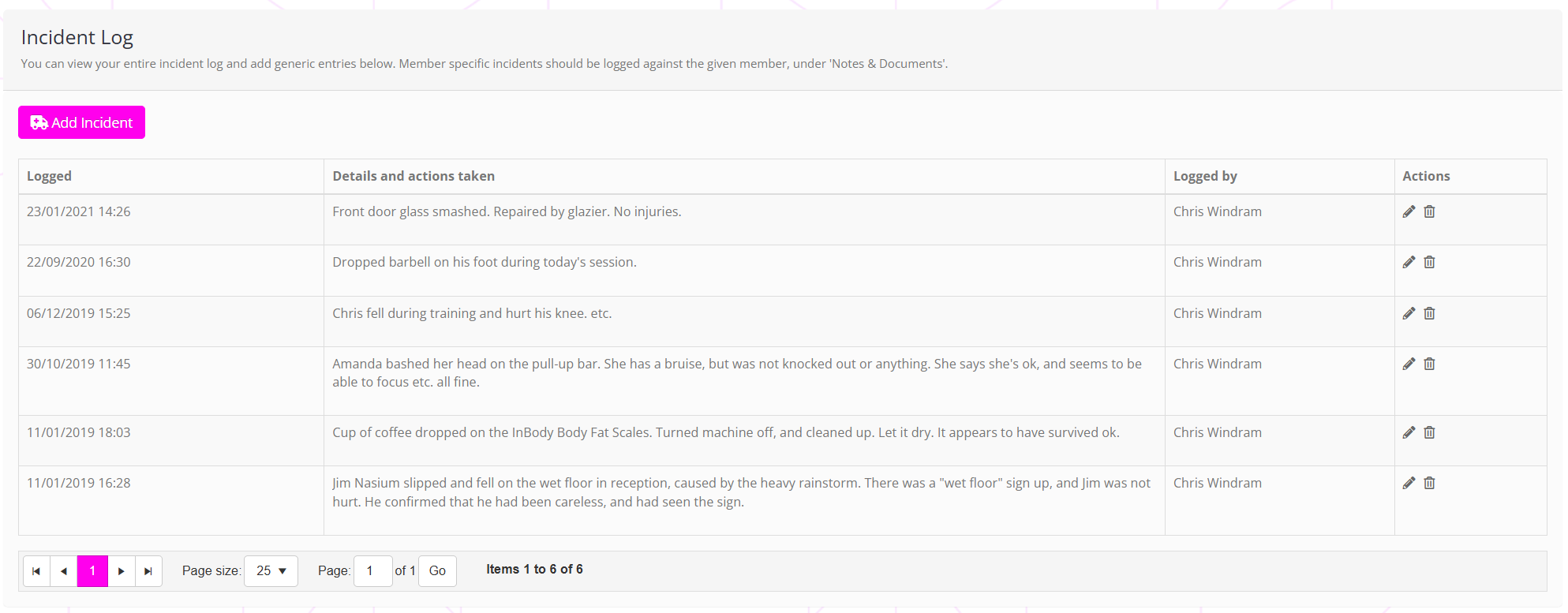
The incident log appears in reverse-chronological order, with the most recent incident displayed first.
The incident log may be exported to an Excel XLSX spreadsheet via the Reporting function, by selecting the Incidents > Incident Log report.
Recording a new incident
To record a new general incident, follow the guidance in the Logging a general incident article.
If you are recording an incident involving a particular member, follow the Logging a member-related incident article.