Member achievement categories
Within GymOS, you can record achievements against each of your members. In turn, the system will calculate their personal best for each category.
Before being able to assign an achievement, you must firstly setup the achievement category. This category is then available for assignment to all members.
Select the Achievements option from the Settings section of the main navigational menu.
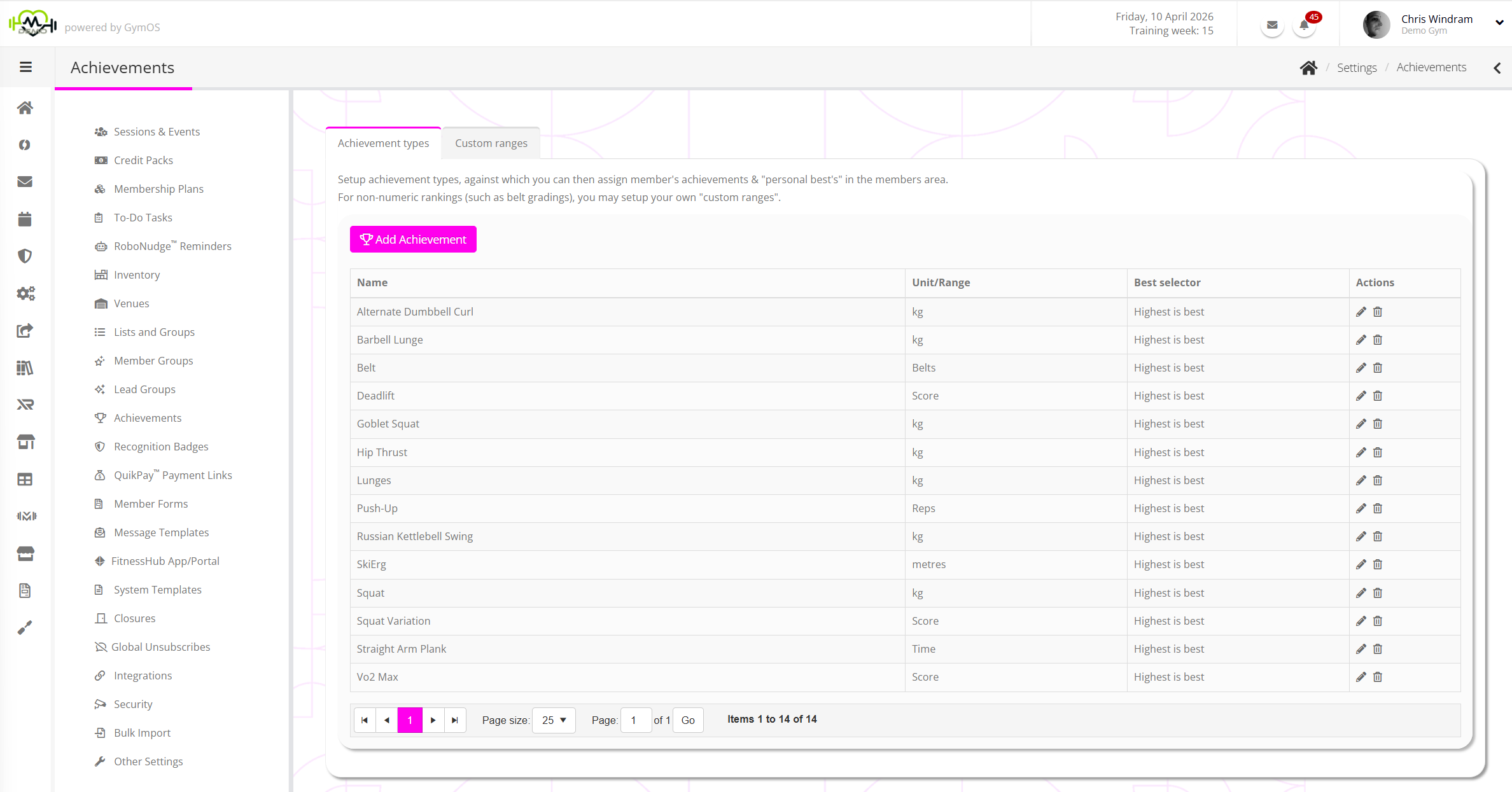
Click the Add Achievement button to add a new achievement. Alternatively, the icon will allow you to edit a given achievement, and will allow you to delete a category.

For each achievement category, provide:
- Name – the name of the achievement category (E.g. Deadlift)
- Unit/Range – the unit for the category. Time; Kg; Lbs; Metres; Inches.
If you have configured an achievement range, you may also select from your configured ranges. - Best – indicate whether a higher or lower value of the unit is considered better
E.g. for a deadlift, with a unit of kg, a higher value would be considered better
E.g. for a 100m dash, with a unit of time, a lower value would be considered better
Click the icon to commit your change, or to cancel.
Achievement Ranges
Achievement Ranges provide a method for ranking non-numeric achievements, such as belts; medals etc.
Firstly, create an “achievement range”, by clicking on the Custom Ranges tab.
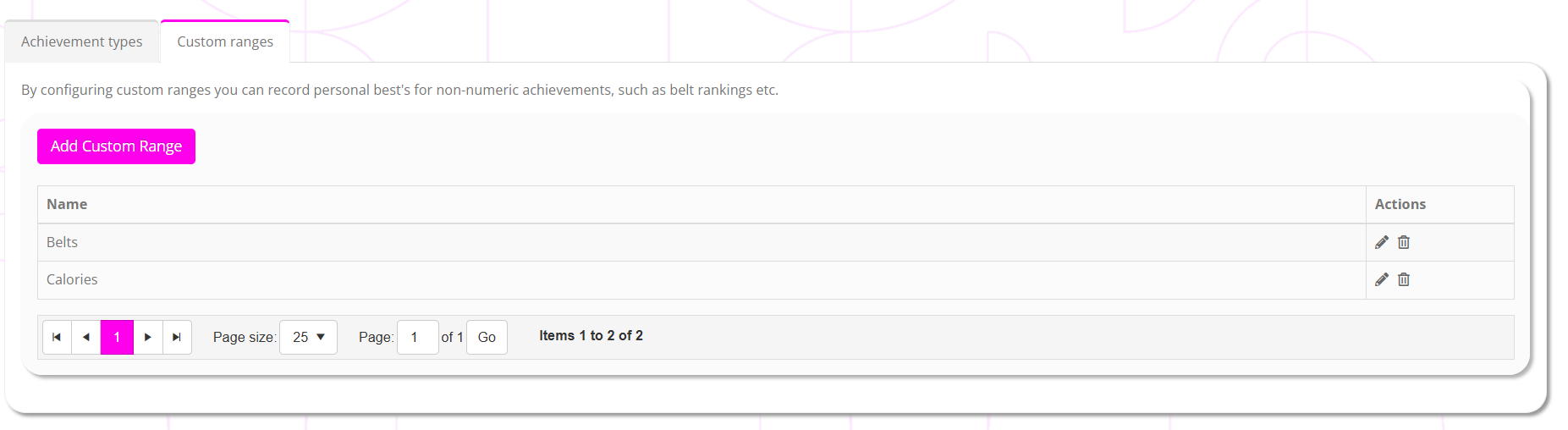
Select Add Custom Range.
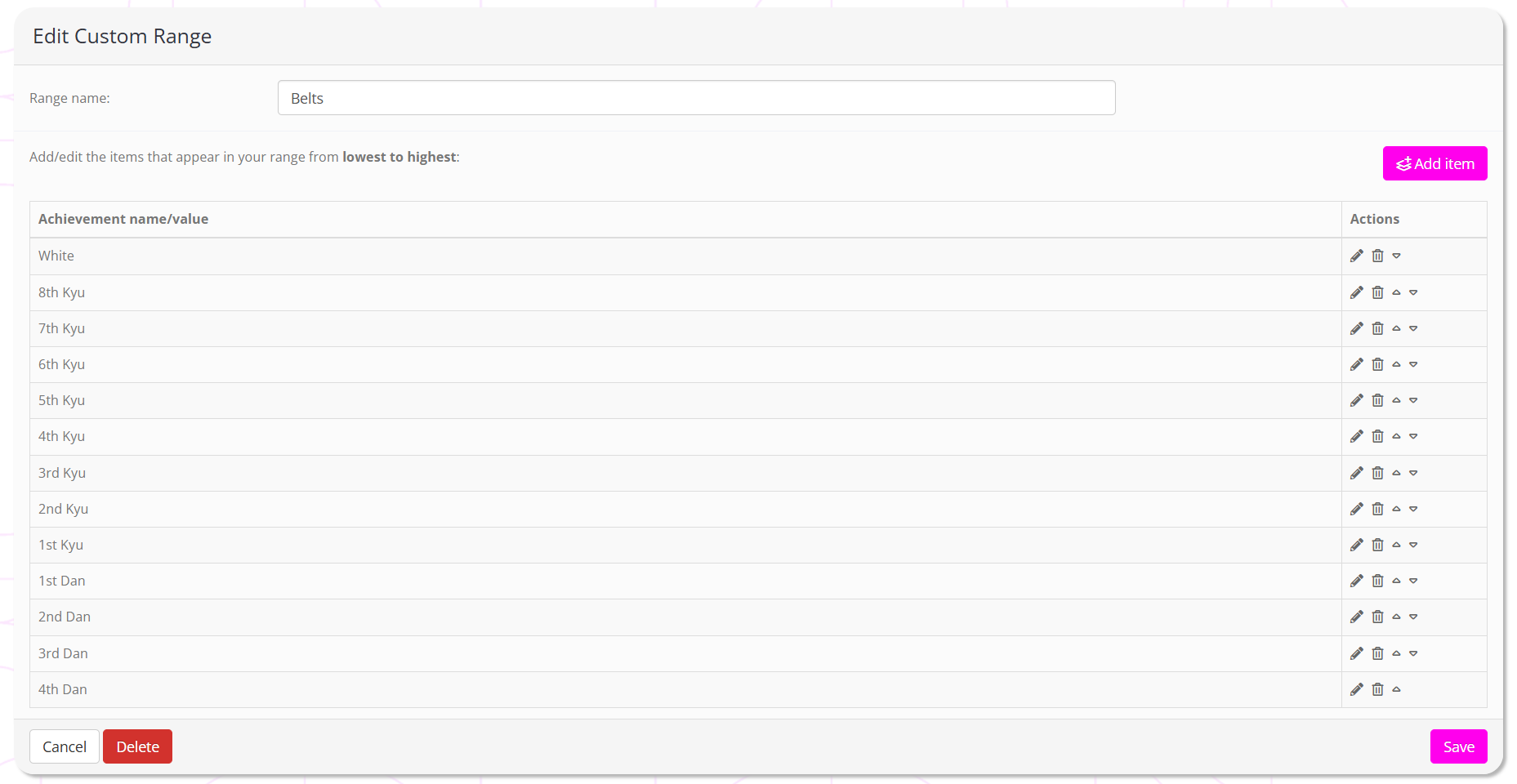
Give your range a meaningful name, E.g. “Belts”.
By clicking the Add item button you can add new options to the range, E.g. “White”.
The order of the items in the list indicates their ranking versus each other. The first item in the list is considered the lowest ranking achievement, whereas the last item in the list is considered the highest ranking achievement. For example, for medals, the order (top to bottom) would be Bronze; Silver; Gold.
The achievement items can be any word or phrase. It is simply their order that dictates their ranking.
When you have configured your range, click Save to commit the changes. The range will then be available in the Units/Ranges drop-down for selection and configuration of an achievement type.