Member tab: Store tab
The Store tab on the member record is where you can record any store items the member has purchased or consumed but not yet paid for. For example, if you charge £1 for a bottle of water, it doesn’t quite fit with a premium product that requires members to pay £1 each time. You may, instead, offer the member a “tab” upon which you accumulate their expenditure and then charge for it periodically (E.g. once per week).

Adding an item to a member’s tab
During the store checkout process, select the member making the purchase, then click the Add to member’s tab button.
The charge will be added to the member’s tab, and the running total is visible.
Settling all due items from a member’s tab
To charge all items on a member’s tab, click the Settle Tab button. A pop-up payment window will be displayed.
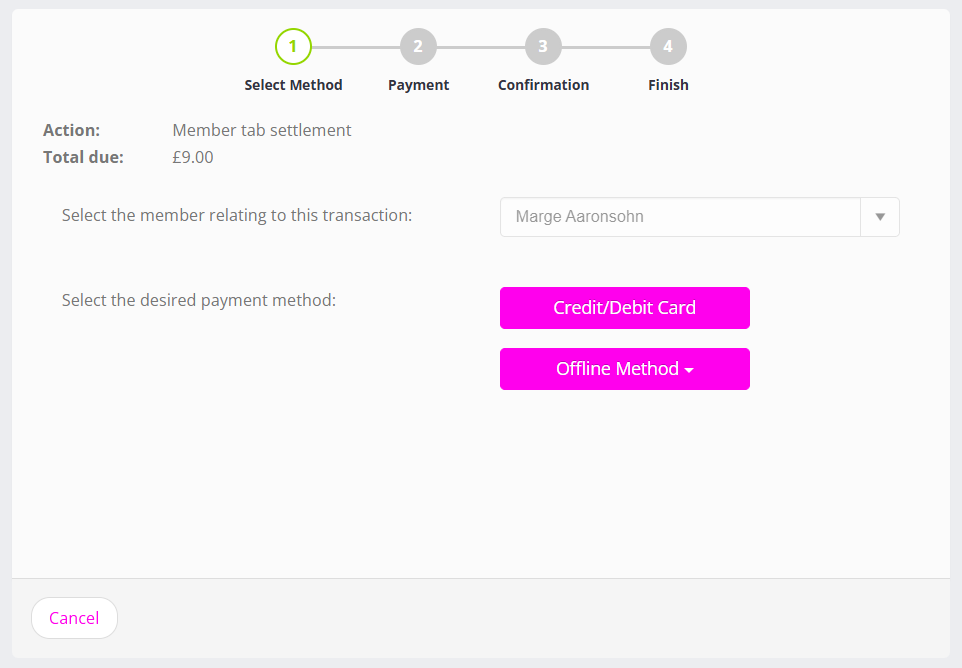
The charge and the member will already be pre-filled. Simply select the payment method, and complete the process.
Once the payment has been confirmed, the member’s store tab will be reset and all previous items removed from it.