
Mobile App: Injuries & Medications
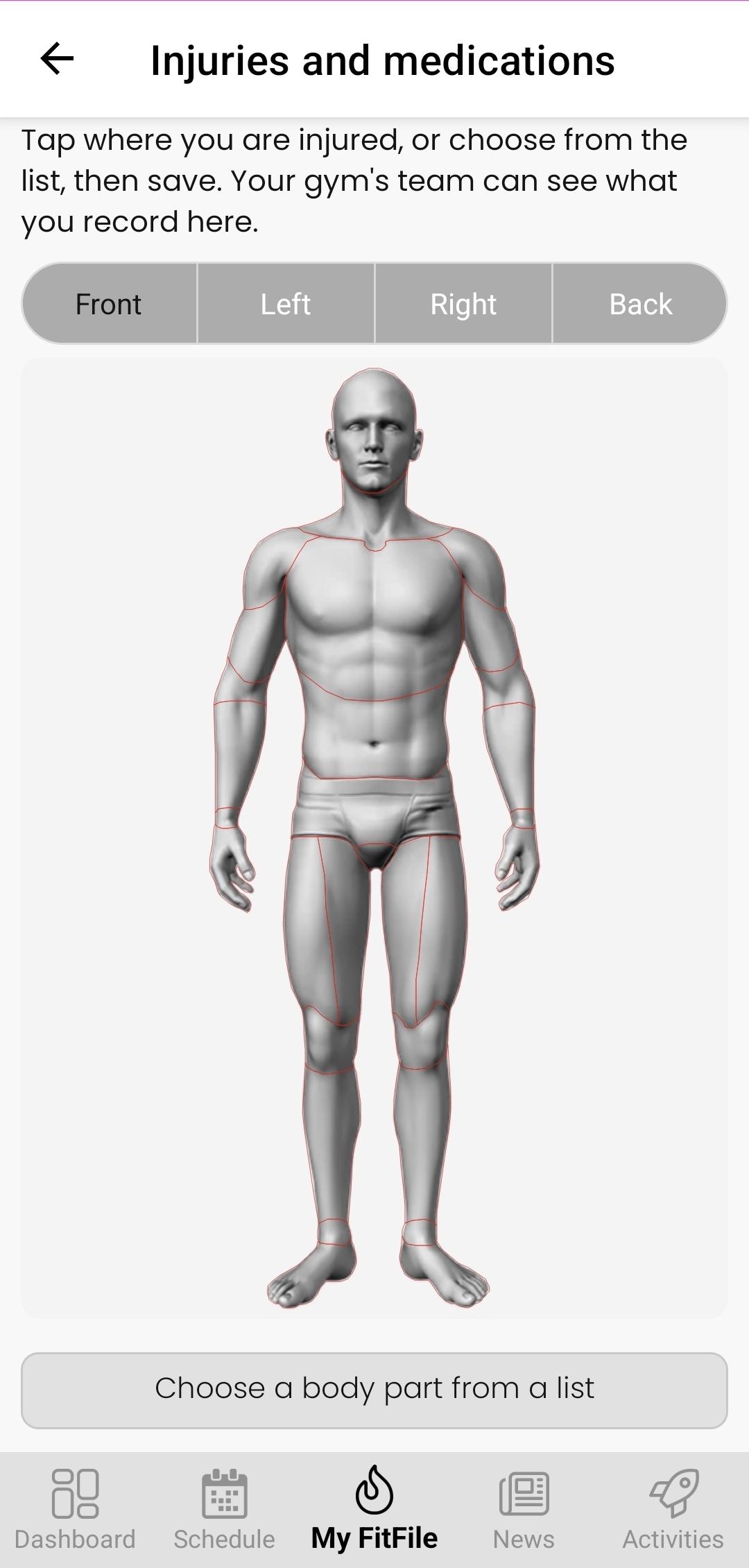
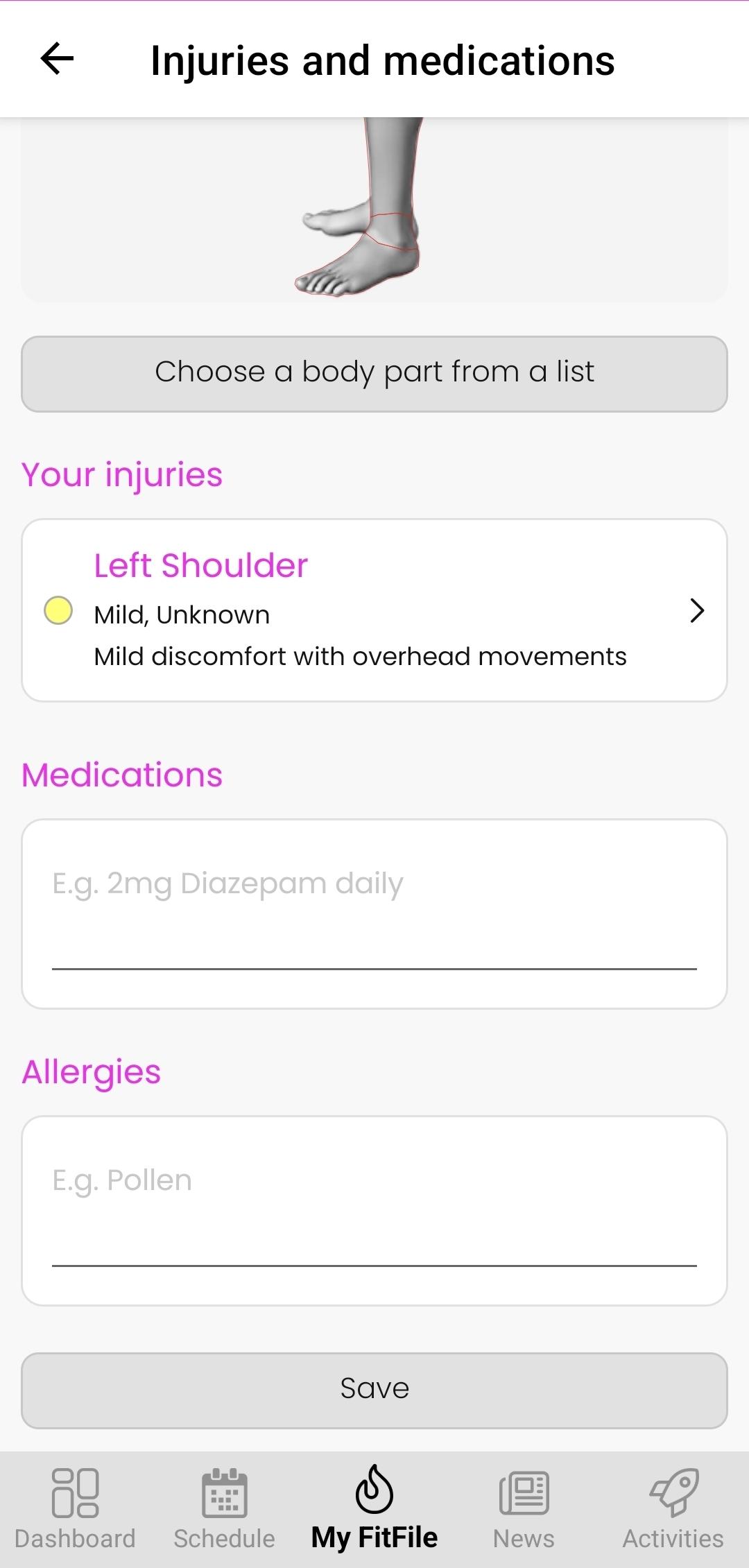
The Injuries & Medications feature allows members to record any current injuries that they may have, as well as any medication that they are currently taking.
Accessing Injuries & Medications
The Injuries & Medications screen can be accessed in the mobile app by tapping on My FitFile and then selecting the Injuries & Medications option from the menu.
Recording a New Injury
A new injury can be recorded by the member in two different ways.
Option 1: Tapping on the relevant body part
Upon tapping on the relevant body part, the member will be asked to provide some further information regarding the injury. The member will need to provide the severity, expected duration of the injury and any additional notes about the injury that they would like to add.
Option 2: Selecting a body part from the dropdown list
Underneath the interactive body parts that can be selected, the member will also see a button that they can tap on to select from. This is accessed by selecting ‘Choose a body part from a list’ and then selecting the injured body part from the list. Upon selection, the member will then need to provide the severity, expected duration of injury and any additional notes about the injury that they would like to add.
Amending a Logged Injury
If an injury was logged in error or the member wishes to update it, they can do so by tapping on the recorded Injury. This will allow the member to provide any further details or make amendments to the record; the member may also remove the injury.
Recording Medications & Allergies
The member may record any medications that they are currently taking or any allergies that they may have. Either of these can be completed by filling out the text fields at the bottom of the page and tapping on ‘Save’.