
Mobile App: My Documents
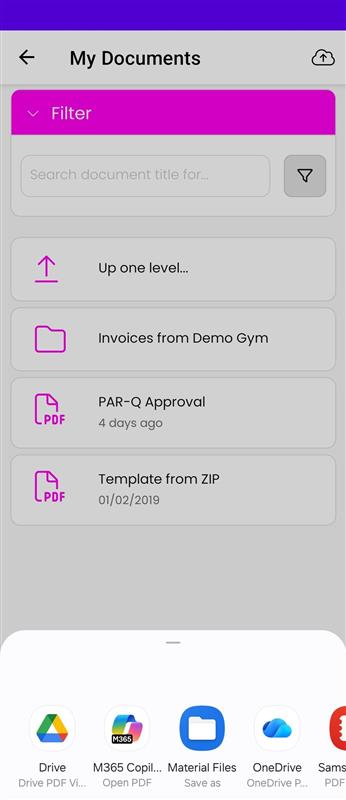
My Documents
The My Documents area is located within the My FitFile section of the app. This feature provides the member with organised access to any documents they have completed, as well as those that have been assigned to them by their gym.
When the member taps on My Documents, they are taken to their personal document library. All items are arranged into folders, making it easy to locate specific documents. The member can browse the folders manually by tapping into them, or they can use the Filter button to type the name of the document they are looking for.
This section also includes invoices and receipts relating to the member’s gym membership and any additional purchases, allowing them to keep track of payments and maintain clear records.
If enabled by the gym, members can also upload photos directly into their documents. To do this, they must tap the upload icon in the top toolbar. They can then take a new photo or select an existing image from their device, add comments or notes, and submit it. Once uploaded, the gym team is automatically notified.
The My Documents area ensures all important information is kept secure, organised, and easily accessible for the member whenever they need it.