
Mobile App: Viewing Credits & Memberships
Viewing Your Credits
Members can easily view their credit balance and all credit-related details directly from the Dashboard. This section provides a complete overview of their membership credits, issued credit packs, and any additional ad-hoc credits.
Accessing Your Credit Information
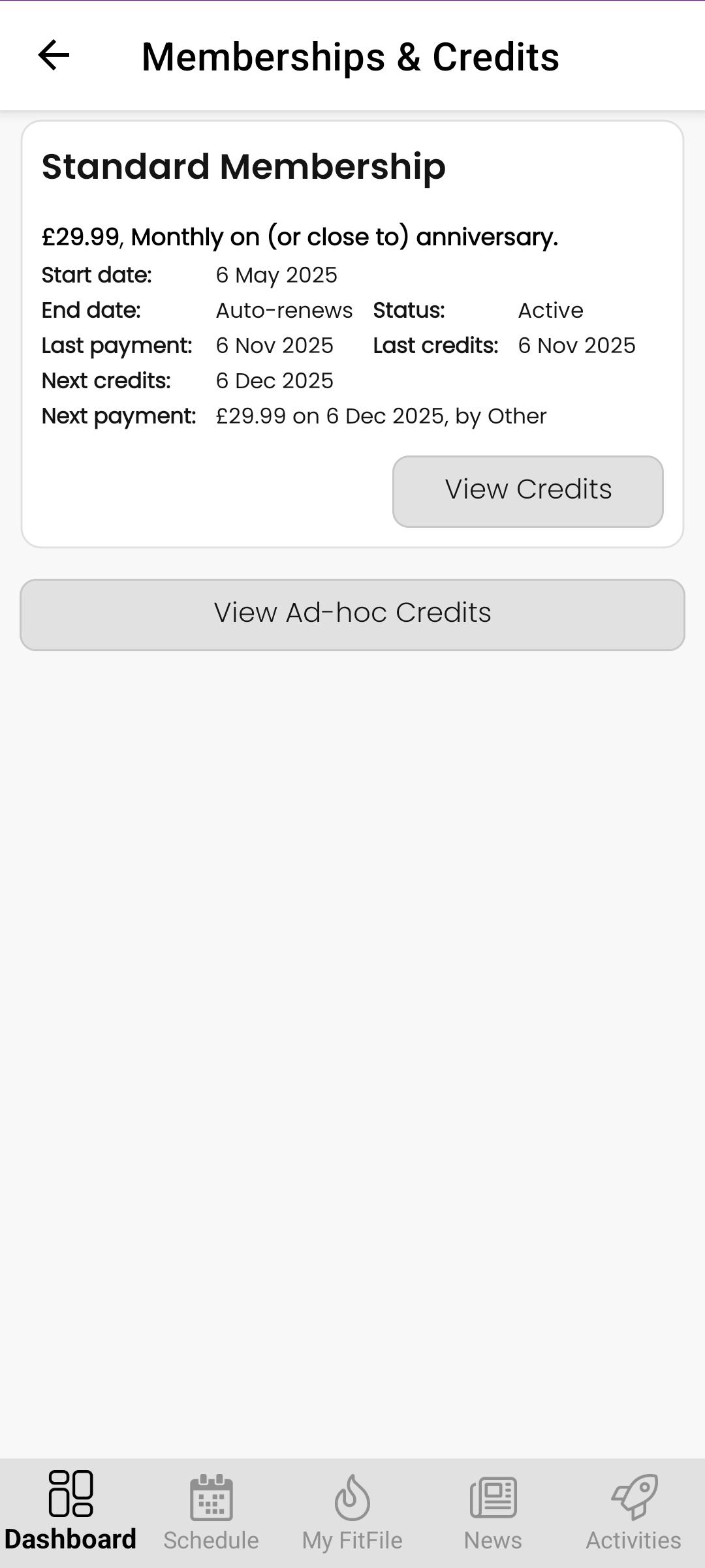
From the Dashboard, the member can tap on Available credits. This opens a screen showing their active membership, along with key details such as:
- Last payment date
- Next payment date
- Last credits issued date
- Next credits issued date
- Membership cost and payment method
This allows the member to clearly see when credits are issued, when payments are taken, and how their membership is being billed.
Viewing Credit Packs for the Membership
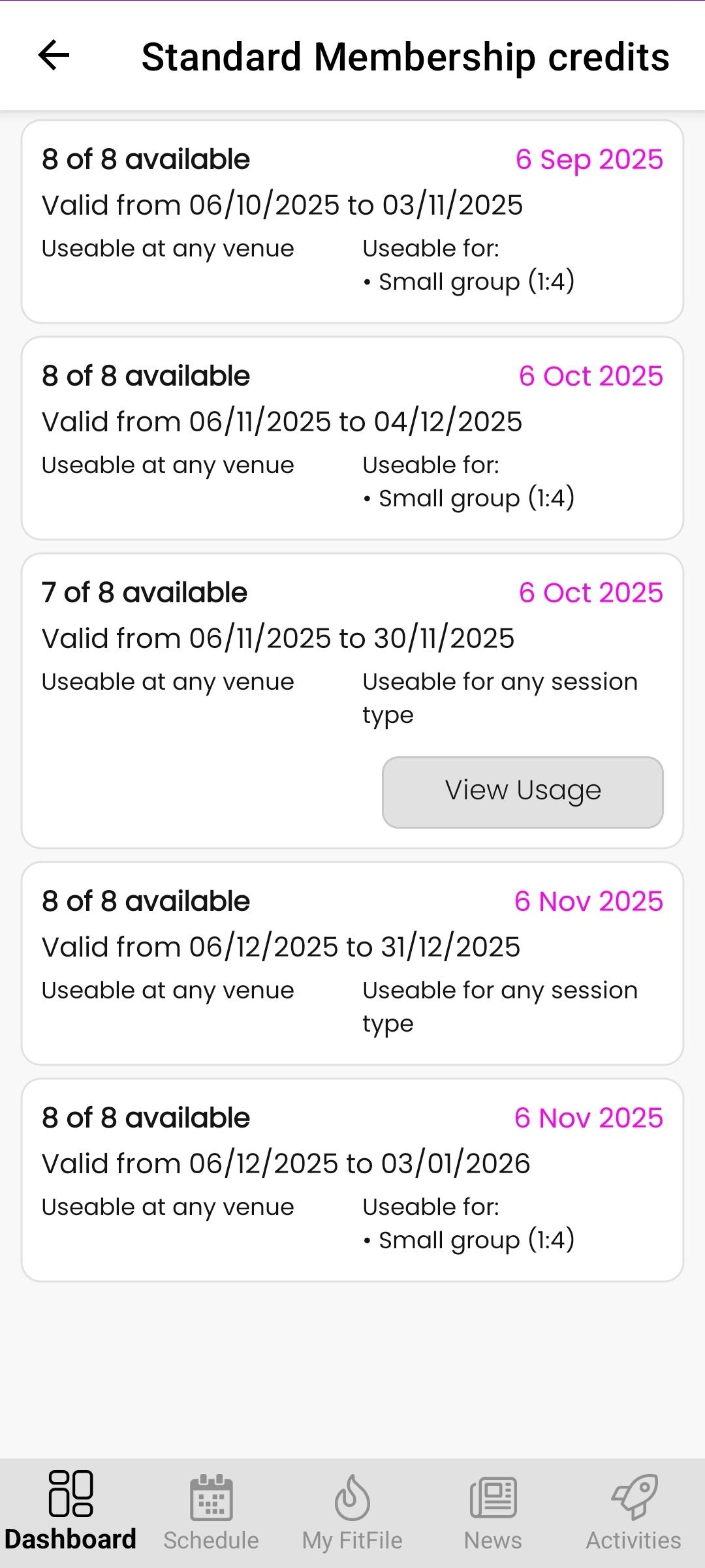
Within the membership card, the member will see a View Credits button. Tapping this button takes them to a list of all credit packs issued for that membership, including current, upcoming, and previous packs.
Each Credit pack displays:
- Valid from and valid to dates
- Venue(s) where the credits can be used
- Session types the credits apply to
This provides full clarity on which credits are active and how they can be used.
Viewing Ad-hoc Credits
If the gym has issued the member any ad-hoc credits, these will appear on the same screen. The member can tap Ad-hoc Credits to view details such as:
- The number of ad-hoc credits issued
- The valid dates (if applicable)
- The venue(s) and session types they can be used for
Adhoc credits are displayed separately so the member can cleary distinguish them from their normal membership credit packs.
Viewing Usage for Credit Packs
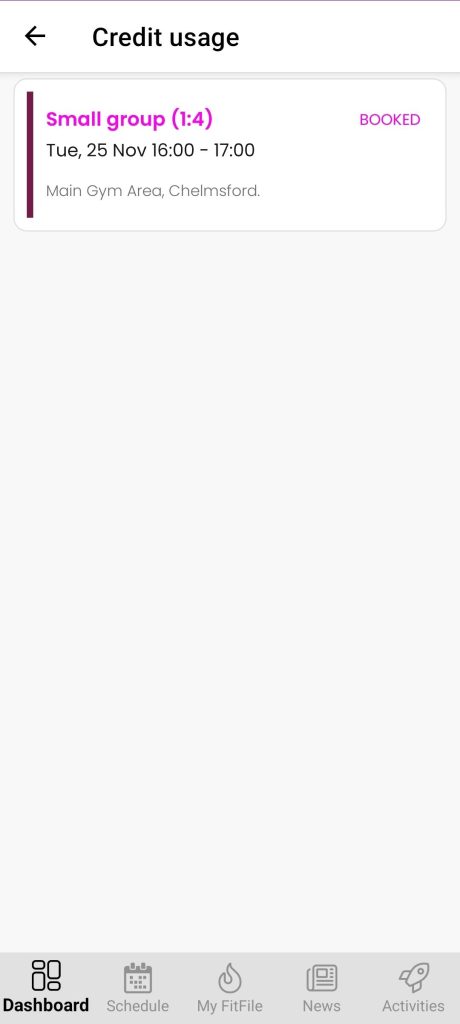
If the member has used credits from a particular credit pack, a View Usage button will be displayed on that pack. When tapped, this opens a detailed usage history showing:
- The sessions booked using those credits
- The dates and times of each booking
- The number of credits deducted
This gives the member a complete breakdown of how their credits have been used.