
Reusable content snippets
Very often, gym owners find themselves sending the same basic message to members and leads. For efficiency, several message-sending functions in GymOS support the use of content snippets. These are pre-written content elements that you may drop in to your message, and then further tailor as you see fit.
Content Snippets are administered by selecting Message Templates from the Settings section of the main navigational menu. The Content Snippets tab should then be selected, if it is not already active by detail.
Snippet listing
The listing of existing content snippets is displayed:
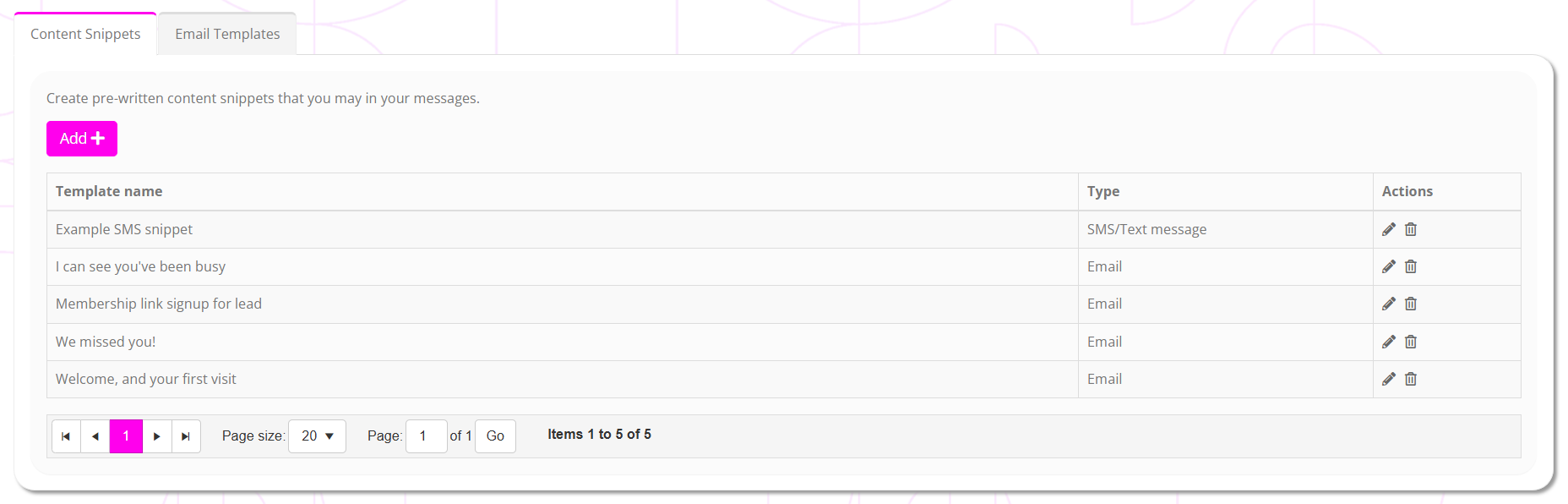
You may click to edit an existing snippet or to delete it.
To create a new content snippet, click the Add button.
Creating/Editing a content snippet
The process for creating a new snippet or editing an existing one is essentially the same.
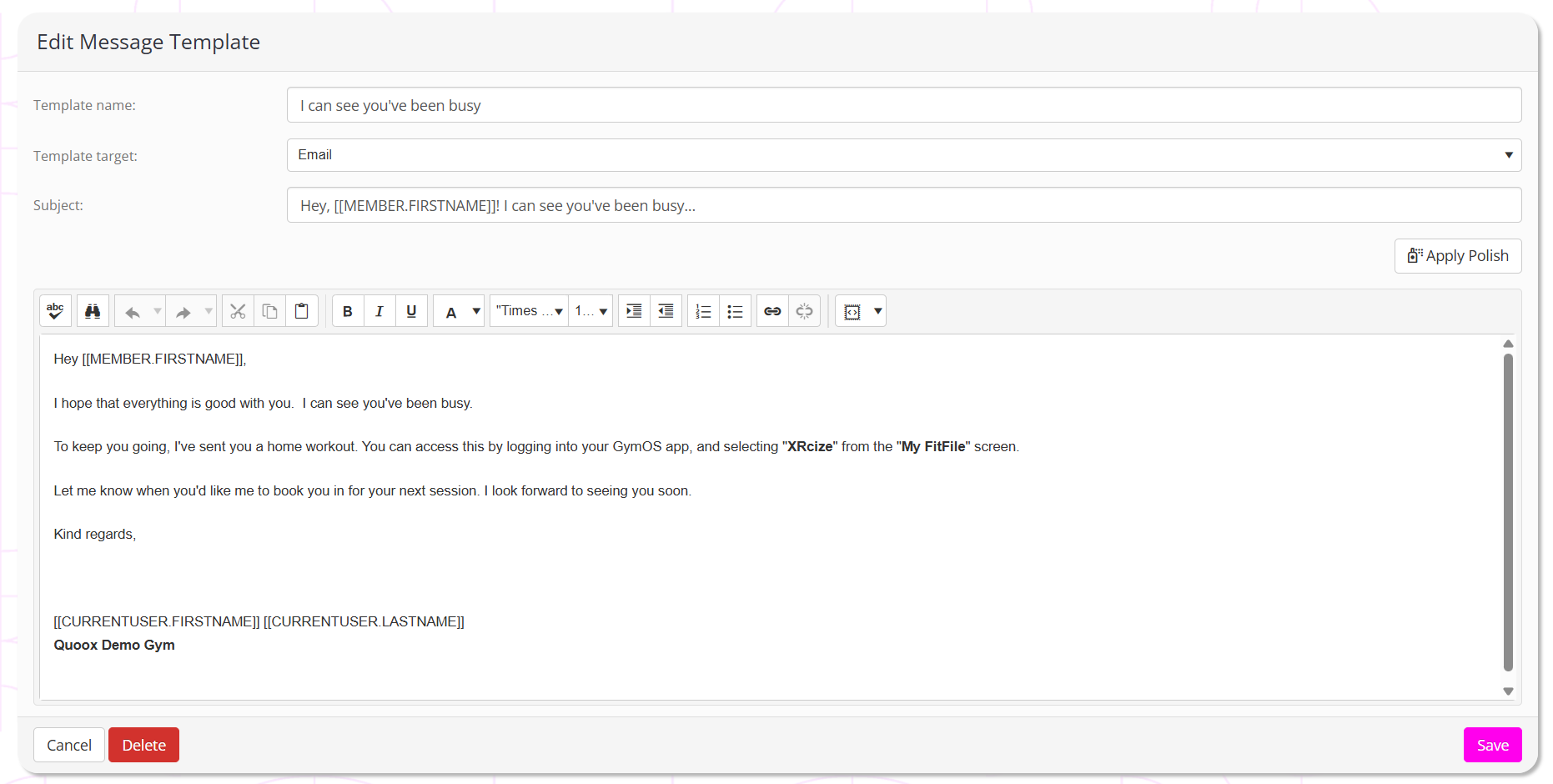
Provide your snippet template a name and select whether it is for an email, text message, or push alert. When you make your selection, the page will reload to show content appropriate for the media you chose.
Enter the template content for your snippet, and press Save.
Using a content snippet
Where available, a content snippets drop-down will be provided. This will list the snippets that you have created applicable to that media type. The implementation in the message centre is provided by way of example:
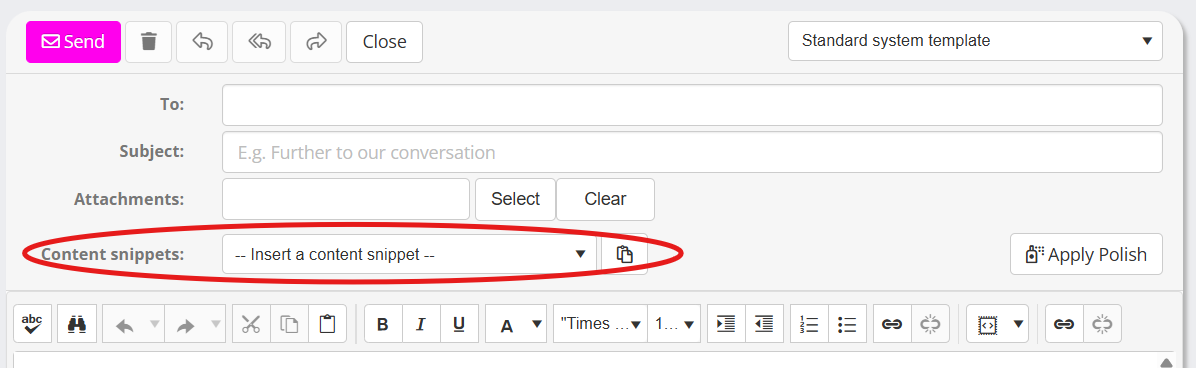
Select your desired snippet, and click the button. Confirm the action, and your snippet content will be imported.