
T-minus nurture program
Typically, nurture programs within GymOS are deployed on a timed basis, working forward, starting on the date/time set for the nurture program to commence. The T-minus nurture program works in the opposite way to a regular nurture program: it counts down to a given event (such as a booked session).
Configuring a t-minus nurture program
The list of existing nurture programs may be found by selecting Nurture from the Connect and Promote section of the main navigation menu. You may edit an existing program by clicking the corresponding icon, or creating a new one by selecting the desired option from the Add a nurture program drop-down.
By default, the nurture program timings will display forwards. Check the Display in T-minus format checkbox, to display them in t-minus notation.
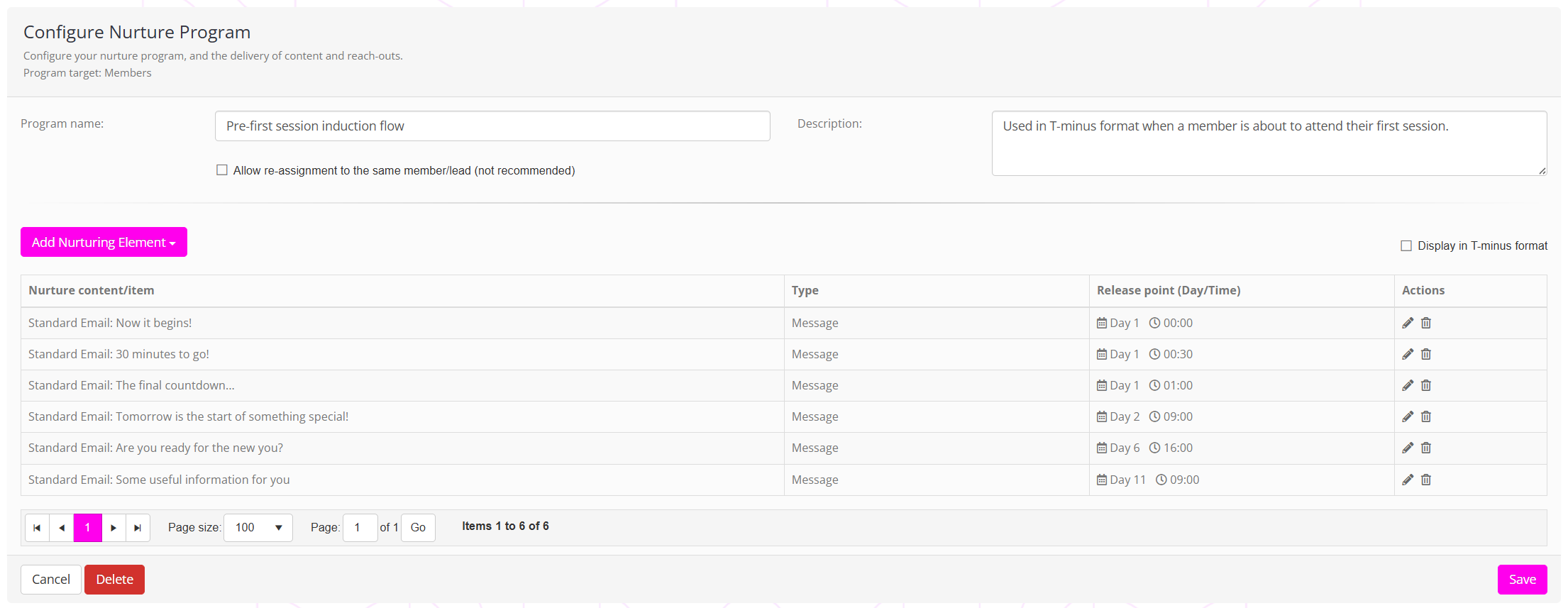
Applying to triggers
The “T-Minus Nurture Program” (a reference to a launch countdown) operates in reverse, with actions scheduled for a given period before an event. The action applies to six specific event trigger types: “Lead appointment booked”; “New session type booked”; “Lead call scheduled”; “Member call scheduled”; “Membership added”; and, “Session Booked”.
Nurture program content
If you add an event trigger for a client’s first session and assign a “T-Minus” nurture program, you can schedule emails, text messages, videos, etc., to be delivered to them on a timed basis as the date of their session approaches.
This is a very powerful way of nurturing your leads and members as they approach key milestones, especially useful during onboarding.