
XRcize Exercise Listing
A GymOS XRcize Exercise is an individual/discrete exercise unit (E.g. a Push-Up). These exercises are collated into your own cohesive exercise library.
GymOS customers who subscribe to a content package that includes exercise elements will find their exercise content automatically included.
Customers may supplement or create their own exercise library by adding, uploading, or importing exercises.
Exercise Library
The Exercise Library is accessed by selecting Exercises from under the main XRcize menu.
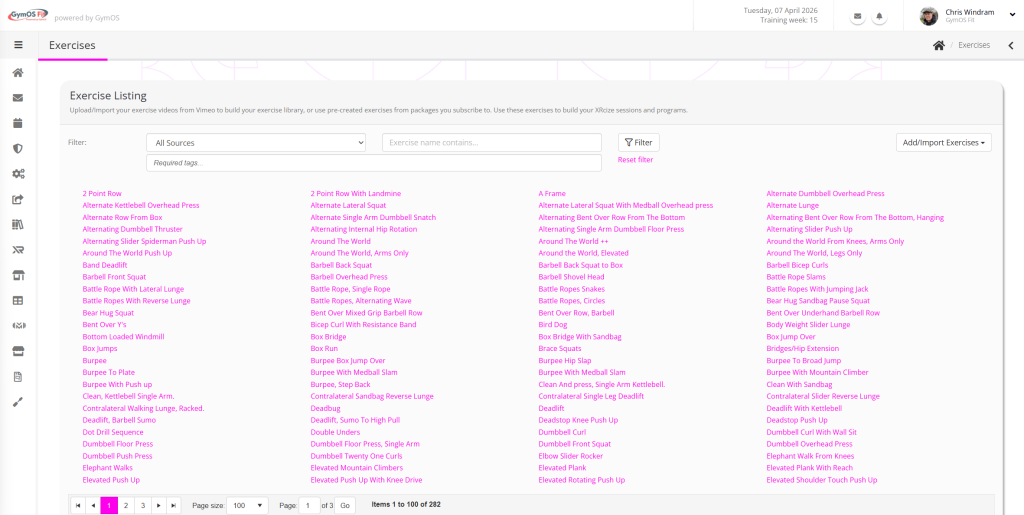
The Exercise Library comprises a listing of separate exercises. Exercises from certain content libraries will be indicated by a suffix symbol.
Filters are provided for:
- Source – The origin of the exercise, so you may filter by content package or your own exercises
- Contains – The exercise name contains the given text
- Required tags – The exercise has been tagged with all of the tags you enter here
Viewing an Exercise
To view an exercise, click on the given exercise name. The exercise detail screen will be displayed. There is also a pop-up exercise window that comprises the same information, used in other areas of GymOS.
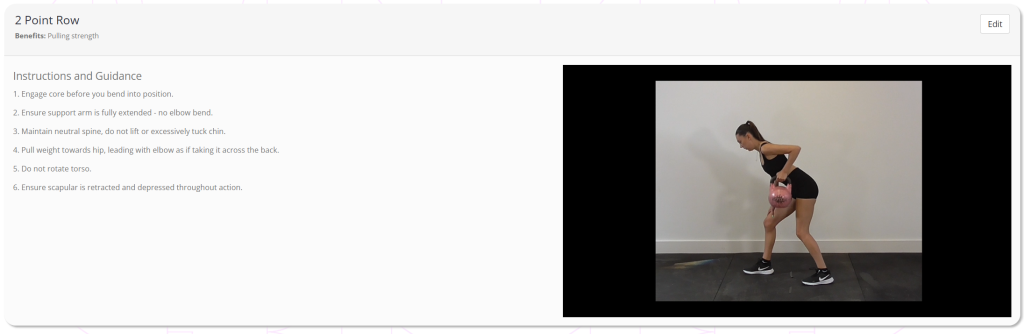
All of the key information about the exercise will be displayed.
If the exercise you are viewing is your own, an additional Edit button will be provided. Clicking this button will take you to the editable version of the exercise.
Adding an individual exercise
To add a new individual exercise, select either New exercise (with video) or New exercise (without video) from the Add/Import Exercises drop-down button.
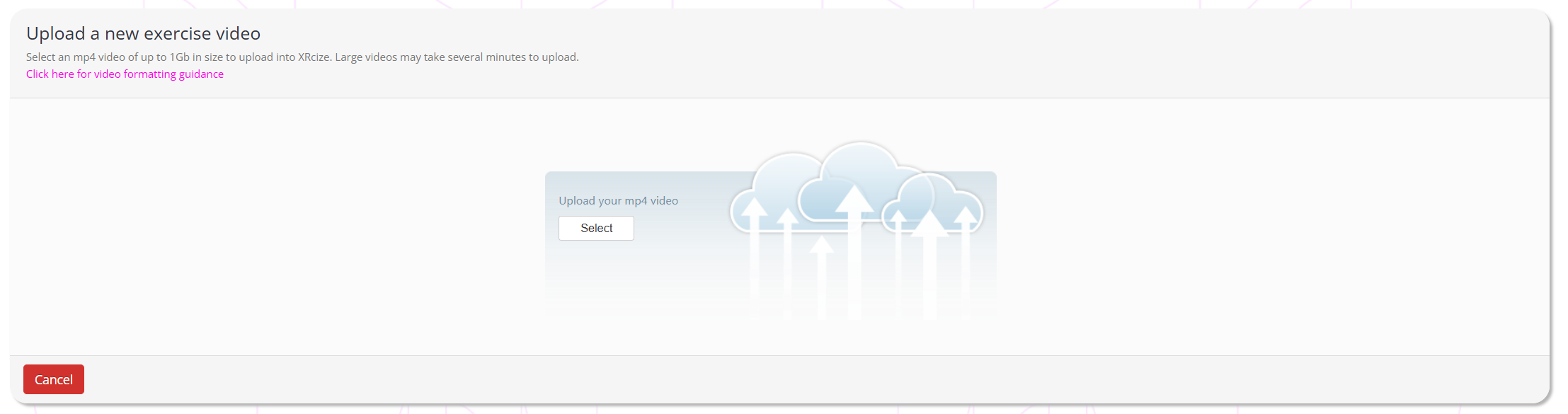
Select the video you wish to upload from your device, and wait until the upload completes. The editing page will then be displayed, as below.
Editing or configuring an Exercise
The exercise configuration screen is shown below.
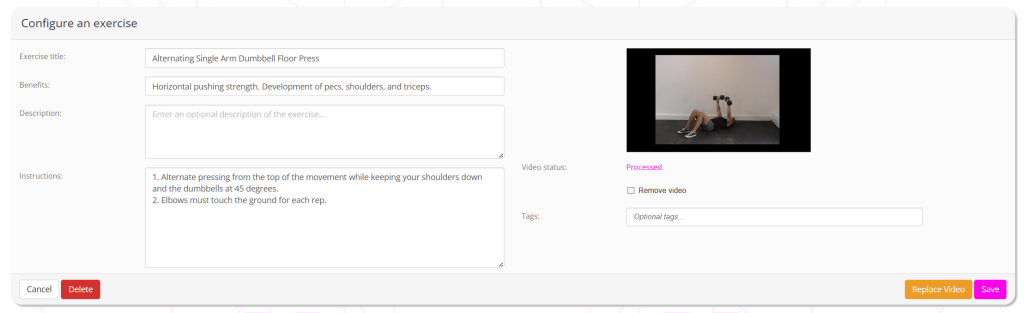
Field are provided for:
- Exercise Title – Every exercise must have a title. This title should be meaningful, and will be visible to members via the Quoox mobile app.
- Benefits – Optionally provide a brief summary of the benefits of the exercise. These are displayed in the Quoox mobile app.
- Description – Optionally provide a description of the exercise.
- Instructions – It is recommended that you provide textual instructions to accompany any video, so that key aspects of correctly undertaking the exercise are understood.
- Upload Video – Upload a new video. This will be queued and parsed by Quoox, creating a variety of formats suitable for mobile usage.
- Remove Video – If you have uploaded a video, ticking the checkbox will remove it. The remainder of the exercise will remain.
- Tags – Add one or more tags to categorise your exercise. The tags may comprise anything you wish and once you have added one tag, it will be available for use and searching against other exercises. Use a semi-colon (;) to separate different tags. Tags may be removed by clicking on the ‘X’ next to the tag.