
XRcize session listing
The XRcize Session Listing, is found by clicking Sessions within the XRcize Programs section of the main navigation menu.
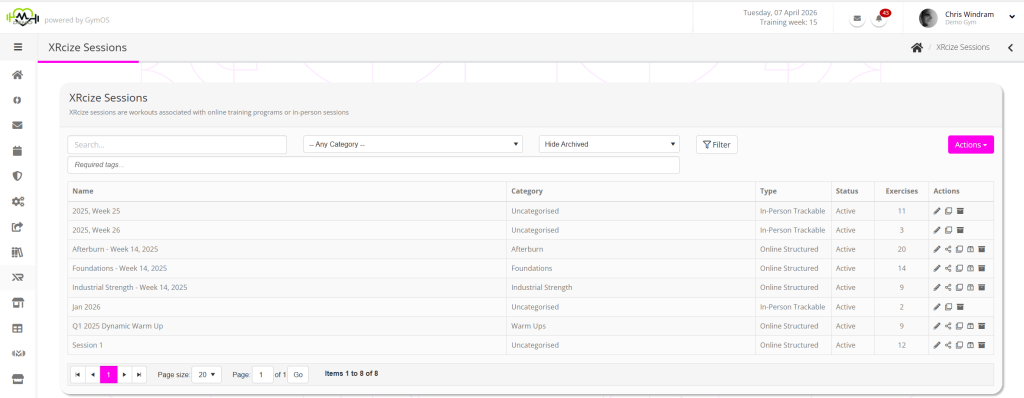
The page lists all presently configured sessions, and may be filtered by:
- Searching the session name
- Category
- Archived status
- Assigned tags
The information provided for each session comprises:
- Name – the name assigned to the session
- Category – the session type category assigned to the session
- Type – the type of session (In-Person Trackable; In-Person Freeform; or Online Structured)
- Status – the status of the session (active or inactive)
- Exercises – where applicable, the number of exercise elements within the session.
- Actions – context applicable actions are provided for:
- Edit the session
- Clone the session
- Allocate the session
- Archive the session
Creating a new XRcize session
To create a new XRcize session, you click the Actions drop-down and select the corresponding option:
- Add a new In-Person Trackable Session
- Add a new In Person FreeForm Session
- Add a new Online Structured Session
Workout of the Day
You may assign any Online Structured XRcize session or FitFlix video as “workout of the day”.
For further information, take a look at the Assigning a workout of the day article.