
Mobile App: XRcize™
XRcize™
XRcize gives members access to online workouts and training programmes that their gym has created and assigned to them. This section is accessed by tapping on XRcize™ within the My FitFile menu.
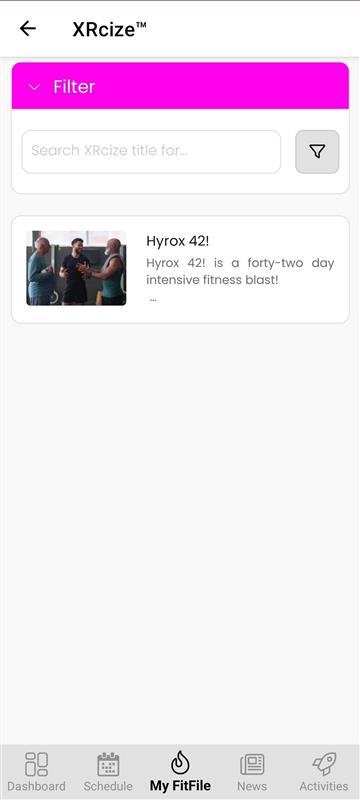
Upon opening XRcize, the member will see all online programmes that have been assigned to them. A pink Filter button is available at the top of the screen, allowing the member to search for specific workouts or programmes if needed.
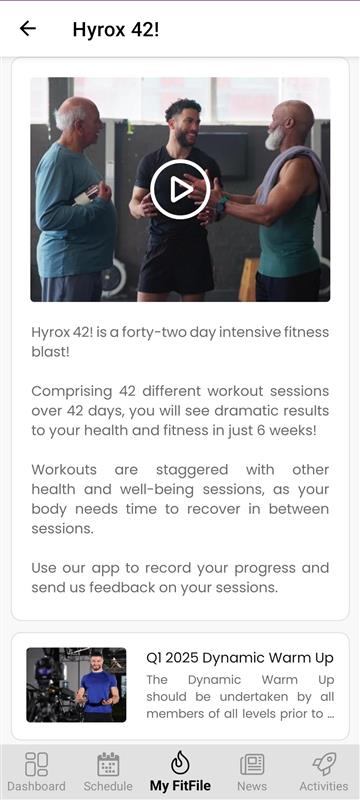
To begin, the member taps on the programme they wish to view. Each programme includes:
- A description explaining the purpose of the workout or training plan
- An introduction video giving an overview of what to expect
- A list of sessions included within the programme
The member can then tap on any session they want to complete. They will be given the option to:
- Browse Session – to review the exercises and instructions
- Start Session – to begin the workout and move through each exercise step-by-step
During the session, exercises will be displayed one at a time. If an exercise is timed, the member can tap the timer icon to access the built-in timer. The same applies to rest periods between exercises. Some exercises may also include instructional videos for guidance and correct movement patterns.
Once all exercises in the session have been completed, the member can tap on the final step to mark the session as finished. This will log the workout as completed within the programme.