
Mobile App: Scheduled Absences
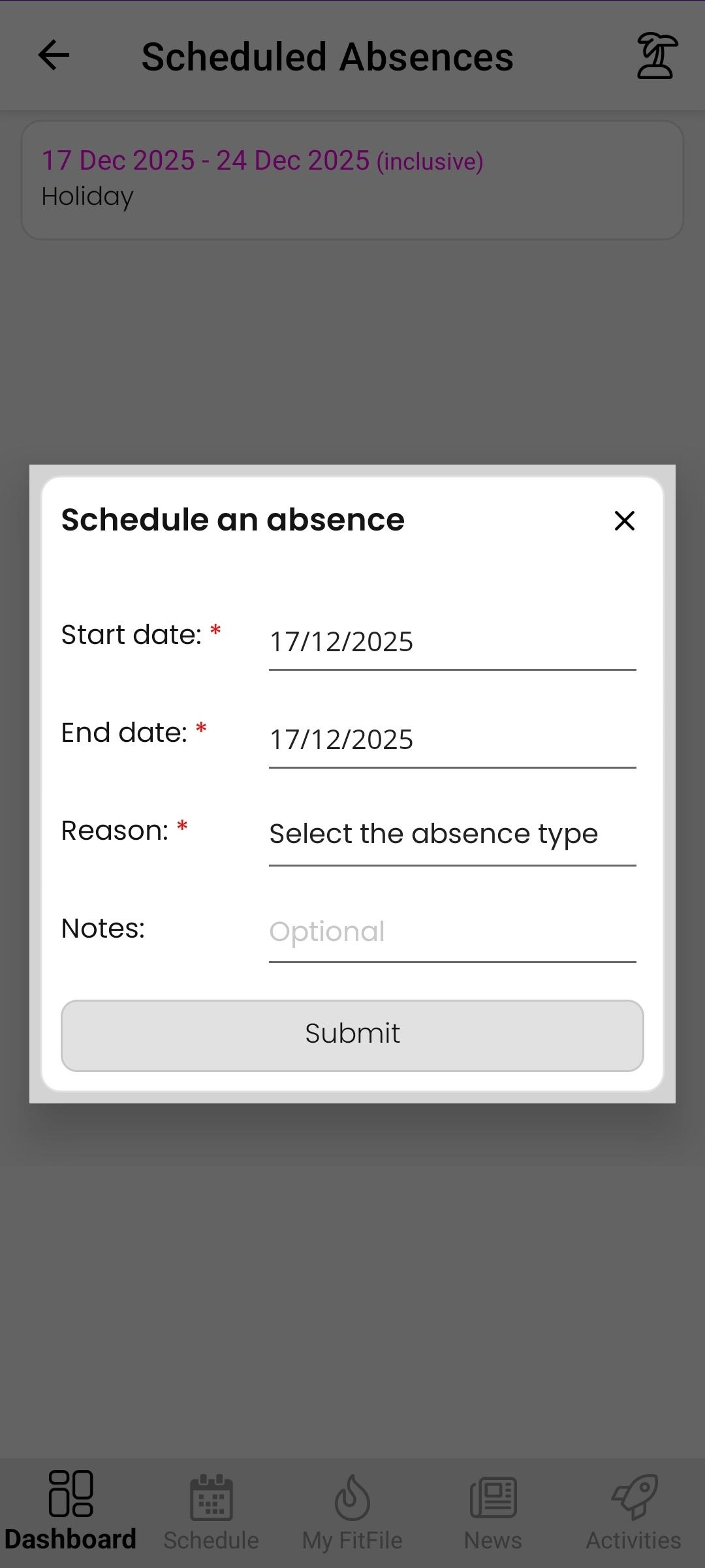
Scheduled Absences
The Scheduled Absences feature allows members to inform the gym in advance when they will be away. Logging an absence helps coaches and staff understand availability during a specified period.
Accessing Scheduled Absences
To view or manage scheduled absences, the member should:
- From the Dashboard, tap the cog icon in the top-right corner.
- Select My Account.
- Tap Scheduled Absences.
Viewing Existing Absences
Once opened, the member will see a list of any scheduled absences they have already logged, including the start and end dates.
Logging a New Absence
To log a new scheduled absence, the member can:
- Tap the tree/island icon in the top-right corner of the screen.
- Select the start date and end date of the absence.
- Choose a reason from the available options:
- Business
- Holiday
- Other
- Add additional notes, if required.
Once saved, the absence is recorded and the gym’s coaches are informed that the member will be unavailable for the selected dates.