
FitnessHub: Buddies
The Buddies feature allows members to connect with other members so they can see each other’s booked sessions and easily join the same sessions.
Accessing Buddies
The Buddies screen can be accessed in two ways:
Option 1: From My FITFile tiles
- Select the ‘Buddies’ tile from the My FITFile tiles.
Option 2: From the navigation menu
- Hover over My FITFile in the main navigation menu.
- Select Buddies.
The member will then be taken to the Buddies screen where they will see a list of their current buddies.
Having a member added as a buddy allows you to view their booked sessions, making it easier to book onto the same sessions.
Sending a Buddy Request
To add a new buddy:
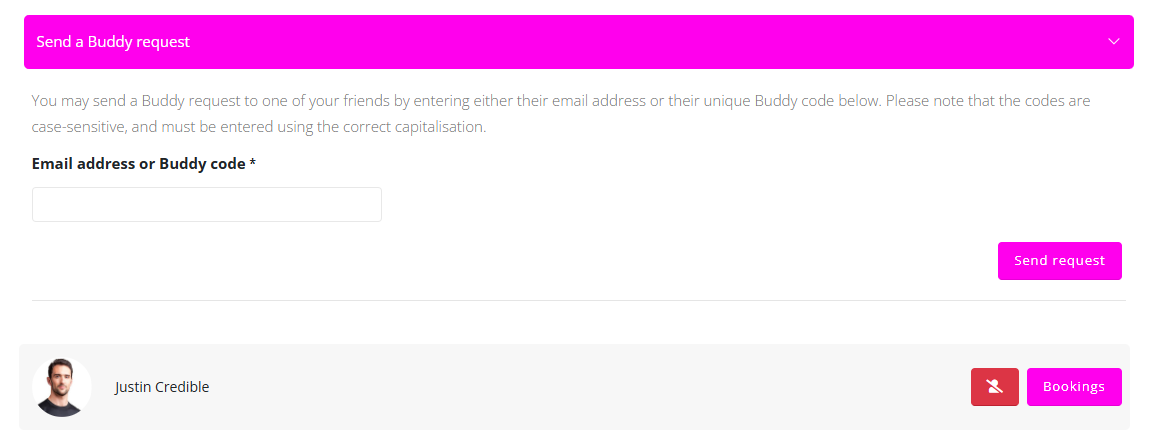
- Click the Send Buddy Request dropdown.
- Enter either the email address the member uses for GymOS or the member’s unique buddy code.
- Click Send Request.
The request will remain pending until the other member approves it. Once approved, the member will appear in the Buddies list.
Viewing a Buddy’s Sessions
To view a buddy’s booked sessions:
- Locate the buddy in the list.
- Click Bookings to the right of the buddies name.
This will display the sessions that the buddy is currently booked onto.
Removing a Buddy
To remove a buddy:
- Locate the buddy in the list.
- Click the delete icon next to their name.
The buddy will then be removed from the Buddies list.