
FitnessHub: Uploading Documents
Members can upload documents and photos to their Personal Documents folder within My Documents. These documents can then be shared with the gym if required.
Documents and images must be no larger than 5MB per file.
Accessing the Upload Screen
Documents can be uploaded in two ways.
Option 1: From My Documents
- Go to the My Documents Page.
- Click the Upload button.
Option 2: From the Navigation Menu
- Hover over Documents in the navigation menu.
- Select Upload Document(s).
Both options will take the member to the document upload screen.
Uploading a Document
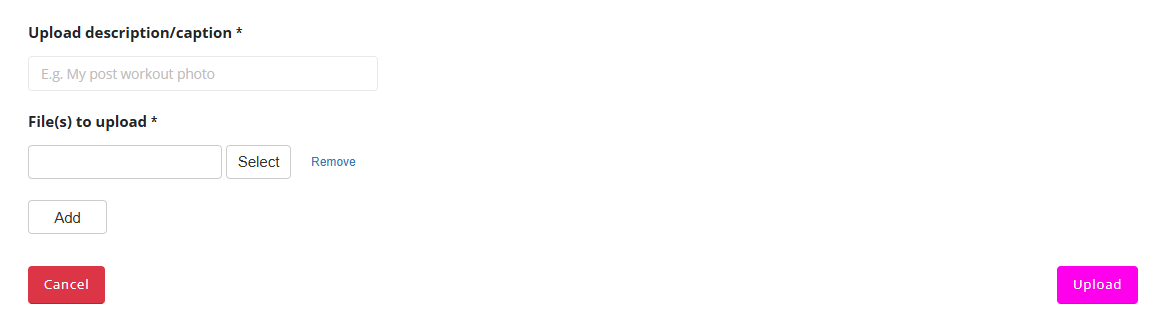
To upload a document:
- Enter a description or caption for the document.
- Click the Select button.
- Choose the document or photo from the device.
- Click the Upload button.
Uploading Multiple Documents
Members can upload more than one document at the same time.
- Click Add.
- Click Select for the new entry.
- Choose another document.
These steps can be repeated for multiple files.
Completing the Upload
Once all documents have been selected:
- Click Upload.
The documents will then be uploaded to the member’s Personal Documents folder within My Documents.