
FitnessHub: Purchasing Adhoc Credits
Some facilities allow members to purchase adhoc or top-up credits if they wish to attend additional sessions outside of their standard membership.
Members can access this option by hovering over “Store” in the navigation menu and selecting Adhoc / Top-Up Credits from the dropdown menu.
This will take the member to a page displaying the credit packs currently available for purchase.

Viewing Available Credit Packs
On the Adhoc / Top-Up Credits page, members will see a list of the credit packs offered by the facility. Each credit pack includes useful information to help members decide which one to purchase.
This information includes:
- The name of the credit pack (usually indicating what the credits relate to)
- The number of credits included
- The cost of the credit pack
- The venues where the credits can be used
- The types of sessions the credits apply to
- The expiry date of the credits
Important: When selecting a credit pack to purchase, ensure that the venue and session eligibility suit your requirements.
Purchasing a Credit Pack
If a member wishes to purchase a credit pack, they can do so by clicking the Buy Now! button next to the desired option.
This will add the credit pack to the member’s basket.
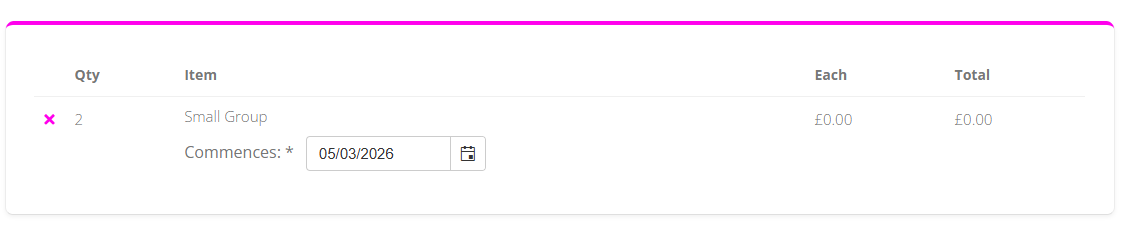
Selecting the Credit Start Date
If permitted by the gym, members may have the option to select the start date for when the credits will become valid. This can be chosen on the basket screen before completing the purchase.
Completing the Purchase
Once the member is happy with their selection, they can click Checkout.
They will then be able to choose their preferred payment method and complete the purchase of the credits.