
FitnessHub: Membership Packages
Purchasing a membership package through the FitnessHub is quick and straightforward. Follow the steps below to browse available memberships and complete your purchase.
Accessing the Membership Packages
To begin, hover over the Store option in the main navigation menu and select Membership Packages.
This will take you to a page displaying all of the memberships currently available for purchase.

Viewing Available Memberships
On the Membership Packages page, you will see a list of memberships offered by the gym.
Each membership will include:
- Title – the name of the membership package
- Description – information explaining what the membership includes and what it offers
This allows you to review the available options and choose the membership that best suits your needs.
Selecting a Membership
Once you have found the membership you would like to purchase, click the Select button next to that membership.
You will then be taken to a new screen where you can view the available payment plans for that membership.
Choosing a Payment Plan
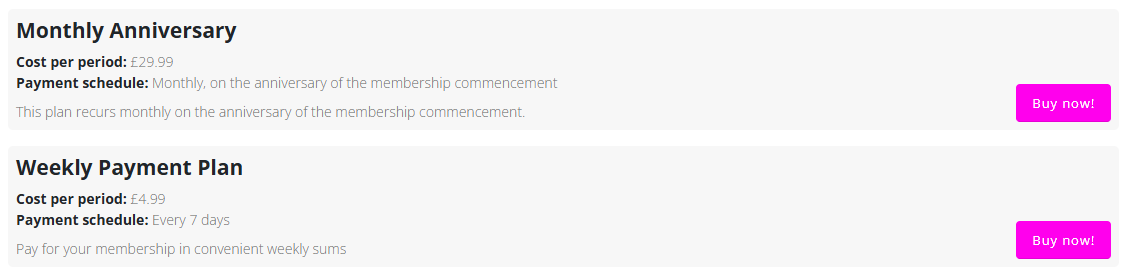
Each payment plan will show the following information:
- Cost Per Period – the amount charged each billing period
- Payment Schedule – how often payments will be taken
- Description – a short explanation of the payment plan
When you have chosen the payment plan you wish to use, click Buy Now! next to that option.
Reviewing Your Basket
After selecting Buy Now!, you will be taken to your basket.
Here you can:
- Review the membership details
- Confirm the cost of the purchase
- Choose the start date for when your membership will commence
Take a moment to check that all information is correct before continuing.
Completing Your Purchase
Once you are happy with the details, click Checkout.
You will then be asked to:
- Choose your preferred payment method
- Complete the payment process
After the payment has been successfully processed, your membership purchase will be confirmed.