
FitnessHub: Booking History
The Booking History section allows members to review the sessions and events they have booked over the past 12 months.
Accessing Booking History
Members can access this section in the same way as Booked Sessions/Events:
- Hover over My Account in the navigation menu.
- Select Booking History from the dropdown menu.
This will take the member to the Booking History screen.
Viewing Past Bookings
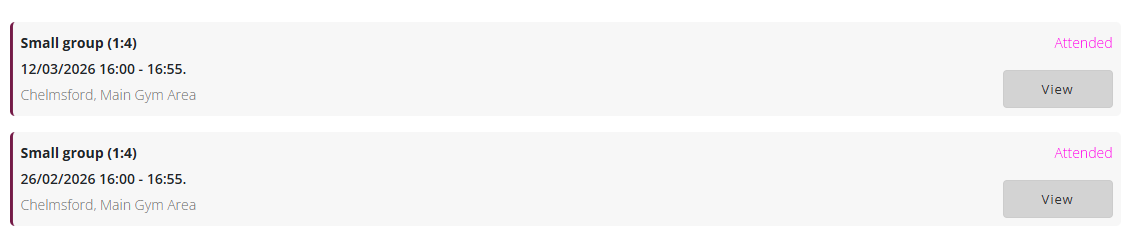
On this page, the member will see a list of sessions and events they have booked within the last 12 months.
For each entry, the following information will be displayed:
- Session name
- Date and time of the session
- Venue and location where the session took place
- Attendance status, showing whether the member was marked as attended
This provides members with a record of their previous bookings.
Viewing Session Details
Each booking will include a View button.
Clicking View will take the member to the session details page, where they can see:
- An image representing the session
- A description explaining the session
- The location of the session
- The cost of the session
- Whether they were marked as attended for that session.