
Navigating the portal
The GymOS administration portal is designed to present its wealth of functionality and information in a structured and logical manner. The approach remains consistent throughout the administration portal, allowing users to become familiar with its use rapidly.
Primary Navigation
The primary navigation is where the main functional elements of the GymOS system are located. It is found on the left hand side of the screen.
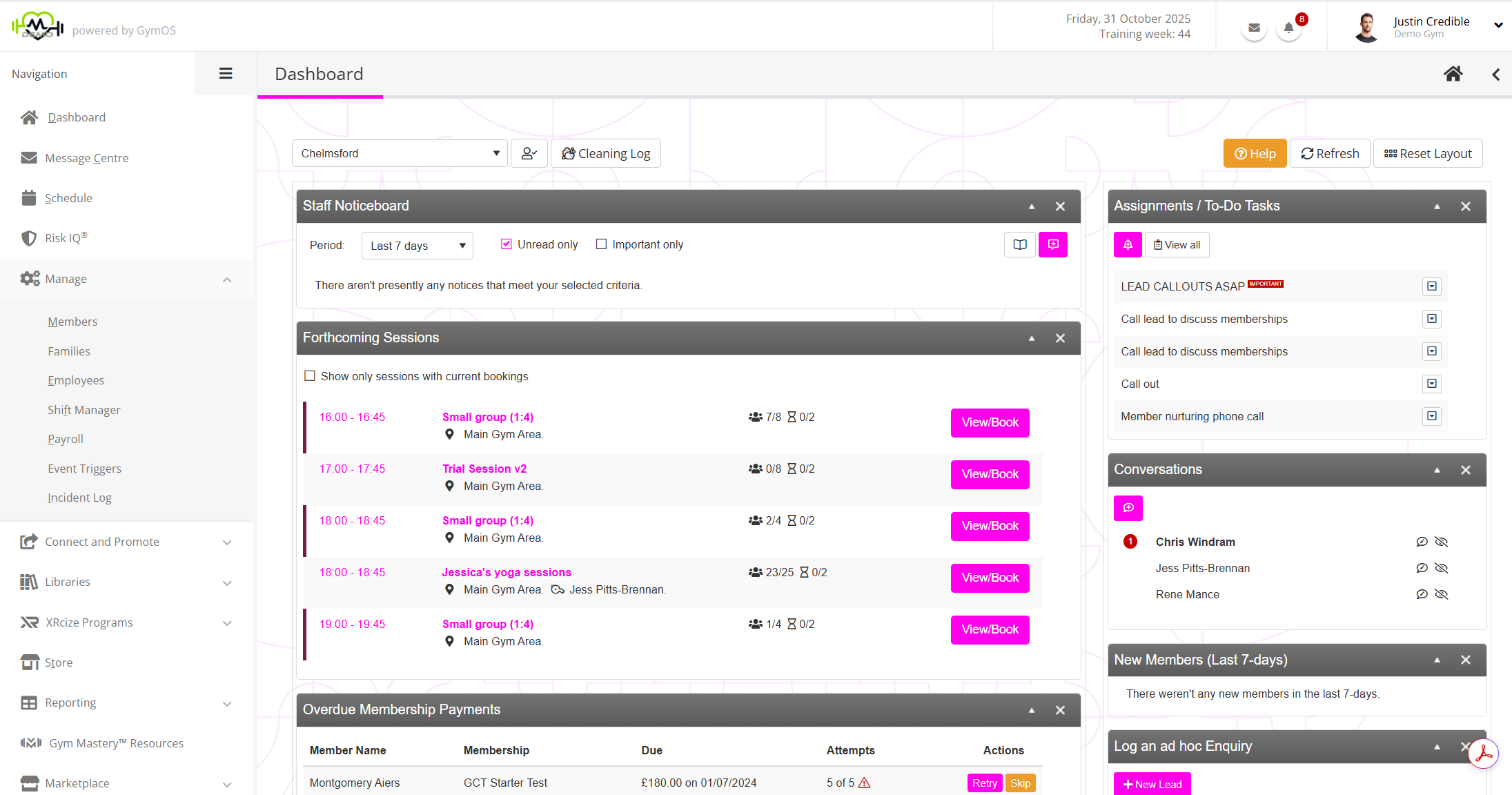
By default, the menu is “collapsed” and shows only as a menu strip. Rolling the mouse over the menu expands it to review the menu content. Clicking the icon anchors the menu open, until the page is changed.
Many of the menu items, such as “Manage”, have sub-menus. These are indicated by the arrow. These sub-menus are revealed (or hidden) by clicking on the parent item.
Secondary Navigation
Functional areas that feature lots of sub-functions feature a secondary navigation. An example of this is the “ Settings” area.
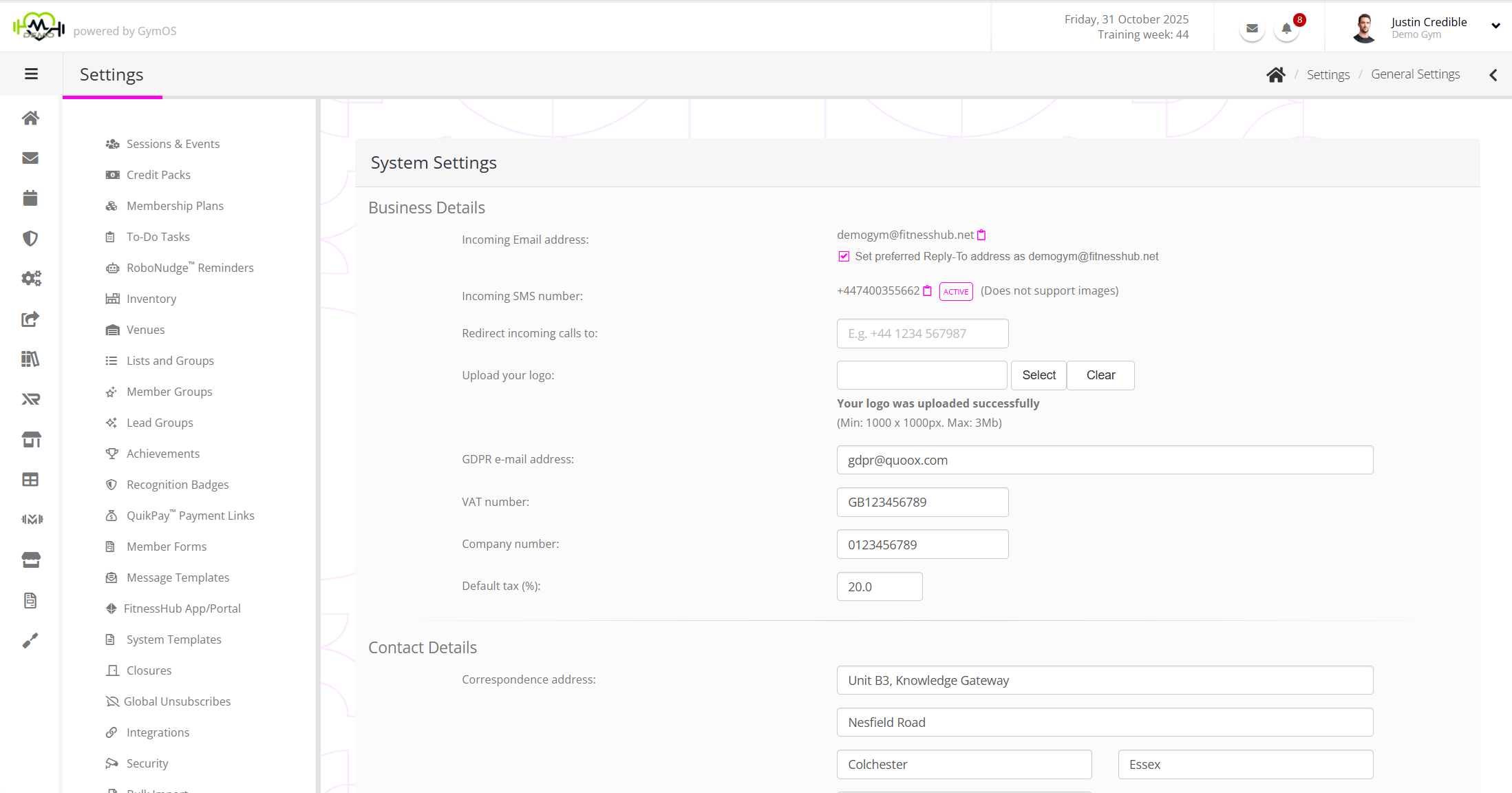
The secondary navigation panel sits adjacent to the primary navigation, which is collapsed back to its typical icon-strip format.
My Profile Menu
The My Profile menu is found at the top-right of the screen, and is accessed by clicking on your name or avatar.
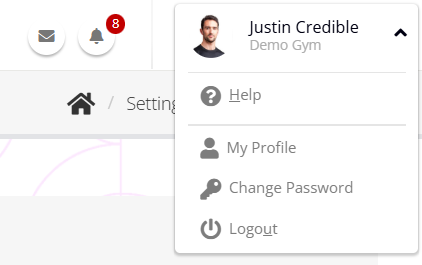
This menu houses functions relating to you, along with the Help icon, which may be clicked to get assistance with the functionality on the current page.
Recently Viewed Records
The Recently Viewed Records navigation sits at the right-hand side of the screen. It is accessed by clicking on the arrow in the header. This reveals the menu.
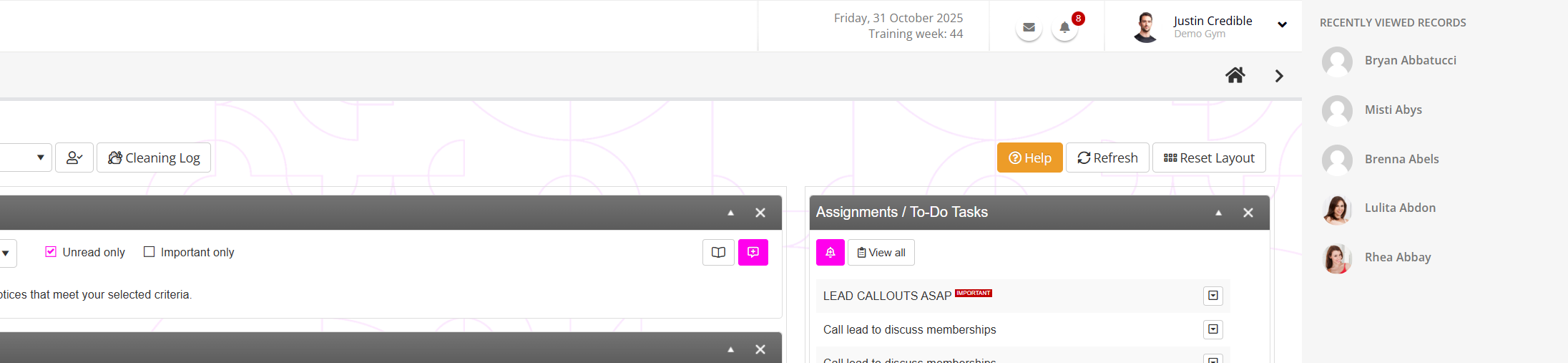
As you navigate GymOS, it keeps a record of the most recent member and lead records that you have visited. These are shown in the Recently Viewed Records navigation menu, providing you with a quick route for jumping to records you have recently accessed.