
Bulk member actions
Several bulk actions can be performed against members or groups of members. The bulk actions pop-up window is accessed by clicking the Bulk Actions button located at the top of the member listing screen.
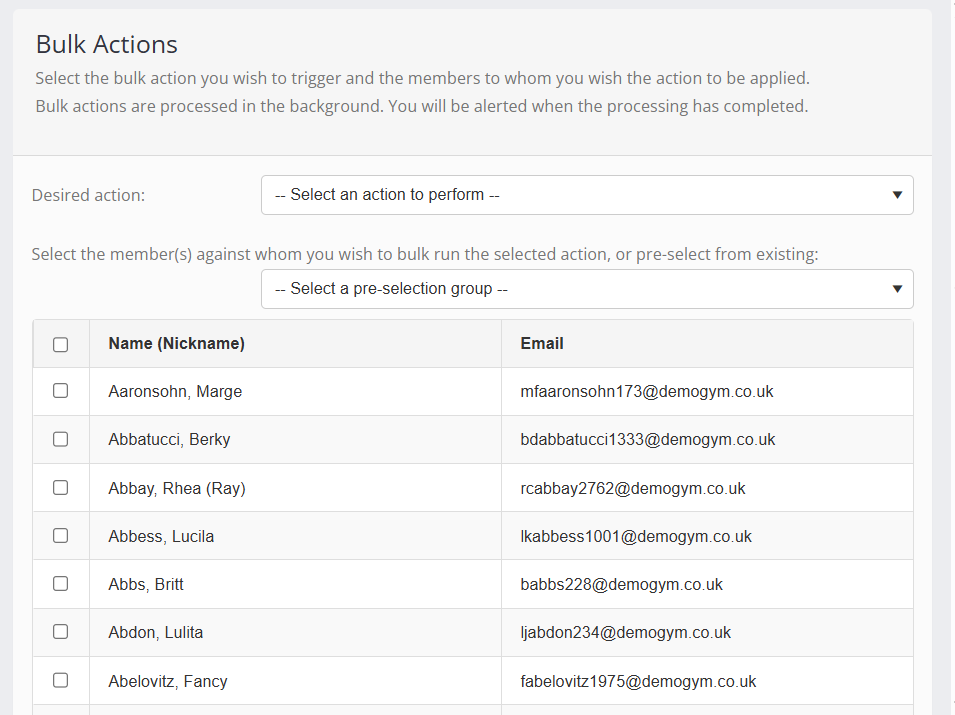
The steps to perform a bulk action comprise:
- Select the action to be performed (see below).
- Select the option(s) relating to that specific action.
- Optionally select a pre-selection group of members to apply it to.
- Make or refine the selection of members to whom the action is going to be applied.
- Click the Action button.
Available actions
The bulk actions available for use with members are:
- Assign selected members to a custom group
This adds all of the selected members to a custom group. Existing members already in the group remain, and unselected members are not removed. This is an additive process only. - Bulk assign assigned mentor to selected members
Assigns all of the checked members the mentor selected from the options list. - Bulk assign journey point to selected members
Assigns all of the checked members the current journey point selected from the options list. - Assign selected members a DropSlot consultation invitation
Assigns a consultation invitation for the event type chosen to all members who have been checked. The invitation is valid immediately and lasts for the default validity period set against the event type in DropSlot. - Assign selected members a DropSlot consultation invitation schedule
Assigns a recurring consultation schedule for the chosen event type to all selected members. The schedule commences immediately. Whether an invitation is issued immediately is subject to the setting configured on the Event Type Schedule as configured in DropSlot.