
FitnessHub: Booked Sessions/Events
The Booked Sessions/Events section allows members to view any sessions or events they are currently booked onto.
Accessing Booked Sessions/Events
Members can access this section by:
- Hover over My Account in the navigation menu.
- Click Booked Sessions/Events from the dropdown menu.
This will take the member to the Booked Sessions/Events screen.

Viewing Booked Sessions
On this page, members will see a list of any sessions or events they have booked.
For each booking, the following information will be displayed:
- Session name
- Date and time of the session
- Venue and location
- Number of people booked onto the session
- Waitlist count
This provides a quick overview of upcoming bookings.
Viewing Session Details
Each booking will include a View button.
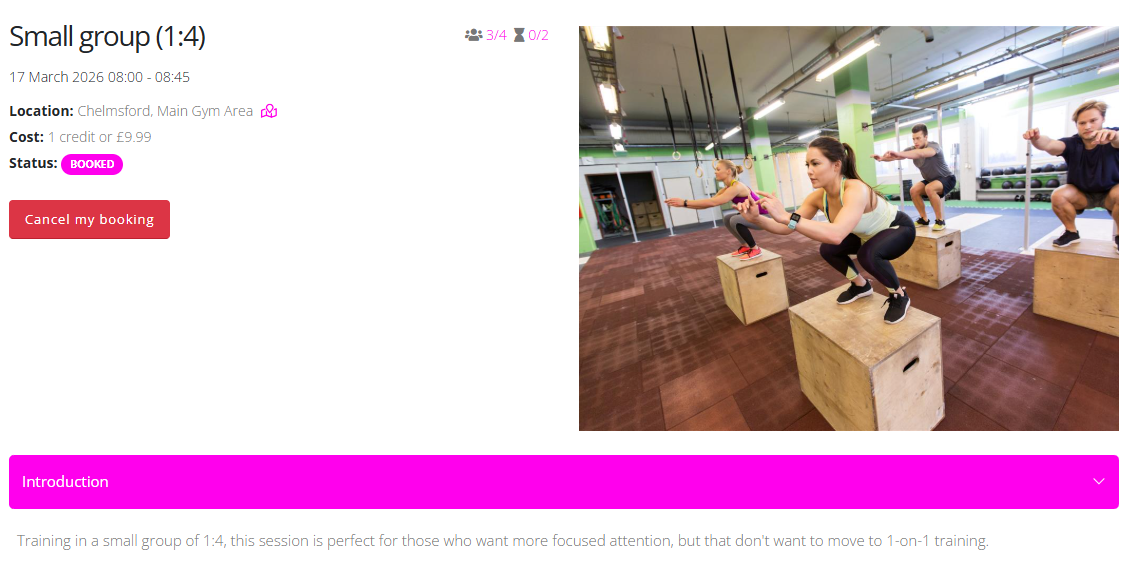
Clicking View will take the member to the session details page, where they can see:
- The location of the session
- The cost of the session
- The status of the session
- An image representing the session
- A description explaining what the session involves
Cancelling a Booking
If a member needs to cancel their place on a session, they can do so from the session details page.
To cancel a booking:
- Click the View button next to the session.
- Click the Cancel my booking button.
This will remove the member from the session.