
FitnessHub: Injuries & Medications
The Injuries & Medications feature allows clients to record any current injuries that they may have as well as any medication that they are currently taking.
Accessing Injuries & Medications
The Injuries & Medications screen can be accessed by hovering over My FITFile in the main navigation menu and then by selecting Injuries & Medications from the dropdown menu.
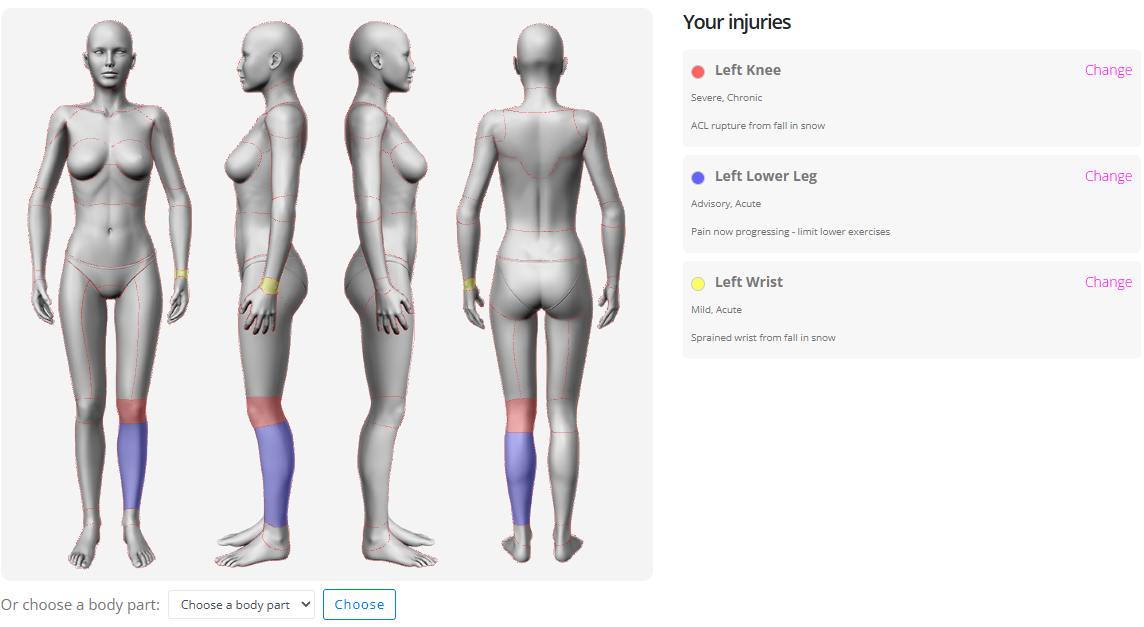
The client will then be taken to the Injuries & Medications screen where they will see any injuries that they’ve already recorded as well as any medications that they’ve listed.
Recording a New Injury
A new injury can be recorded by the client in two different ways.
Option 1: Clicking on the relevant body part
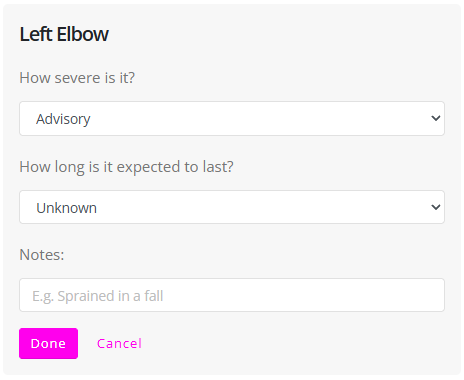
Upon clicking on the relevant body part, the client will be asked to provide some further information regarding the injury. The client will need to provide the severity, expected duration of injury and any additional notes about the injury that they would like to add.
Option 2: Selecting a body part from the dropdown list
Underneath the interactive body parts that can be selected, the client will also see a dropdown list that they can select from. This is accessed by selecting ‘Choose a body part’ and then by selecting the injured body part from the list. Upon selection, the client will then need to provide the severity, expected duration of injury and any additional notes about the injury that they would like to add.
Amending a Logged Injury
If an Injury was logged in error or the client wishes to update it, they can do so by clicking on the ‘Change’ text next to the Injury. This will allow the client to provide any further details or make amendments to the record; the client may also remove the injury.
Recording Medications & Allergies
The client may record any medications that they are currently taking or any allergies that they may have. Either of these can be completed by filling out the text fields at the bottom of the page.
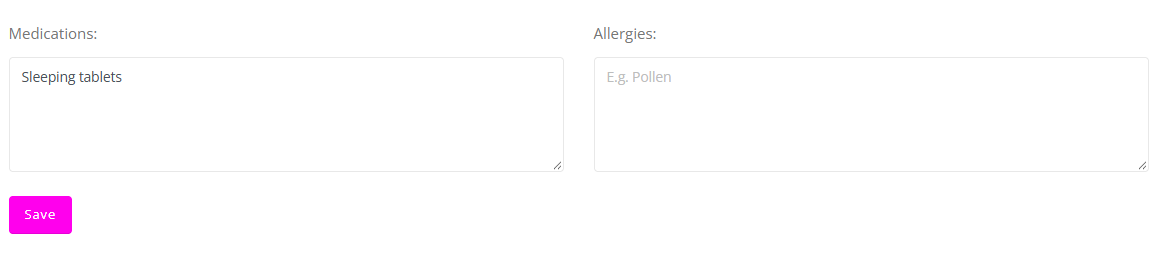
Click the Save button to record the medication and allergy.