
FitnessHub: My Profile
The My Profile section allows member to view and update their personal information within FitnessHub.
Accessing My Profile
Members can access their profile by:
- Hovering over My Account in the navigation menu.
- Selecting My Profile from the dropdown menu.
This will take the member to the My Profile screen.
Updating Personal Information
On the My Profile page, members can provide or update their personal details and contact information.
This may include:
- Name details (first name, middle name(s), last name, and nickname.
- Title and previous names
- Primary contact information, such as email address and mobile number
- Alternative contact details
Keeping this information up to date ensures that the gym can contact the member when required.

Additional Personal Details
Members may also update additional information, such as:
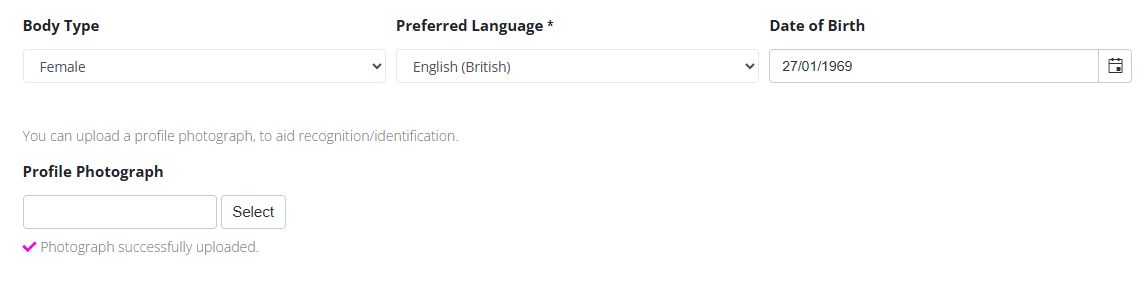
- Body type
- Preferred language
- Date of birth
These details help the gym tailor communications and services where appropriate.
Uploading a Profile Photograph
Members can upload a profile photograph to help the facility identify them more easily.
To do this, the member can click Select, choose an image from their device and upload it to their profile.
Address Information
The profile page also allows members to provide their address details, including:
- Address line(s)
- City
- County
- Postcode
- Country
Emergency Contact Information
Members can add emergency contact or next-of-kin details, including:
- Contact name
- Telephone number
- Relationship to the member
- Contact address
This information can be important for the facility to have in case of an emergency.

Notification and Communication Preferences
At the bottom of the page, members may also be able to configure their communication preferences, such as:
- Allowing marketing communications
- Receiving session notification emails or text messages
- Receiving consultation invitation notifications
Members can tick or untick these options depending on their preferences.
Saving Profile Changes
After making any updates, the member should click the Save button to ensure the changes are recorded in their FitnessHub profile.