
FitnessHub: Personal Bests
The Personal Bests feature allows members to record and track their best performances for specific exercises set by the gym.
Accessing Personal Bests
Personal Bests can be accessed in two ways:
Option 1: From My FITFile tiles
- Select one of the My FITFile tiles on the FitnessHub home area.
Option 2: From the navigation menu
- Hover over My FITFile in the main navigation menu.
- Select Personal Bests.
The member will then be taken to the Personal Bests screen.
Viewing Personal Bests
On the Personal Bests screen, the member will see a list of any personal bests they have previously recorded.
These are shown against the specific exercises defined by the gym.
Adding a Personal Bes
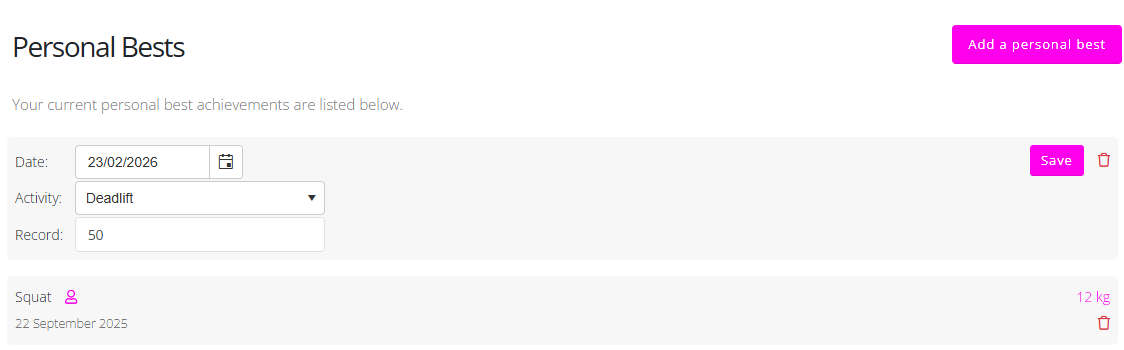
To add a new personal best:
- Click Add a personal best.
- Select the date the personal best was achieved.
- Select the exercise performed.
- Enter the result or value achieved.
- Click Save to record the personal best.
The new personal best will then appear in the list.
Deleting a Personal Best
If a personal beast has been entered incorrectly, it can be removed.
To delete a personal best:
- Locate the personal best in the list.
- Click the red bin .
The personal best will then be removed from the record.