
FitnessHub: Store
Members can access their gym’s store by clicking on “Store” from the navigation menu. Alternatively, they can hover over “Store” and select “Browse Our Store” from the dropdown menu.
Once on the store page, members will see the items that the facility has available for purchase. Each item is displayed with an image and price.
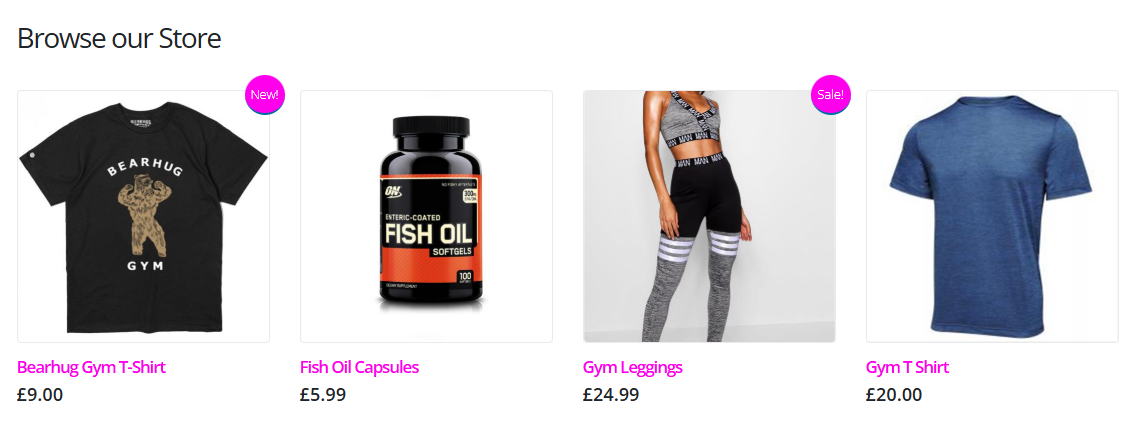
Viewing Product Details
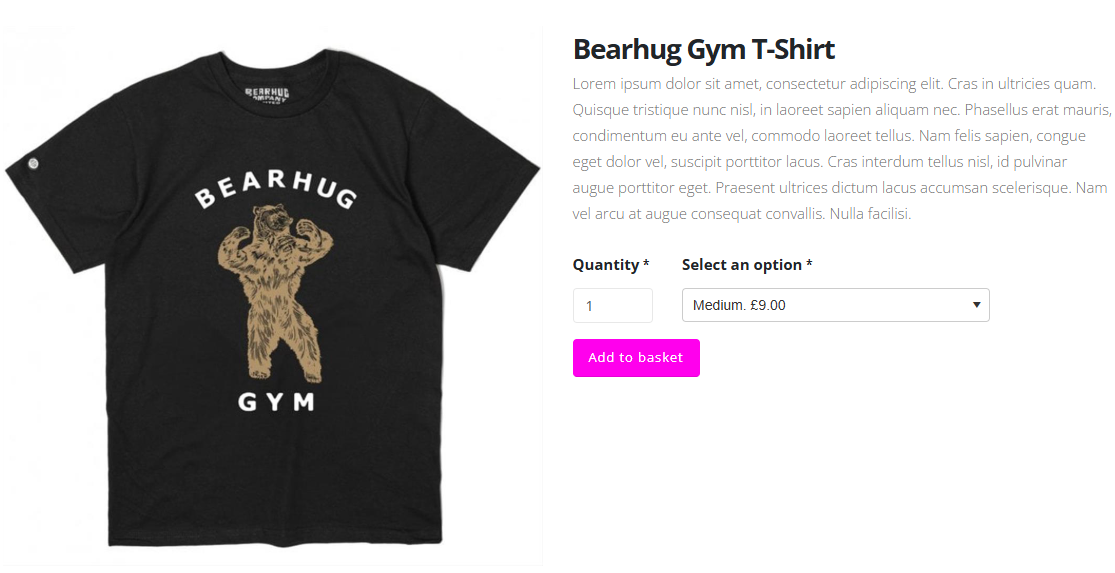
If a member is interested in a product, they can click on the item image to view more details. This will open a page showing a larger image of the product along with a description.
Selecting Product Options
Members can choose the quantity of the item they wish to purchase. Depending on the product, additional options may also be available.
For example:
- Clothing items may include size selections.
- Supplements such as protein powder may include flavour options.
Once the desired options have been selected, the member can click Add to Basket to place the item in their shopping basket.
Managing the Basket
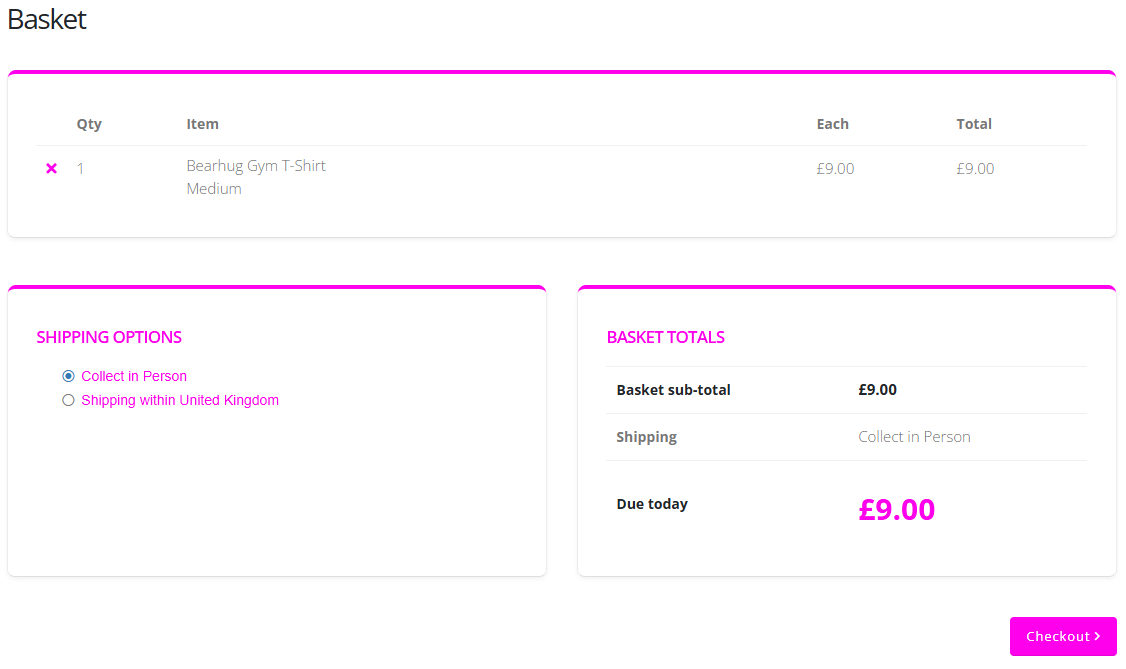
After clicking Add to Basket, the member will be taken to the Basket page, where the selected items will be displayed.
If a member accidentally adds the wrong item, it can be removed from the basket by clicking the “X” next to the item quantity.
Delivery Options
Depending on what the gym offers, members may be able to choose from different delivery options, such as:
- Collect in person
- Shipping within the United Kingdom
Completing the Purchase
Once the member is happy with the items in their basket, they can click Checkout > .
They can then select their preferred payment method and click Pay Now to complete the purchase.