
FitnessHub: Weigh-Ins
The Weigh-Ins feature allows members to record and track their body weight over time.
Accessing Weigh-Ins
Weigh-Ins can be accessed in two ways:
Option 1: From My FITFile tiles
- Select Weigh-Ins from one of the My FITFile tiles
Option 2: From the navigation menu
- Hover over My FITFile in the main navigation menu.
- Select Weigh-Ins.
The member will then be taken to the Weigh-Ins screen.
Viewing Weigh-Ins
On the Weigh-Ins screen, the member will see a list of any weigh-ins they have previously recorded.
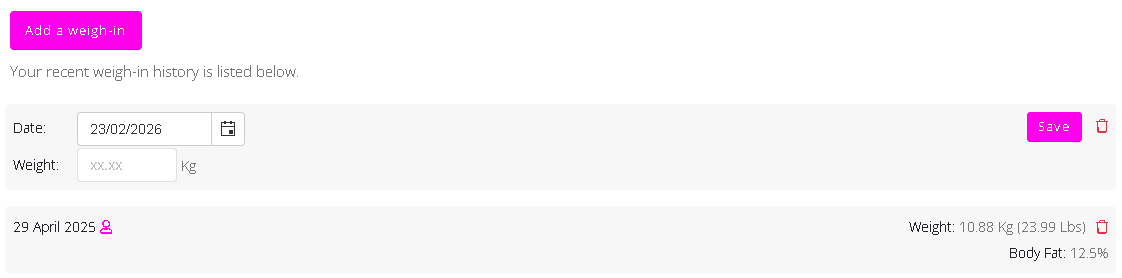
Adding a Weigh-In
To add a new weigh-in:
- Click Add a weigh-in.
- Select the date of the weigh-in.
- Enter the weight result.
- Click Save to record the weigh-in.
The new weigh-in will then appear in the list.
Deleting a Weigh-In
If a weigh-in has been entered incorrectly, it can be removed.
To delete a weigh-in:
- Locate the weigh-in in the list.
- Click the red bin .
The weigh-in will then be removed from the record.