
Getting started with Sessions & Events
The Sessions & Events section within Settings on the main navigational menu is where you configure your session/event types, and schedule recurring sessions.

Session types
There are six types of sessions. Each has its purpose:
- Session
The “Session” session type is the one you will use most commonly. This is the correct selection for scheduling and attending regular training sessions. It may only be attended by members. - Drop-in Session
The “Drop-in Session” session type is a special variant on the regular session. It is specifically designed for use when pre-booking isn’t required, and the attendee may arrive and leave at any time during the scheduled duration of the session. A real-world example of this type of session is “Open Gym”. - Consultation
The “Consultation” session type may also only be attended by members. Whilst the functionally superior DropSlot Consultations is now generally preferred over this session type, it is still a valid way to denote consultation sessions for one-on-one or group meetings with members. - Marketing
The “Marketing” session may only be attended by leads. It is generally promoted as part of an appointment promotion campaign. - Course
A “course” is functionally identical to a session, except that it would typically stretch a longer period of time – potentially across several days. - Popup
A “popup” is an ad hoc session for members only, such as a Gym Christmas party.
Session Listing
When you first access Sessions & Events, the session type listing is displayed.
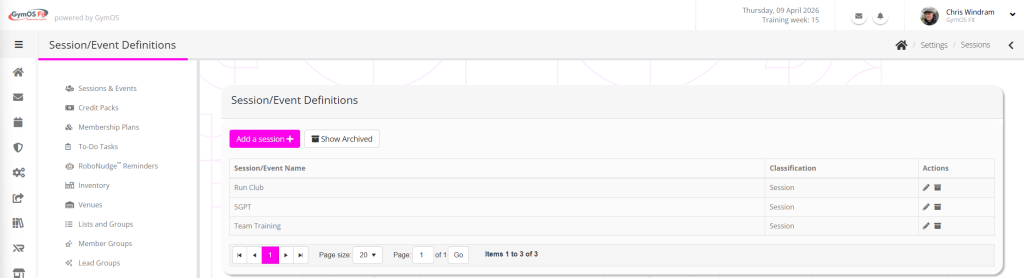
The information displayed for each session/event type comprises:
- Session/Event name
- Classification
- Context sensitive actions, including:
- Edit session type
- Archive session type
By default, archived sessions are hidden. You can show these by clicking the Show Archived button.
Creating a new session type
To create a new session type, click the Add a new session button, and select the type of session that you wish to add.
Follow the process outlined in the Creating a new session type article.