
GuestHub: Completing a Form
The Forms section in the GuestHub allows leads to complete any forms that have been assigned to them by the gym.
Accessing Forms
Leads can access their forms in two ways:
Option 1: From an email
- When a form is assigned, the lead will receive an email containing a link.
- Clicking this link will take them directly to the form.
Option 2: From the GuestHub
- Log in to the GuestHub.
- Click Forms from the navigation menu.
This will take the lead to the Forms screen.
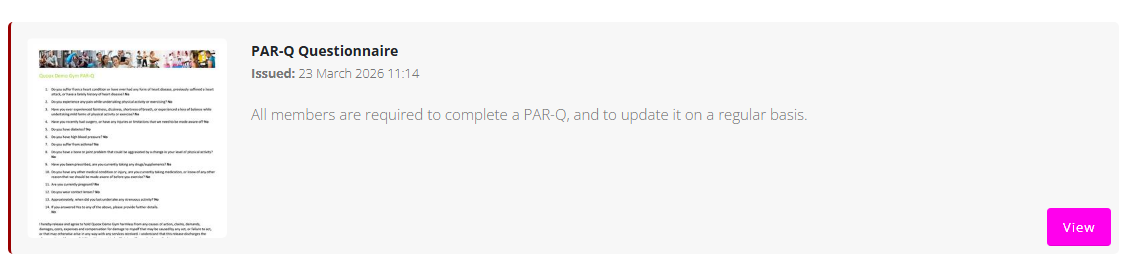
Viewing Assigned Forms
On the Forms page, the lead will see any outstanding forms that require completion.
For each form, the following information will be displayed:
- Form title
- Brief description
- Date the form was issued
Each form will also include a View button.
Completing a Form
To begin completing a form:
- Click the View button next to the form.
- Read and answer each question presented.
After answering a question, the lead can click Next to move to the following question.
Additional Options
While completing a form, the lead will also have the following options:
- Restart – Clears all answers and restarts the form from the beginning.
- Close – Exits the form and allows the lead to return to it at a later time.
Progress can be resumed at a later stage, if the form is not completed in one session.