
Leads tab: Consultations
The Consultations tab on the lead record is where you can view a lead’s forthcoming DropSlot bookings, and issue or cancel an invitation.
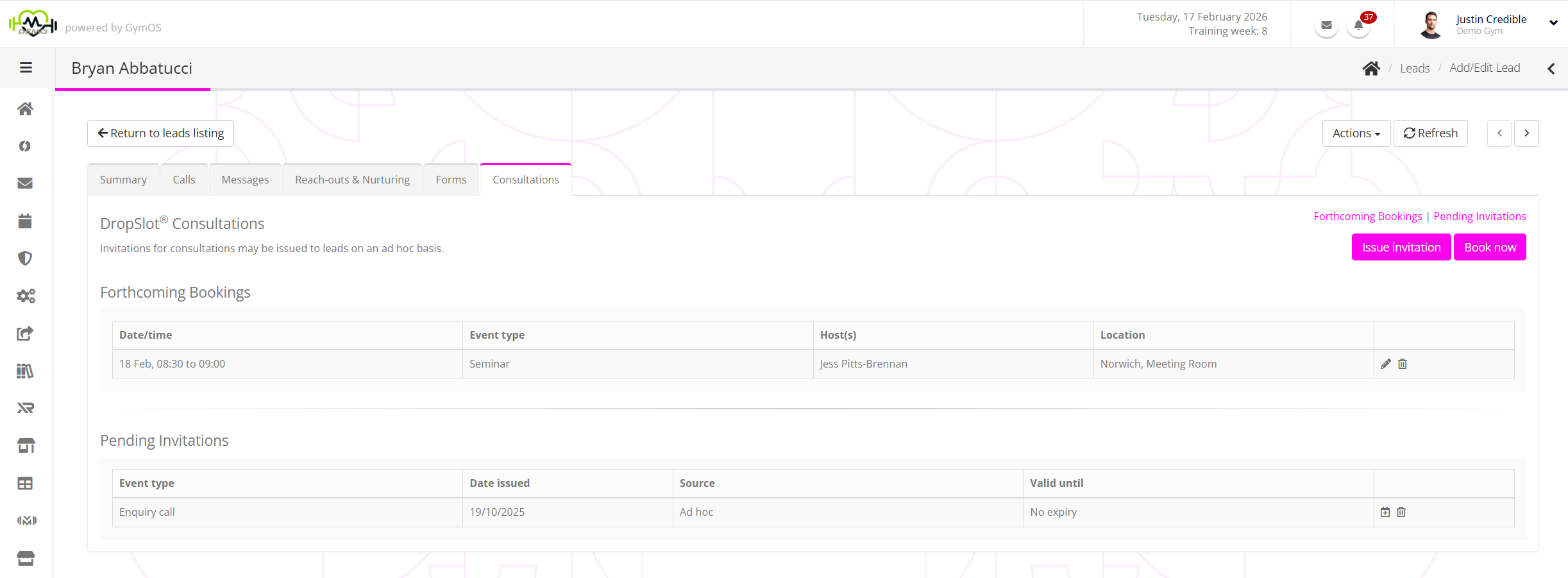
The page is split into two sections:
Forthcoming Bookings

GymOS lists the future DropSlot bookings for the lead.
An event may be viewed or edited by clicking the icon. It may be cancelled by clicking the icon.
It is possible to create a new consultation booking on behalf of the lead by clicking the Book now button, and following the process outlined in the Creating a DropSlot booking for a lead article.
Pending Invitations

GymOS lists the presently valid DropSlot invitations assigned to the lead, showing their creation source, date of issue, and validity period.
A booking may be made using an allocated invitation by clicking on the icon. The process is as outlined in the Creating a DropSlot booking for a lead article.
An invitation may be immediately revoked by clicking on the icon.
A new, ad hoc invitation can be issued to the lead by clicking the Issue invitation button. The process is as described in the Assigning an ad hoc DropSlot invitation to a lead article.