
Member tab: Programs
The Programs tab on the member record is where you can track, assign, and update nurture programs and XRcize programs/sessions assigned to a member.
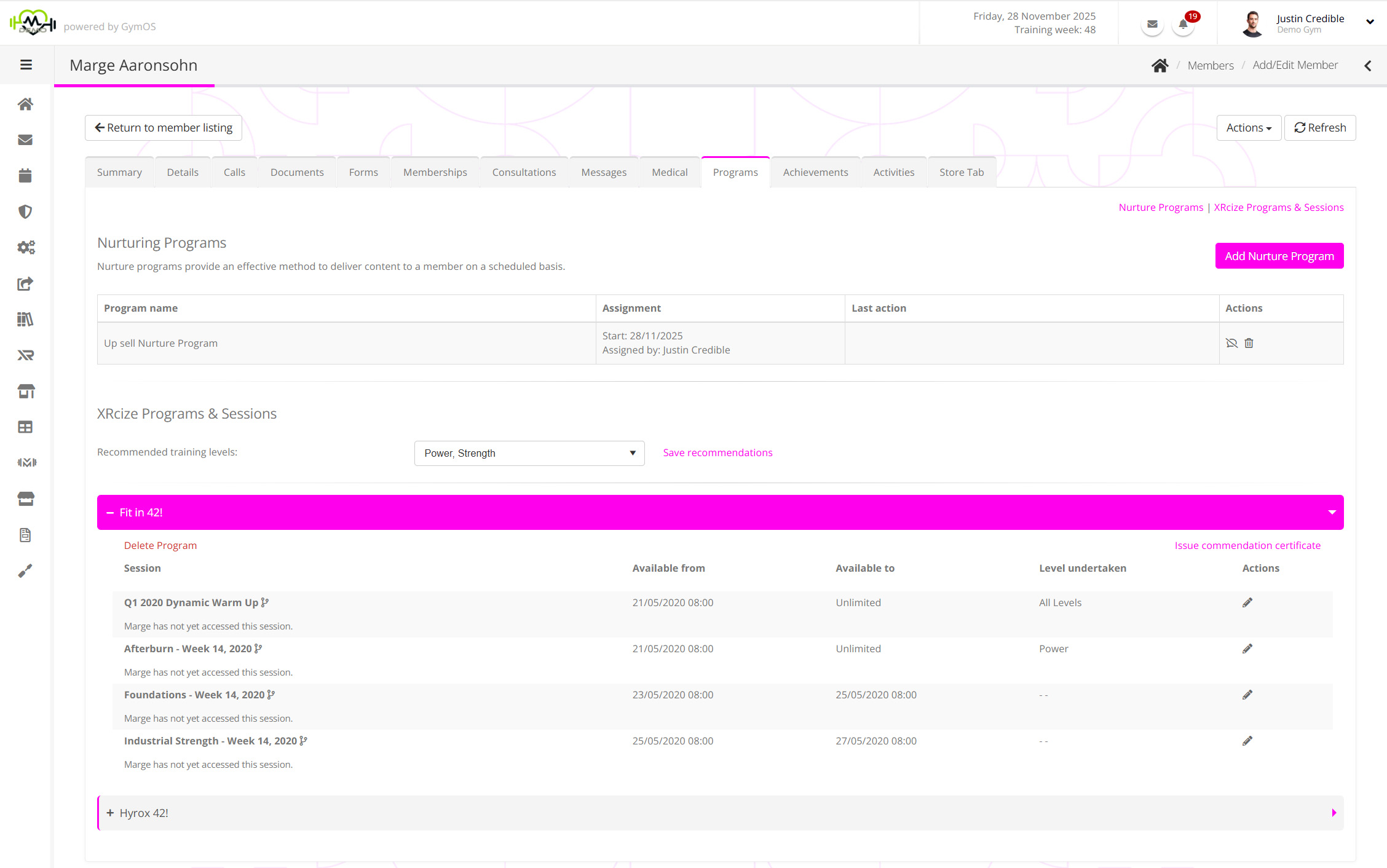
The tab comprises two sections:
Nurture Programs
Nurture programs offer an effective method for delivering content to a member (or lead) on a scheduled basis. Please review the documentation for nurture programs.

GymOS will list the nurture programs assigned to the member. The information provided will include the start date, the person to whom they were assigned, and the last action that occurred within the nurture program.
Clicking the icon alongside a nurture program will cancel that program, and no further steps will be taken from it. Clicking will both cancel and delete the nurture program from the member’s record.
Assigning a nurture program to a member ad hoc
There are many ways within the GymOS system to assign a nurture program to a member, including as a deliverable against a membership and via an event trigger.
To manually assign a nurture program to a member on an ad hoc basis, follow these steps:
- Click the Add Nurture Program button. This will add a new row at the top of the Nurture Program listing.

- Select the desired nurture program from the Program name drop-down list.
- You may choose to change the assignment start date. By default, this will be the current day, and the nurture program will commence immediately.
- Click the icon to save the nurture program, or to cancel.
Important notes:
- The program is assigned and scheduled against the member at the point it is assigned.
- If you remove items from the nurture program they will be removed from the remainder of the member nurture sequence.
- If you edit release times in the nurture program these will not be updated in the member nurture sequence.
- If you edit assignment content (excluding release times) these will be updated for the remainder of the member nurture sequence.
XRcize Programs & Sessions
XRcize programs and sessions are online exercise programs that may be assigned to a member for them to undertake via their GymOS FitnessHub mobile app or the FitnessHub Member Portal. Complete documentation regarding XRcize may be found here.
The XRcize Programs & Sessions section of the Programs tab lists the XRcize elements presently assigned to a member.
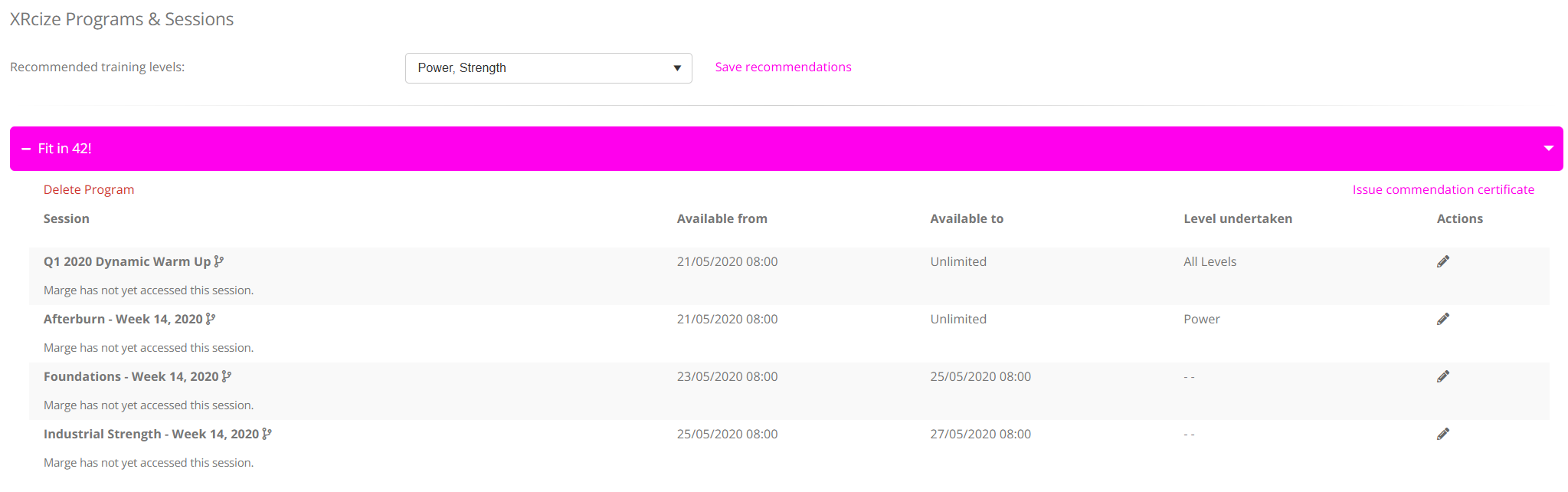
Program and session assignment is done from elsewhere in GymOS, and is documented accordingly.
Within the Programs tab you can:
- Update recommended training levels
- Make selections from the Recommended training levels drop-down list.
- Click Save recommendations to commit the selection.
- Delete an XRcize program from a member
- Click Delete Program.
- Confirm the action.
- Issue a commendation certificate
- If the member has completed an adequate percentage of the program, you can click the Issue commendation certificate button to have GymOS create a completion certificate for the program for the member, and issue it to them.
- Customise a workout for the member
- You may customise and edit a workout to make it appropriate for that specific member by clicking then icon.
Amended sessions are indicated by the icon.
- You may customise and edit a workout to make it appropriate for that specific member by clicking then icon.
Guidance on these functions can be found in the XRcize documentation.