Configuring membership deliverables
Deliverables are the credits and other assets allocated to a member under a given membership.
If you are not yet familiar with them, we suggest taking a few minutes to read the Membership Principles article.
Deliverables are assigned on the Deliverables tab of a membership plan record.
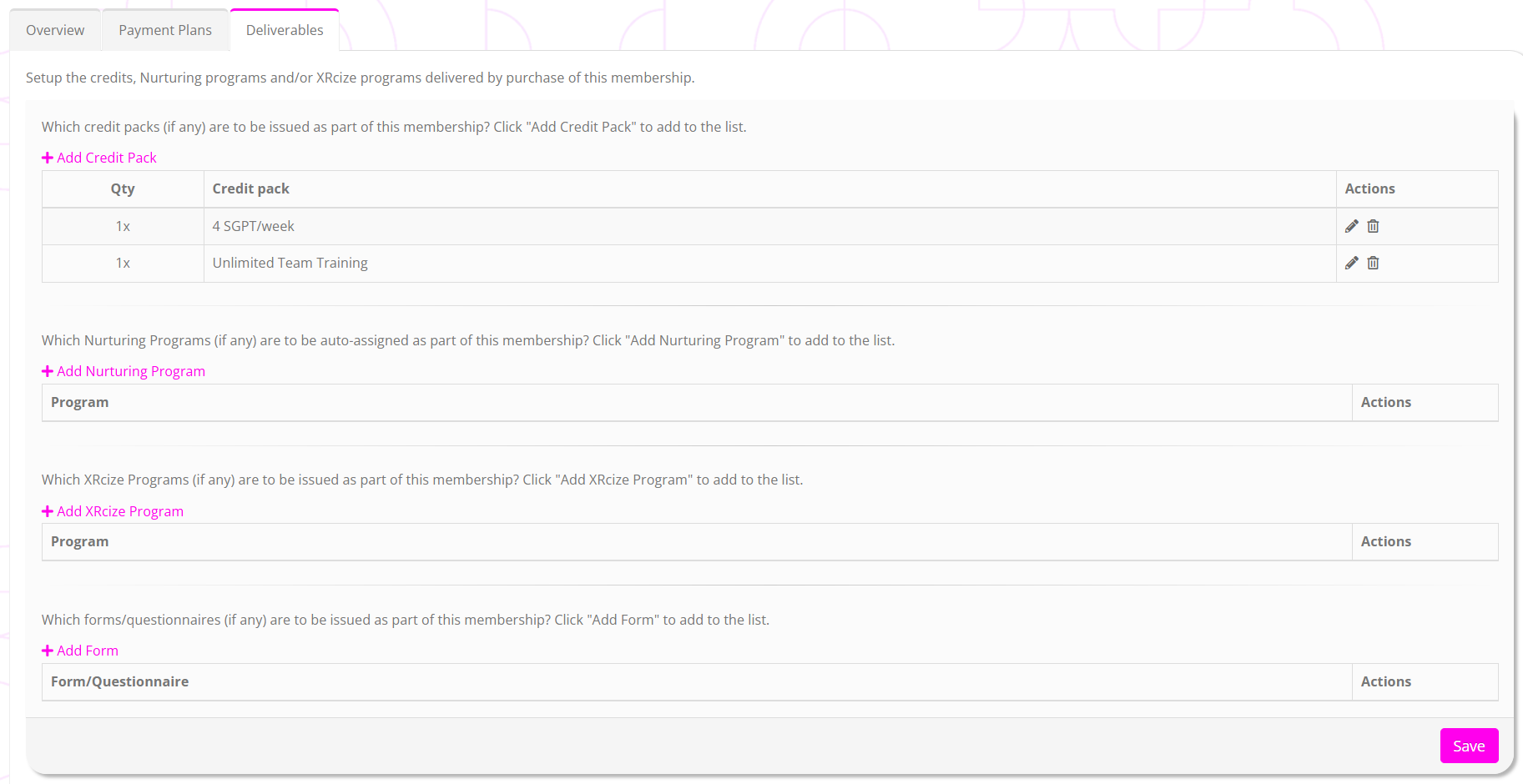
Which credit packs (if any) are to be issued as part of this membership?
Add the credit pack(s) that you wish the membership to issue. These are issued on a recurring basis as per the cycle you configured in the membership payment plan.
You may add multiple credit packs, including multiples of a given type. This helps create your credit packs more efficiently, and thus requires fewer variants.
By way of example, you might create a credit pack that comprises “4x SGPT sessions”. For your “1 per week” membership, you’d assign 1x credit pack every 28 days. For your “2 per week” membership, you’d assign 2x credit packs every 28 days. For your “3 per week” membership, you’d assign 3x credit packs every 28 days. Thus, you only need one credit pack as opposed to three.
Which Nurturing Programs (if any) are to be auto-assigned as part of this membership?
You may select one or more nurture programs to be assigned to the member as part of the membership. If a member has previously been assigned the nurture program, reassignment is subject to the program’s reassignment setting.
Typically, you would probably opt to assign nurture programs using Triggers, which offers greater flexibility than is available here.
Which XRcize Programs (if any) are to be issued as part of this membership?
You may select one or more XRcize Programs to be assigned to the member as part of the membership.
Typically, you would probably opt to assign XRcize programs using Triggers, which offers greater flexibility than is available here.
Which forms/questionnaires (if any) are to be issued as part of this membership?
You may select one or more forms/questionnaires to be assigned to the member as part of the membership.
Typically, you would probably opt to assign forms/questionnaires using Triggers, which offers greater flexibility than is available here.
Make sure you press Save to commit your changes.