
Mobile App: FitFlix
FitFlix
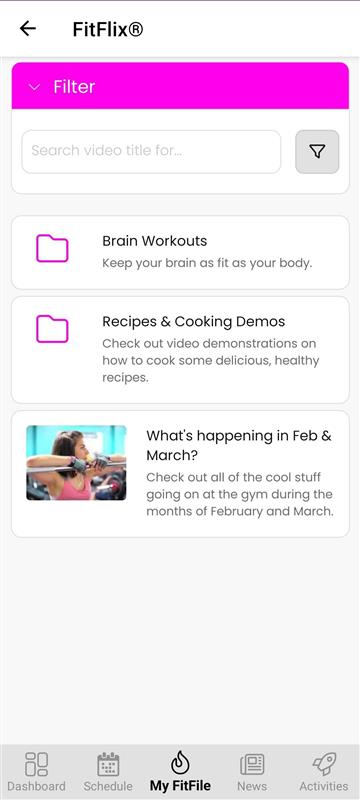
FitFlix provides members with quick and easy access to any training or educational videos that have been assigned to them by their gym. This section can be found by tapping on FitFlix within the My FitFile menu.
Upon opening FitFlix, the member will see a list of the videos that have been assigned to them, along with any folders containing additional video content. If they are looking for something specific, they can tap the pink Filter button and search by name or keyword to quickly locate the video they need.
To watch a video, the member simply taps on it, and it will open directly within the app. The video player includes simple and intuitive tap-based controls:
- 1 tap – Pause/Play
- 2 taps – Rewind 10 seconds
- 3 taps – Rewind to the start
This makes it easy for members to revisit key points or restart the video at any time.