
Mobile App: Forms & Questionnaires
Forms & Questionnaires
Forms and questionnaires can be accessed by the member in two convenient ways. These allow the gym to collect important information, updates, or feedback, while ensuring the member always knows when something requires their attention.
From the Dashboard
When the member has any outstanding forms or questionnaires, these will be displayed directly on their dashboard. By tapping on the highlighted box, the member is taken to a screen showing the specific form that needs completing. They can then tap Start to begin answering the questions and work through the form until it is fully submitted.
Through My FitFile
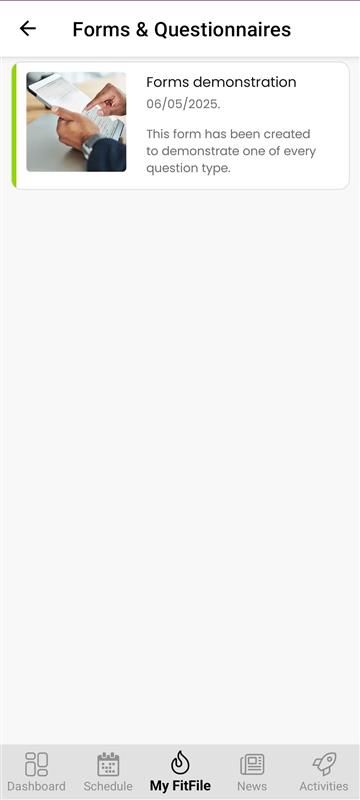
The member can also access forms by navigating to My FitFile and selecting Forms & Questionnaires. Any outstanding items will be clearly listed. By tapping the relevant form and selecting Start, the member can review, answer, and complete all required questions.
Completing the Forms
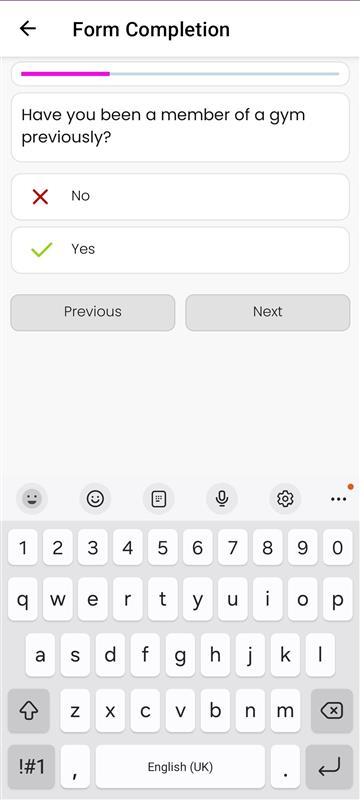
Once the member has tapped Start, they can begin answering the questions within the form or questionnaire. The format of the questions will vary depending on what the gym has set. For example, the member may be required to:
- Enter a number
- Type into a text field
- Accept or acknowledge a statement
- Select Yes or No
- Agree to a document and provide an electronic signature
The options presented will depend entirely on the type of questions chosen by the gym. After completing all required fields, the member can submit their responses, and the form will be marked as completed.