
Mobile App: Updating your Details
Updating Your Contact Details
Members can update their personal and contact information directly within the app to ensure the gym has accurate and up-to-date details.
Accessing My Profile
To update contact details, the member should:
- Open the Dashboard.
- Tap the cog icon in the top-right corner.
- Select My Account.
- Tap My Profile.
Profile Photo
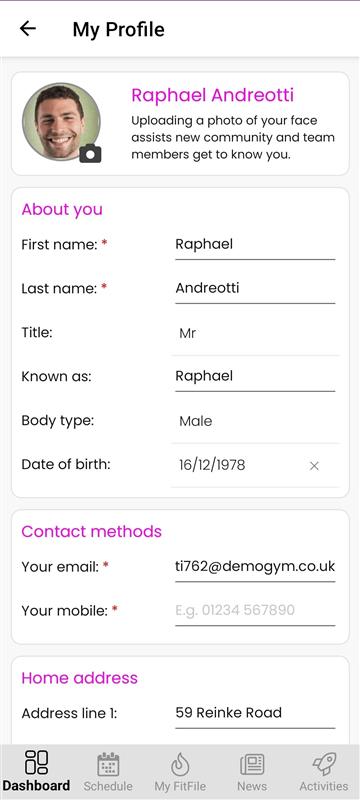
From the My Profile screen, the member can upload or update their profile photo by tapping on the circle with the camera icon, where the member will be asked to either upload or take a photo.
About You
The About You section allows the member to update the following personal information:
- First name
- Last name
- Title
- Known as
- Body type
- Date of birth
Contact Methods
In this section, the member can update the contact details they wish to be contacted on, including:
- Email address
- Mobile number
Address Details
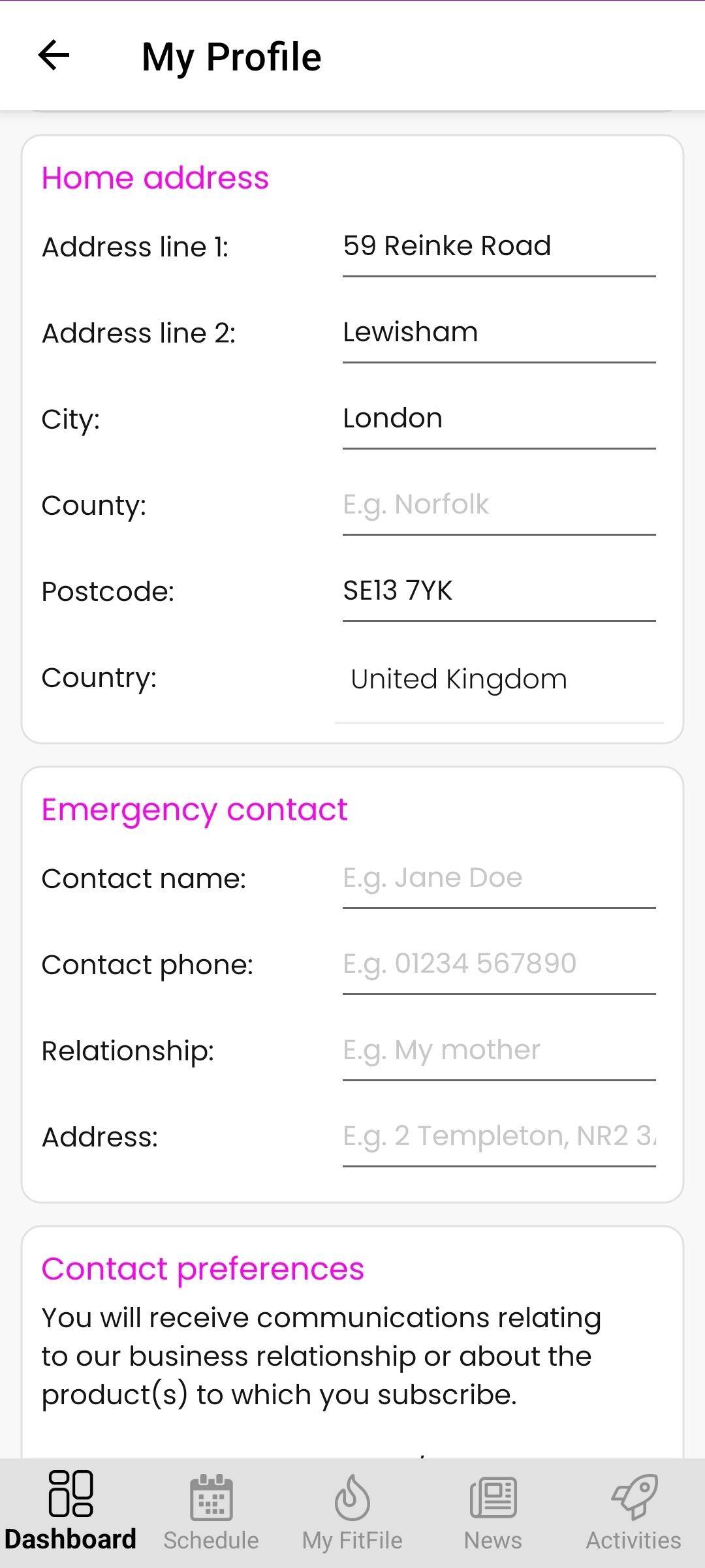
The member can enter or update their home address information to ensure records remain accurate.
Emergency Contact Details
This section allows the member to provide or update emergency contact information, which may be used if required by the gym.
Contact and Marketing Preferences
The member can manage their contact and marketing preferences, choosing how and when they wish to receive communications.
Mandatory Fields
Any field marked with a red asterisk (*) is mandatory and must be completed before changes can be saved.