
Mobile App: Weigh-Ins
Weigh-Ins
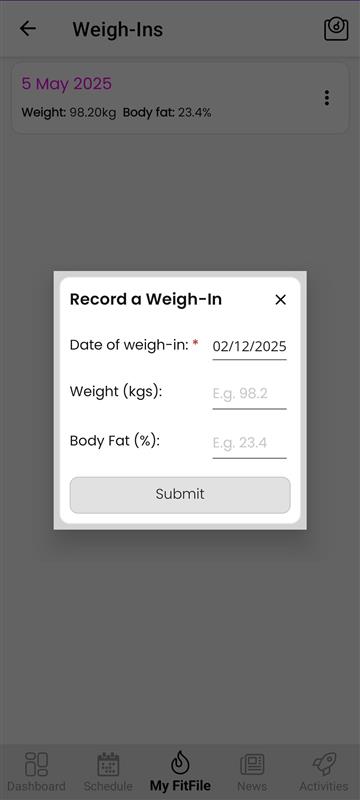
The Weigh-Ins section can be accessed by tapping on Weigh-Ins within the My FitFile menu. Here, the member can view all previously logged weigh-ins, each displaying:
- The date the weigh-in was uploaded
- Their recorded weight
- Their body fat percentage, if provided
This allows members to easily track their progress over time.
If the member wishes to upload a new weigh-in, they can do so by tapping on the scale icon located in the top-right corner of the screen. A small pop-up form will appear in the centre of the screen, prompting the member to enter:
- The date of the weigh-in
- Their weight
- Their body fat percentage (if applicable)
Once the details are submitted, the new weigh-in will be added to their history.
If the member needs to delete a previous weigh-in, they can simply swipe left on the entry they wish to remove. A red delete bin icon will appear, which they can tap to permanently delete the selected weigh-in.