Unallocated sessions
Unallocated Sessions is one of the tabs on the Shift Manager.
An “unallocated session” is a session that has been scheduled but does not yet have a lead coach assigned to it.
Unallocated sessions within the next 3 calendar months are displayed on the Unallocated sessions tab.
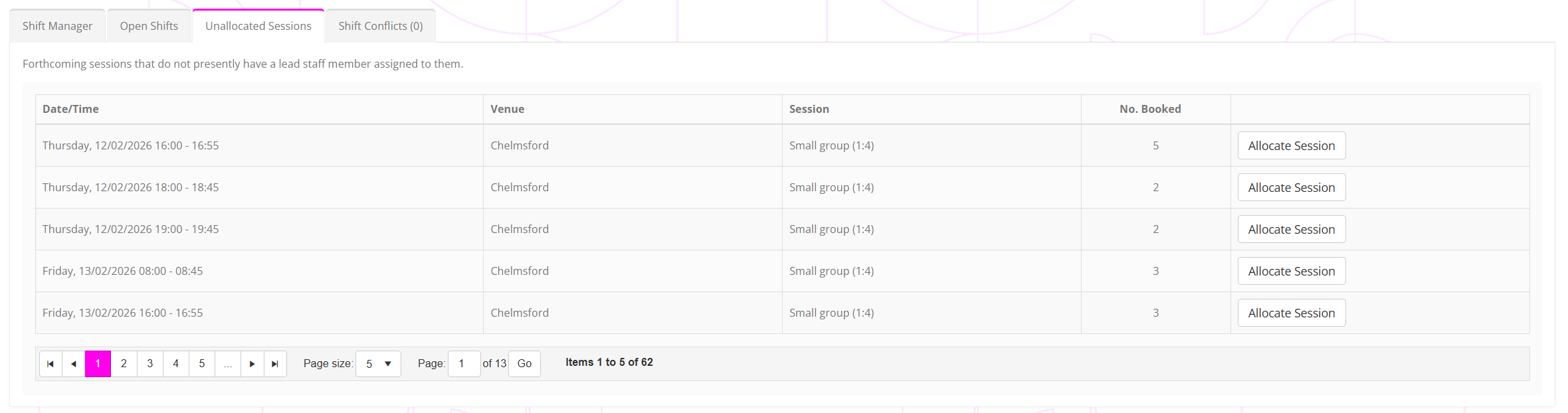
The listing shows the session date/time, venue, and session type. It also shows the current number of members booked for the session.
To allocate a lead coach to a session, click the Allocate Session button. This will show the allocation pop-up window.
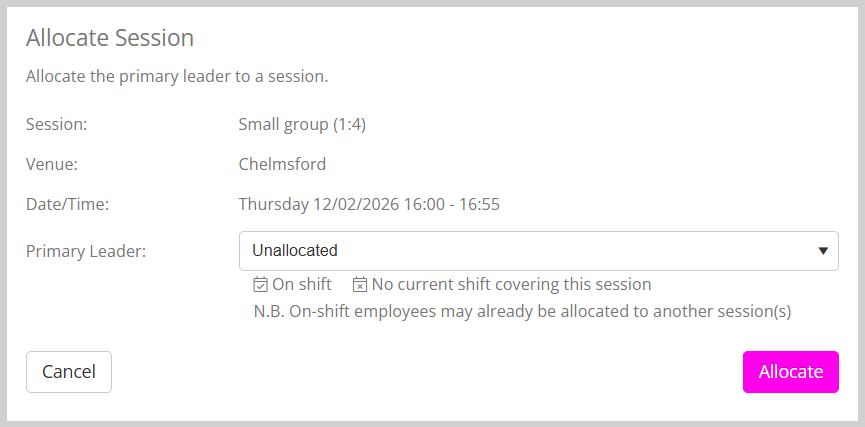
Select the primary lead coach from the primary leader drop-down and click Allocate to assign.