Member tab: Achievements
The Achievements tab on the member record is where you can track and record Weigh-Ins, BodyHops (body transformation photographs), and Achievements/Personal Bests. You can also view a member’s Progress Tracking records.
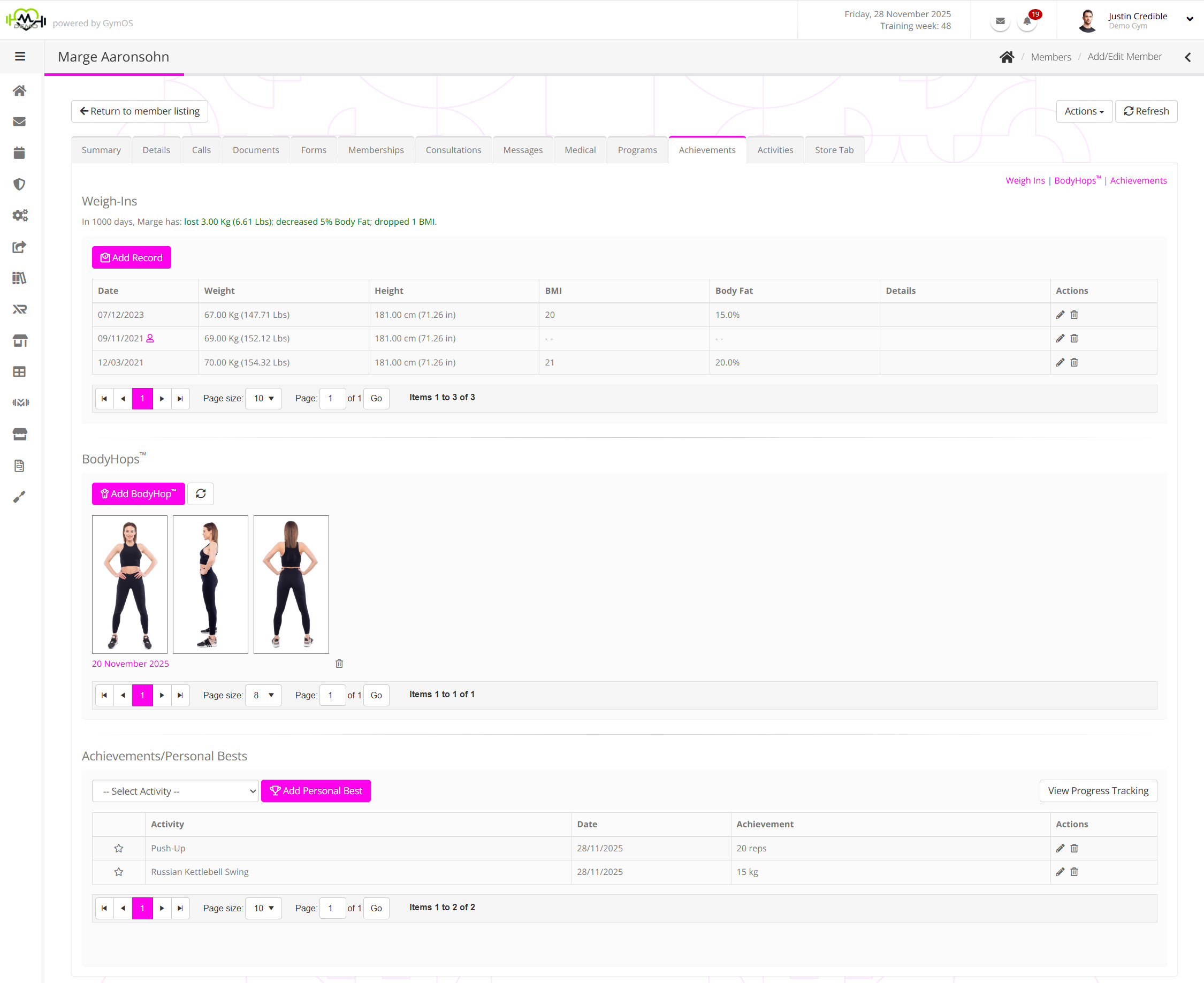
The Achievements tab is split into three distinct sections:
Weigh-Ins
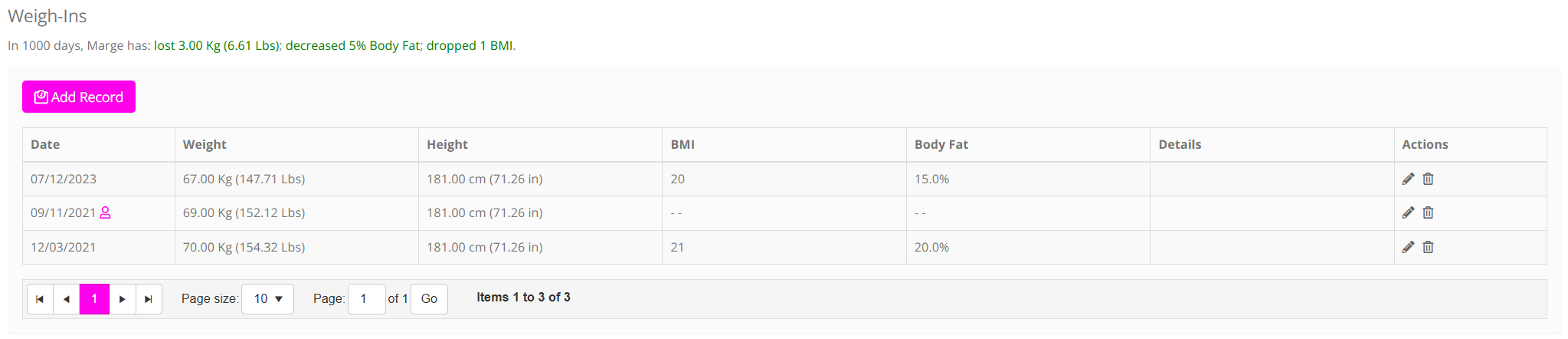
The weigh-ins section is where you may record and view the weigh-ins, body fat, and BMI for the selected member.
GymOS lists the weigh-ins that have been recorded for the member in reverse chronological order, with the most recent displayed first. Above the listing, a summary of the progress from the first to the last weigh-in is displayed.
Weigh-in records may be added by the member themselves or a member of your team. Where a record has been added by the member, this is indicated by the presence of the icon.
Full documentation regarding adding and editing weigh-ins via the GymOS administration portal may be found in the Adding or editing a member weigh-in article.
BodyHops
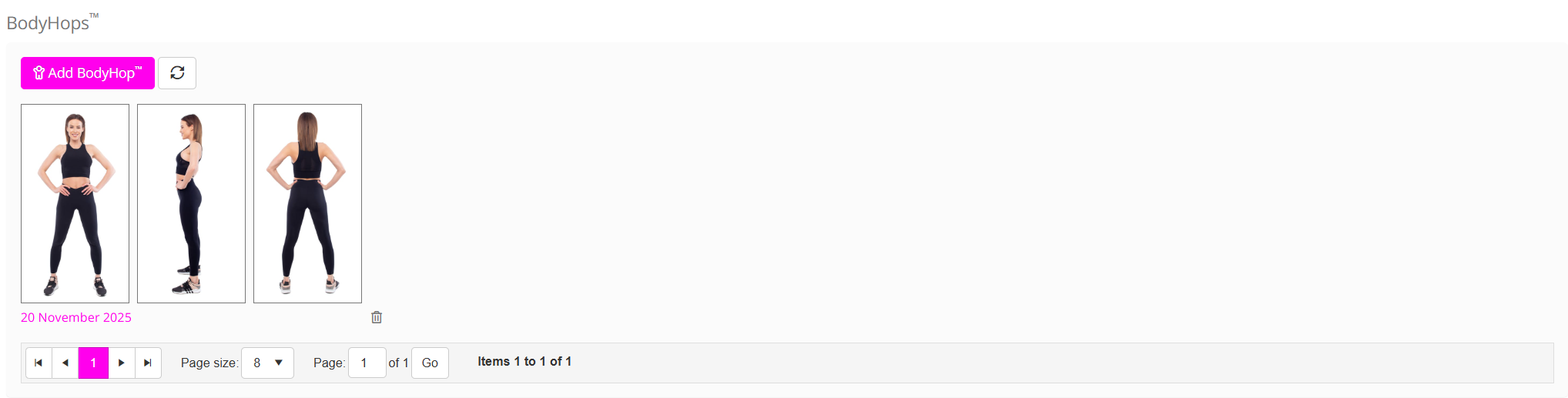
A BodyHop record consists of a trio of body photos: front, side, and back. Typically, they are uploaded by the member themselves via the GymOS FitnessHub mobile app or the Member Portal. However, they may also be uploaded by a team member within the GymOS administration portal.
The BodyHop listing comprises a list of all recent BodyHop images that have been uploaded by the facility via the management portal or by a member via the GymOS FitnessHub mobile app/Member Portal and have been checked to be made viewable by your gym.
Full documentation regarding adding and viewing BodyHops via the GymOS administration portal can be found in the Adding or editing a member BodyHop article.
Achievements/Personal Bests

An achievement/personal best may be recorded either by the member (in the GymOS FitnessHub app or the Member Portal) or by the coaching team (in the administration portal). It may also form part of a much richer progress tracking program where members record their achievement during a session against a prescribed set of workout exercises.
Documentation regarding adding Achievements/Personal Bests via the GymOS administration portal can be found in the Recording achievements and personal bests article. For the more comprehensive Progress Tracking functions, please refer to the XRcize Programs documentation.