Adding or editing a member weigh-in
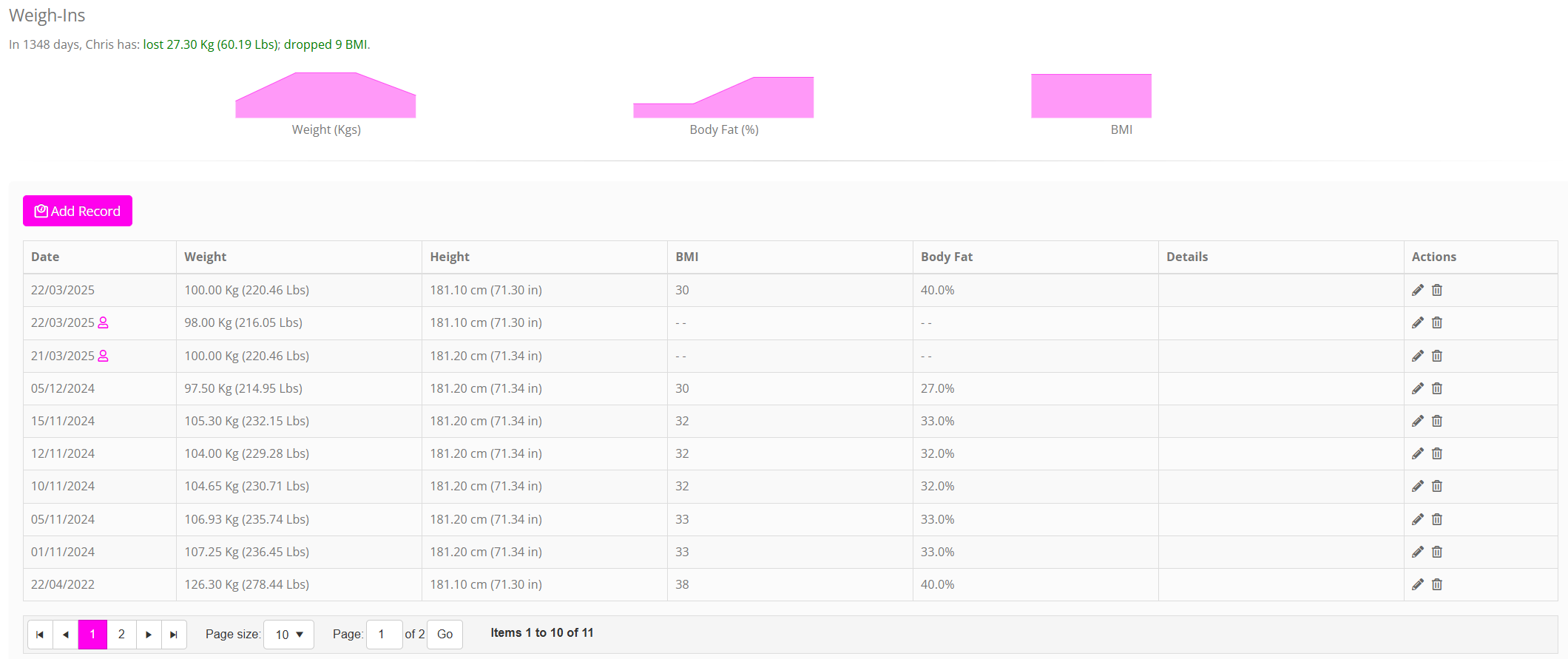
You may add or edit a weigh-in record for a given member within the GymOS administration portal. Weigh-ins form part of the Achievements tab on the member record:
Adding a weigh-in
To add a new weigh-in record:
- Click the Add Record button in the Weigh-Ins section of the achievement tab on the member record. A new row will be added to the top of the weigh-ins listing.

- The date will default to the current date, but may be overridden.
- Enter the weight recorded, in the units indicated. These units may be configured in Settings.
- The height field will be pre-populated from the last recorded height, but may be overridden.
- Optionally, provide a body fat reading.
- Optionally, upload a corresponding document or image relating to the reading. For example, this might be the scan of an output from Body Fat Analysis scales.
- Click to save the record, or to abort.
Once three or more weigh-ins have been recorded, progress graphs will be shown at the top of the weigh-in listing.
Records that have been added by the member themselves will be marked with an icon.
BMI is calculated automatically, in accordance with the formula:
Editing or deleting a weigh-in
To edit an existing weigh-in, click the icon alongside the record that you wish to edit.
To delete a record, click the icon alongside the record that you wish to delete.