Adding or editing a member BodyHop
You may add or edit a BodyHop record for a given member within the GymOS administration portal. BodyHops form part of the Achievements tab on the member record.
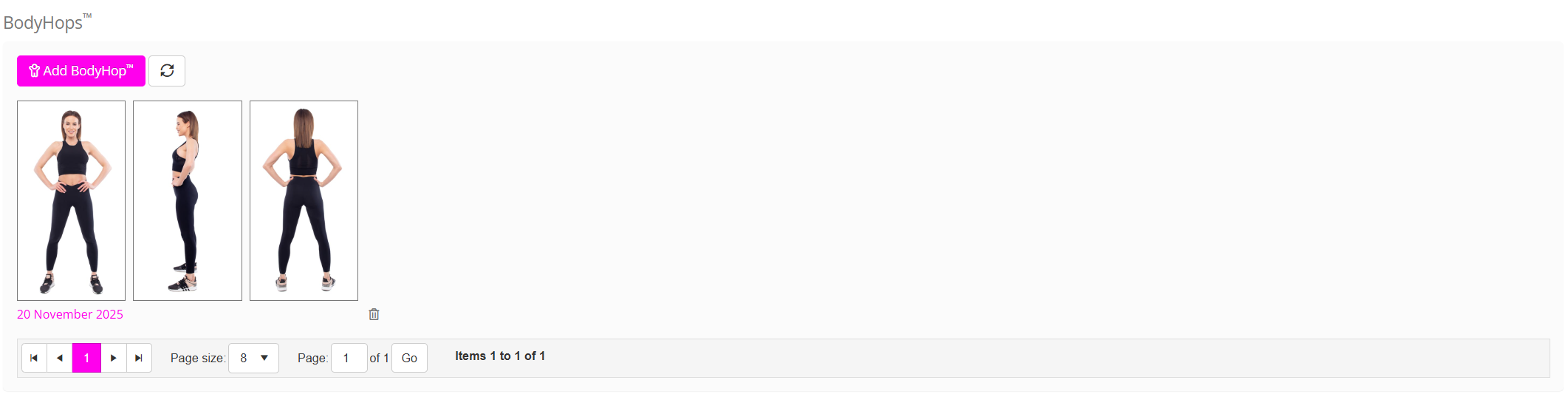
Adding a BodyHop
Most gyms find that it is their members who typically add BodyHop progression photos to their records. However, these may also be added via the administration portal by team members.
To add a new BodyHop record:
- Click the Add BodyHop button in the BodyHops section of the achievement tab on the member record. The pop-up Add a new BodyHop window will open.
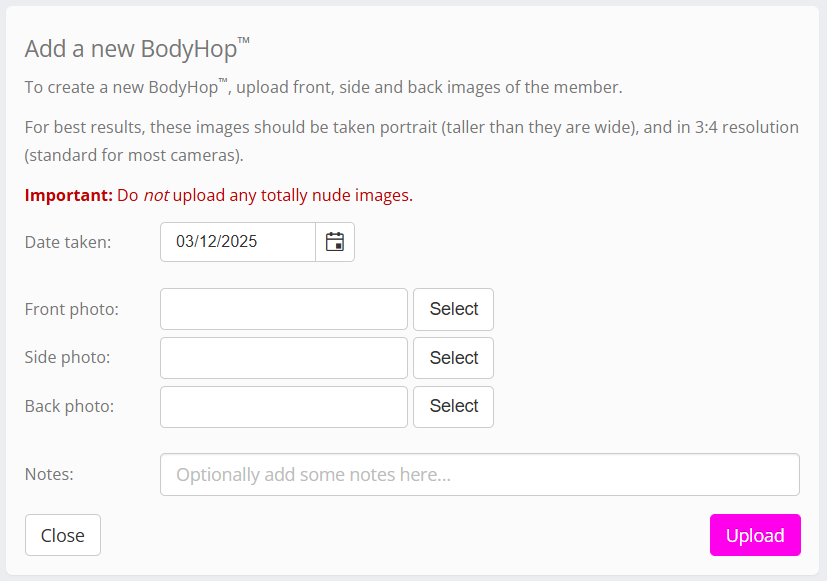
- By default, the date will be the current date. This may be overridden as needs be.
- Add front, side, and back photographs.
- You may optionally provide notes to record alongside the record.
- Click the Upload button. GymOS will upload and resize the images.
Editing or deleting a BodyHop
BodyHop uploads cannot be edited, but are replaced with a new version. You may delete an existing BodyHop record by clicking the icon.