FitnessHub: Forms & Questionnaires
The Forms & Questionnaires section allows members to view and complete any forms assigned to them by the gym.
Accessing Forms & Questionnaires
This section can be accessed in two ways:
- By selecting the Forms & Questionnaires tile within My FITFile.
- By hovering over My FITFile in the main navigation menu and selecting Forms & Questionnaires from the dropdown list.
Viewing Outstanding Forms
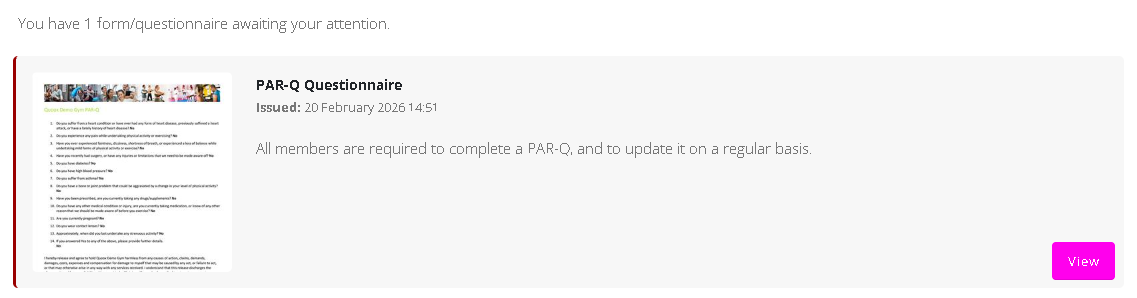
Any outstanding forms that require completion will be displayed on this page.
Each page will include a View button. Selecting this button will open the questionnaire and allow the member to begin completing it.
Completing a Questionnaire
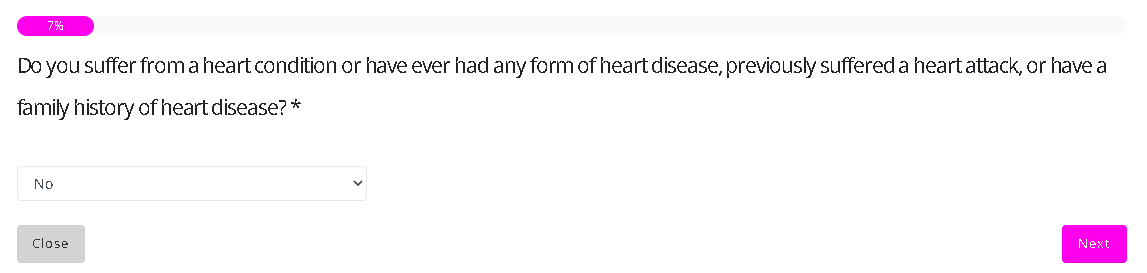
Once opened, the member can respond to each question by:
- Selecting one of the available response options, or
- Entering their own answer in a text field
The response format will depend on how the gym has configured the form.
To move to the next question, the member should select the Next button.
Form Controls and Progress
While completing a questionnaire, the member will see the following options:
- Close – Allows the member to exit the form at any time
- Restart – Resets the questionnaire, allowing the member to begin again from the start.
- Progress bar – Displays a percentage indicator showing how much of the form has been completed.
Form Completion
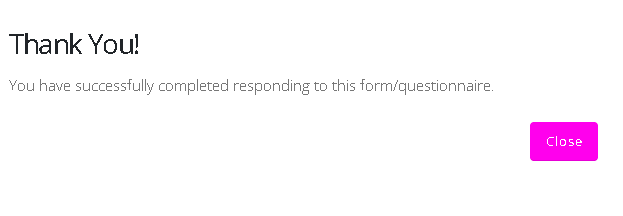
Once all required questions have been answered and the form has been completed, the member will see a confirmation message thanking them and confirming successful submission.
A Close button will be available to exit the questionnaire.