
Widget: Conversations
The Conversations widget is where you can have a real-time conversation with another employee logged into GymOS from a different location. If they are offline, your message is stored and presented to them the next time that they access the dashboard.
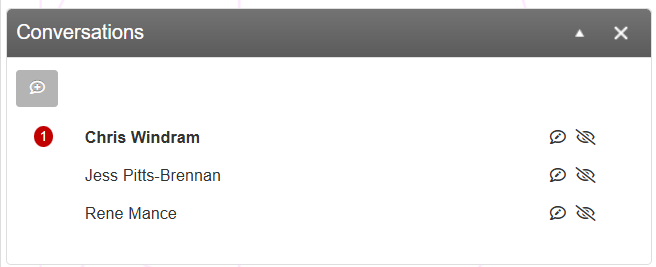
The widget will show a list of conversations that you are having/have had with other people. The most recently active conversations are shown at the top of the list.
If a conversation has a reply that you have not yet seen, the number of missed comments will be shown in a red circle next to the person with whom you have been conversing.
You can open a conversation by clicking the icon. It is possible to hide a conversation by clicking the icon. The conversation will reappear if you receive a reply to it.
You may initiate a new conversation by clicking the button.
Starting a new conversation
To start a new conversation, click the button. This will open the pop-up conversation window:
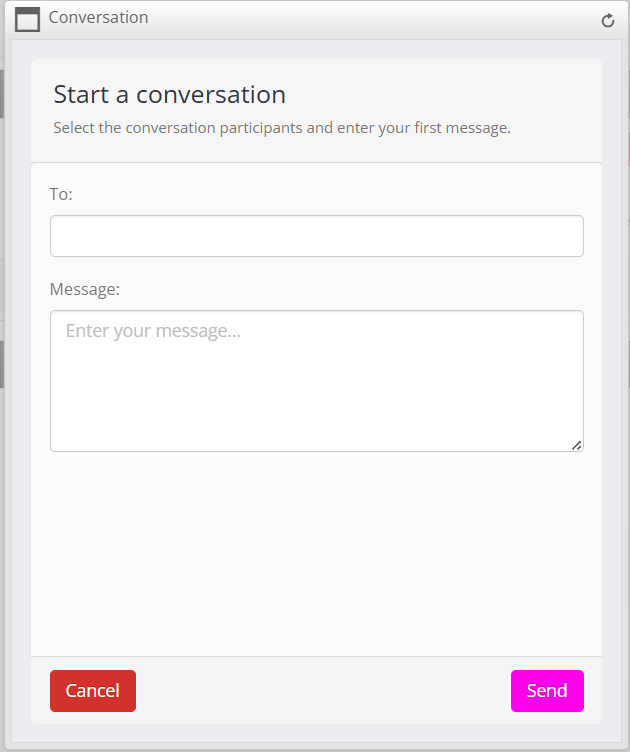
Enter the name of the team member with whom you wish to chat, and enter your opening message. Click the button.
Continuing a conversation
To continue a prior conversation, click on the icon alongside the person to whom you wish to chat. The conversation pop-up will reopen:
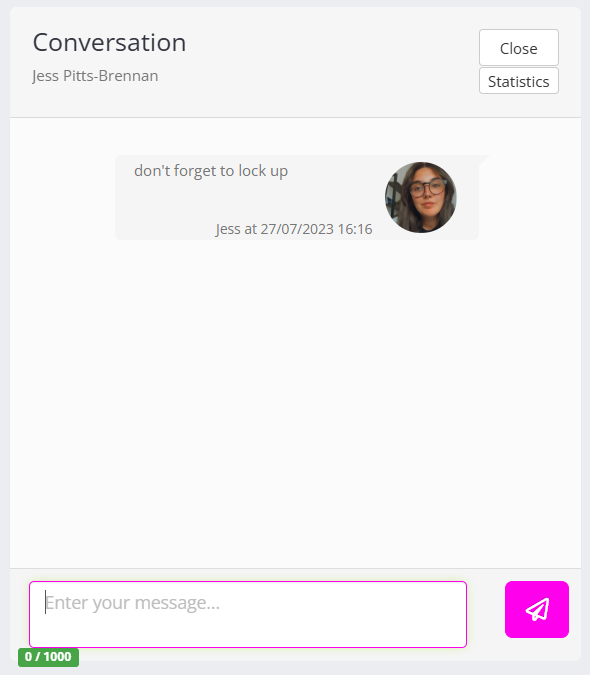
Continue your conversation by entering your message and clicking the icon.
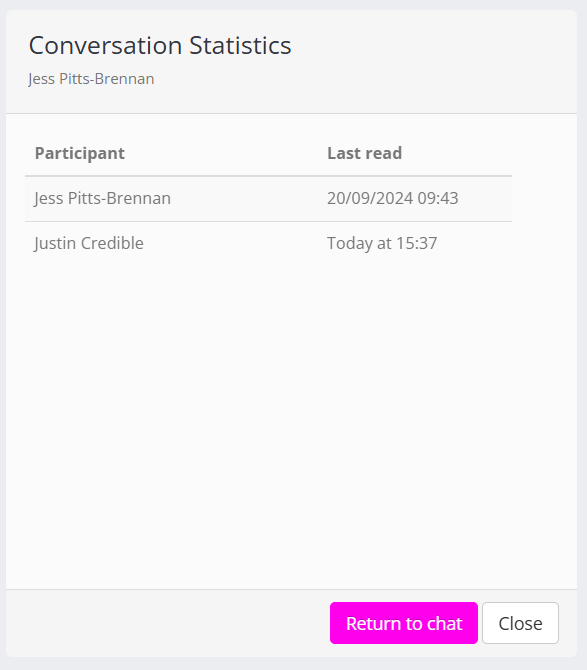
You may view statistics for a given conversation (to see if someone has read your message) by clicking on the Statistics button.