Adding/changing your subscription payment method
Any user with Manager rights may add or update a payment method for the Quoox GymOS subscription.
Payment methods are accessed on the My Subscription page of the Quoox Account section of the main navigation menu.
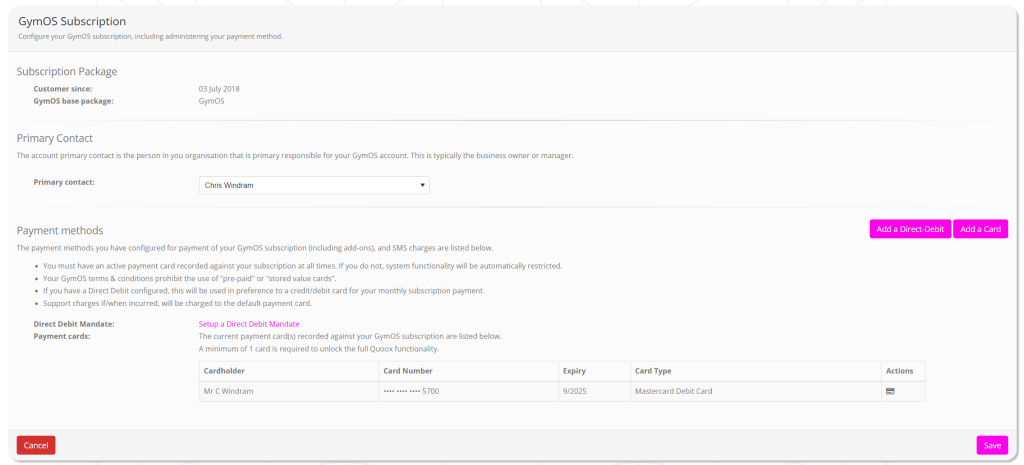
To add a new payment method:
- Scroll to the Payment methods section of the page.
- To add a new card, click Add a Card. To set up a Direct Debit, click Add a Direct-Debit.
- Follow the on-screen instructions.
Note: If your account is in “restricted mode”, it may take up to 5 minutes for this restriction to be lifted after you add a new card. This will happen automatically, and does not involve any manual intervention by the Quoox team.
Setting a default payment card
To change your default payment card, click the icon next to the card that you wish to be used as the charge method.
Removing a payment method
To have a payment method removed, please open a support ticket.