
Changing your GymOS account contact
A user with Manager permissions can change the GymOS account contact. The account contact is considered the primary point of contact and is responsible for the client’s administration of GymOS. It is the primary contact to whom GymOS payment invoices/receipts are sent.
You can change your primary contact on the My Subscription page, accessed from the Quoox Account section of the main navigational menu.
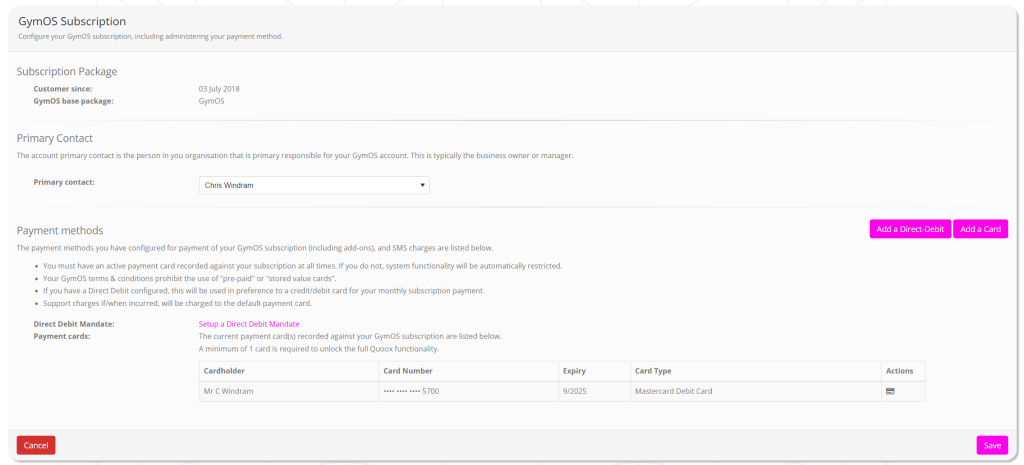
Within the Primary Contact section:
- Select the new primary contact from the drop-down list.
- Scroll to the bottom of the page, and press Save.